Microsoft Security | Microsoft Defender | Microsoft Defender for Cloud
A cloud-native solution that protects workloads across hybrid and multi-cloud environments with threat detection and security recommendations

This browser is no longer supported.
Upgrade to Microsoft Edge to take advantage of the latest features, security updates, and technical support.
' cx='32' cy='32' r='32' /%3E%3Ctext x='50%25' y='55%25' dominant-baseline='middle' text-anchor='middle' fill='%23FFF' %3EHB%3C/text%3E%3C/svg%3E)
Hi,
I have 2 virtual machines in Azure. VM01 (Windows server 2019 datacenter) and VM02 (Windows server 2019 datacenter)
VM01 has extension of Microsoft Malware.
VM02 does not has Microsoft Malware extension.
I did rdp for both VMs and went to setting> Update and Security > Windows Security
Both VMs have same options. Please tell me how can I see insside the VM01 that Microsoft malware is enabled and how to change the setting?
Second question is , if I have number of virtual machines then how can I install Microsoft malware in once by azure portal and azure powershell.
Thanks
Regards
' cx='32' cy='32' r='32' /%3E%3Ctext x='50%25' y='55%25' dominant-baseline='middle' text-anchor='middle' fill='%23FFF' %3EVS%3C/text%3E%3C/svg%3E)
@Hassan Bin Nasir Dar Thanks for reaching out.
Server 2019 has Microsoft Defender inbuilt and is by default enabled in Server 2019. If you do not see the status from server normally, you can try this to add the GUI to your server.
You can user powershell to verify if the Defender is running : Get-Service -Name windefend

To get updated antimalware security intelligence, you must have the Windows Update service running. If you use an update management service, like Windows Server Update Services (WSUS), make sure that updates for Microsoft Defender Antivirus Security intelligence are approved for the computers you manage. You can use the following for the update process :
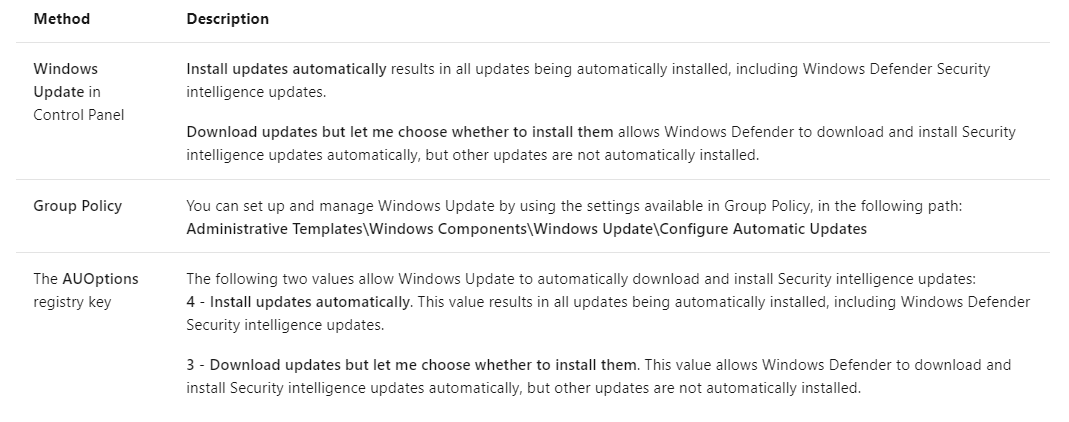
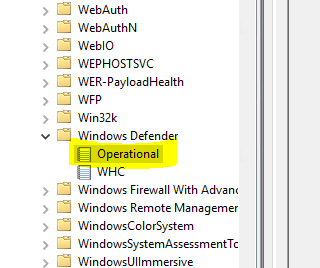
On the server, you can check the events under Applications and Services Logs, then Microsoft, then Windows, then Windows Defender. Once updated, you can find these events which tells you about the updated security engines.

For multiple servers : You can use PowerShell cmdlets : https://learn.microsoft.com/en-us/azure/security/fundamentals/antimalware#enable-and-configure-antimalware-using-powershell-cmdlets-for-azure-resource-manager-vms
-----------------------------------------------------------------------------------------------------------------
If the suggested response helped you resolve your issue, please do not forget to accept the response as Answer and "Up-Vote" for the answer that helped you for benefit of the community