Exchange | Exchange Server | Management
The administration and maintenance of Microsoft Exchange Server to ensure secure, reliable, and efficient email and collaboration services across an organization.
This browser is no longer supported.
Upgrade to Microsoft Edge to take advantage of the latest features, security updates, and technical support.
' cx='32' cy='32' r='32' /%3E%3Ctext x='50%25' y='55%25' dominant-baseline='middle' text-anchor='middle' fill='%23FFF' %3ENT%3C/text%3E%3C/svg%3E)
Hello
I made the settings related to imap in exchange and I made all the settings related to dns, both in internal and external dns, but the problem is that when I try to connect to imap with Outlook, it recognizes the user and the mailbox, but every time It asks me for a username and password, although I enter the username and password correctly, but it does not contact the exchange via imap.
Thanks for guiding me.
The administration and maintenance of Microsoft Exchange Server to ensure secure, reliable, and efficient email and collaboration services across an organization.
' cx='32' cy='32' r='32' /%3E%3Ctext x='50%25' y='55%25' dominant-baseline='middle' text-anchor='middle' fill='%23FFF' %3EYS%3C/text%3E%3C/svg%3E)
Hi @navid Talesh ,
Could you share some screenshots about how you configured the account in Outlook after obfuscating all personal information involved?
Below are the settings I used and it works fine at my end. You can compare it with yours and see if there's any difference.
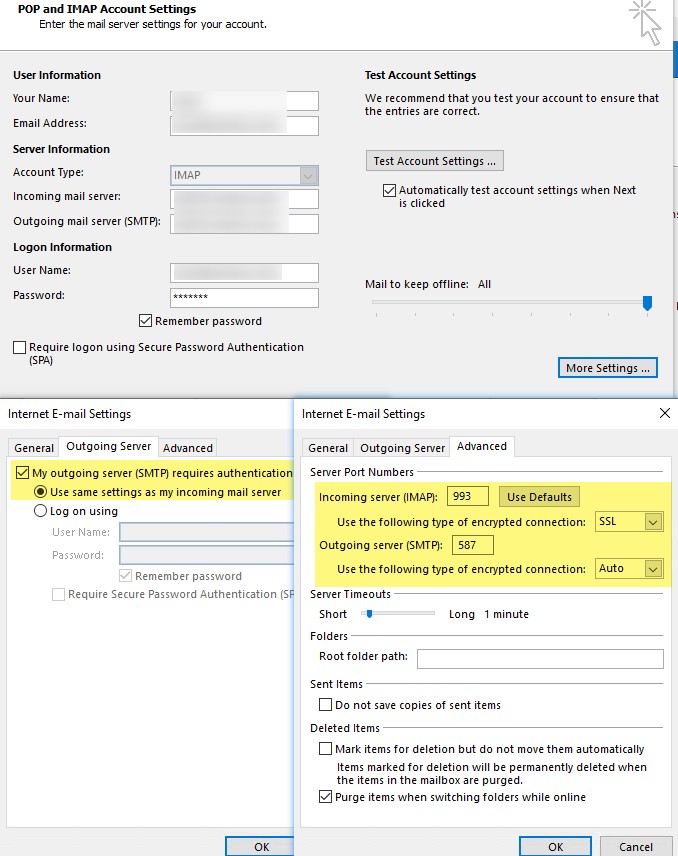
Furthermore, in case the issue is with the cached credentials stored on the machine, it's recommended to clear all stored credentials that have "outlook" in the name via Windows Credential Manager and see how it goes:
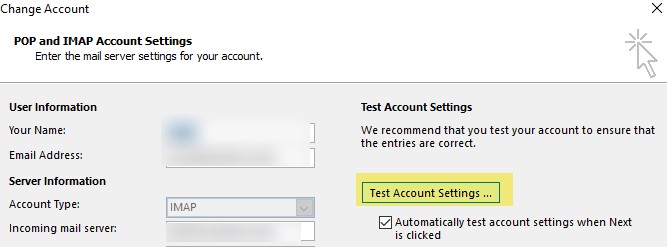
If the issue persists, please test your account by clicking the Test Account Settings button and check if there would be any error messages which could help troubleshoot:
If an Answer is helpful, please click "Accept Answer" and upvote it.
Note: Please follow the steps in our documentation to enable e-mail notifications if you want to receive the related email notification for this thread.
Hello
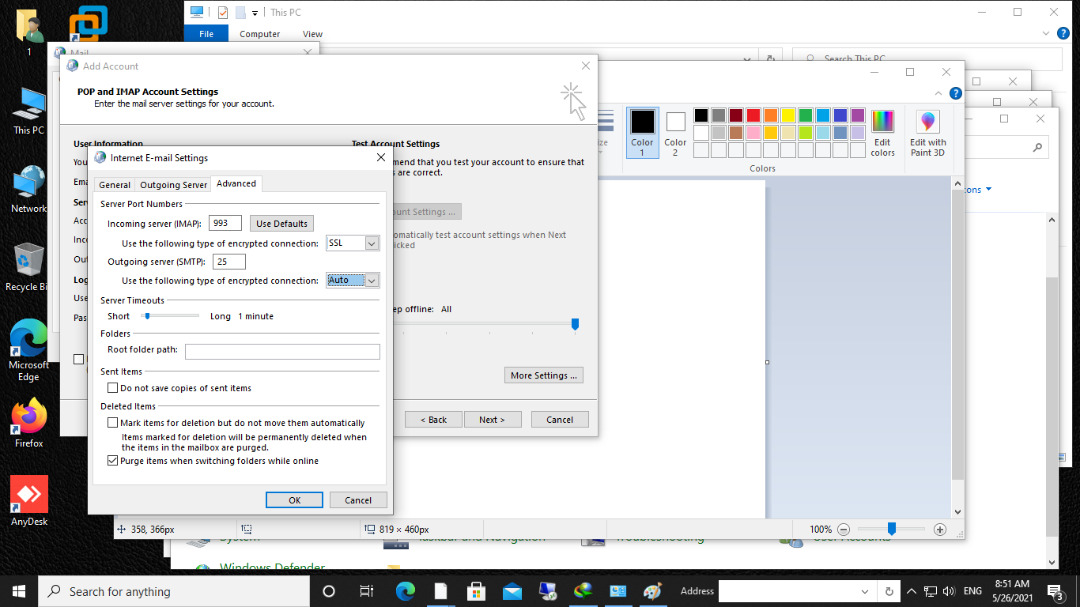
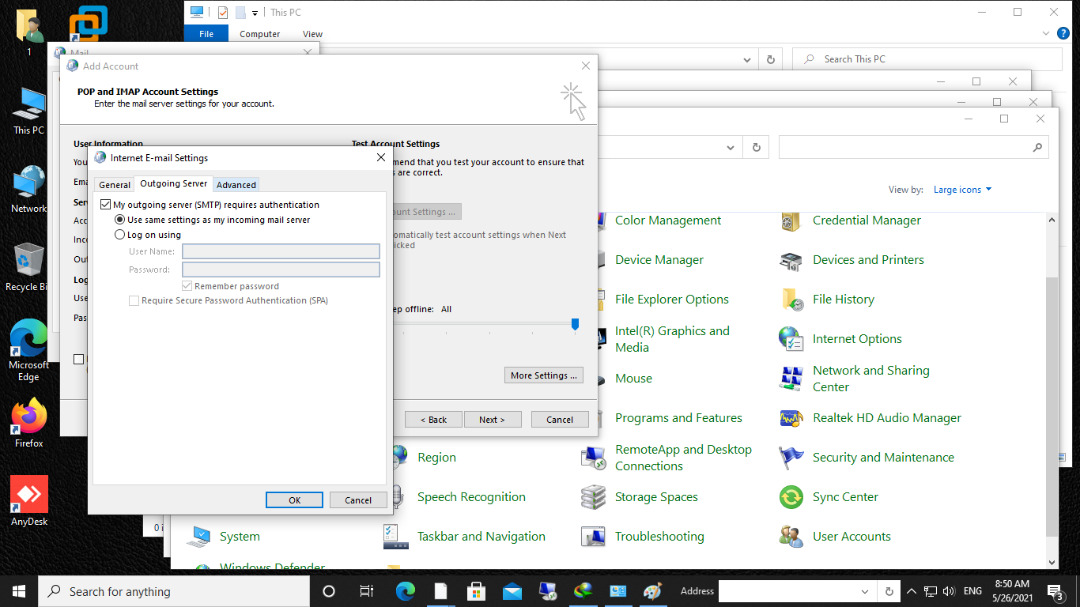
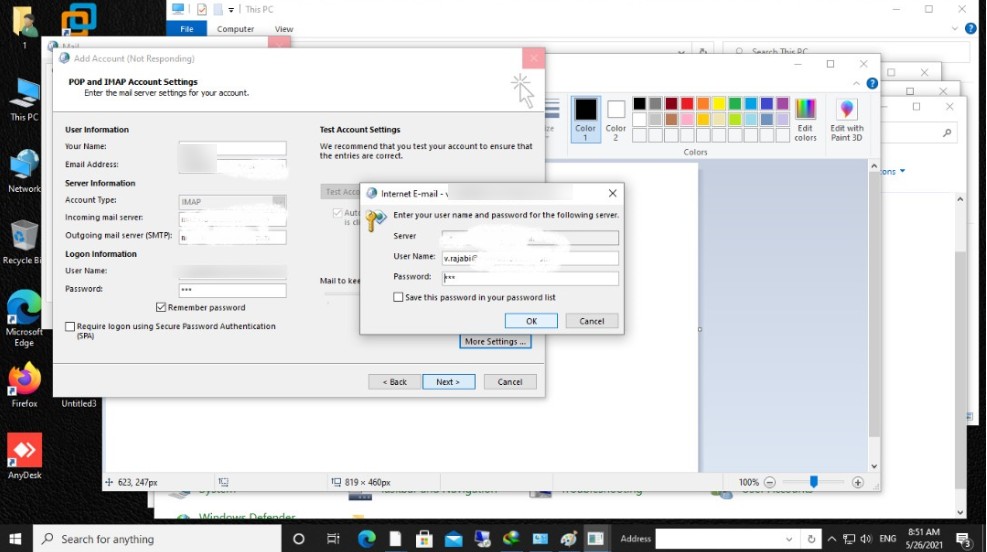
I sent you pictures of the steps. In the last image, after entering the password again, the box that appears in the fourth photo asks me for the password again.
It seems that he has a problem in approving the user.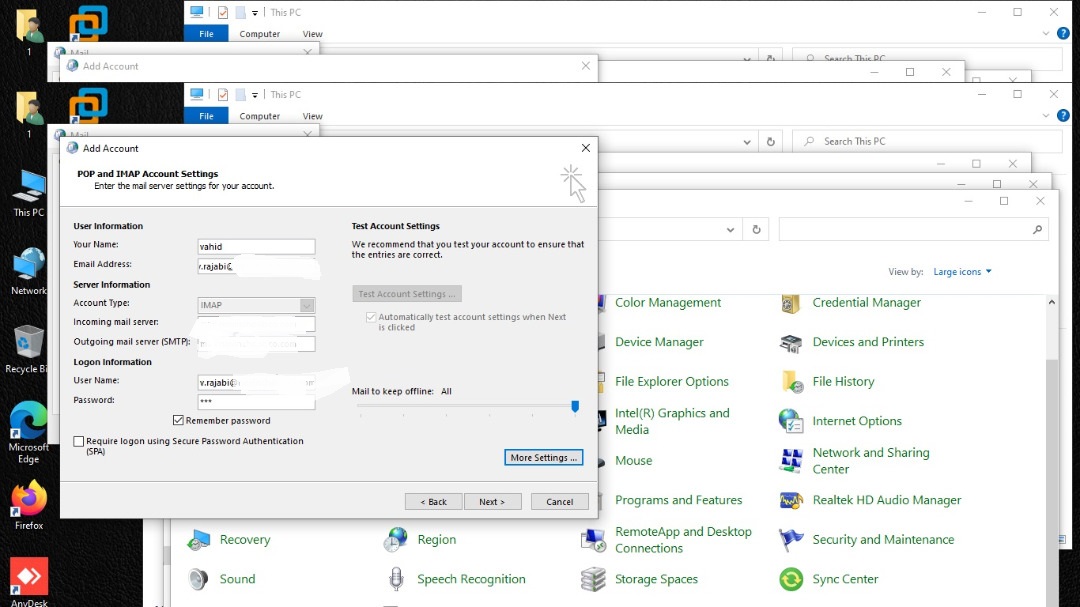
Hi @navid Talesh ,
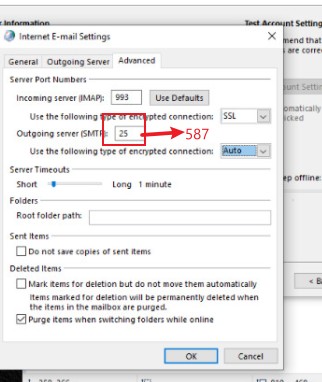
Please try changing the port number for SMTP to 587 and see if it works:
By the way, as there were some personal email addresses included in your last image, I've just edited your post to remove them to protect your privacy informaiton.
hi yukisum
I replaced port 25 with port 587, but the result did not change
Hi @navid Talesh ,
How about starting from scratch using the settings above with a new Outlook profile?
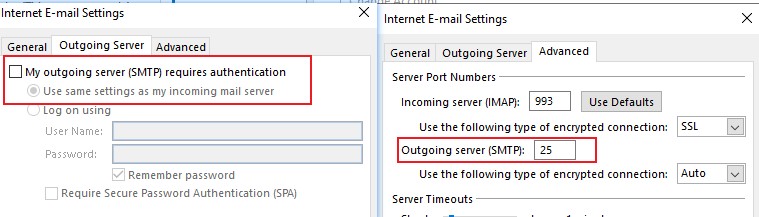
If it still doesn't work, please try keeping using port 25 for SMTP, but clear the checkbox of "My outgoing server(SMTP) requirs authenticatin":
If an Answer is helpful, please click "Accept Answer" and upvote it.
Note: Please follow the steps in our documentation to enable e-mail notifications if you want to receive the related email notification for this thread.
Hi @navid Talesh ,
I am following up to confirm if you have managed to configure the imap account. Feel free to post back should you still need further help on this.
If an Answer is helpful, please click "Accept Answer" and upvote it.
Note: Please follow the steps in our documentation to enable e-mail notifications if you want to receive the related email notification for this thread.