Hello, I'll try to answer your question to the best I can. Did you try opening up the casing of the external HDD or the HDD itself, or drop it, or got water in it? or did anything you shouldn't have to it? I'm assuming you didn't (which is really good) so try going to Device Manager by pressing the Windows Key + R and typing devmgmt.msc in the given box and pressing Enter. It should look like this. (Screenshot below)
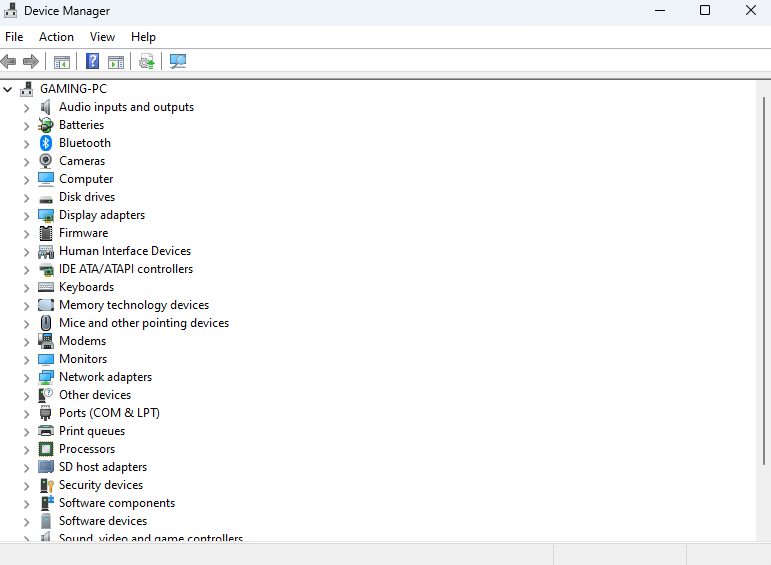
At the top there's a little monitor with a magnifying glass right? Which says "Scan for hardware changes"? Plug in your external HDD and click that. This should scan if any new devices are connected to the system. Sometimes you may get a notification or pop-up saying a new device is connected, if it doesn't move on to the next step. Extend the "Disk Drives" tab and see if you can Otherwise, extend the "Other Devices" options and see if you can see your external HDD. If it is, then select it by clicking on it, and there's an icon at the top bar that says "Update device drivers", click on that, and check for driver updates by clicking the "Search automatically for drivers" option, if it says that the latest drivers are already installed, then click the "Uninstall device" option at the top. And now click the "Scan for hardware changes" option again and see if your drive is there in "Disk Drives". It was never there in "Disk Drives", then I want you to extend the "Other Devices" tab. If there is something called "Unknown USB device" or "Unknown device", then do the driver update check again and uninstall it if it says the drivers are already installed, and then scan for hardware changes.
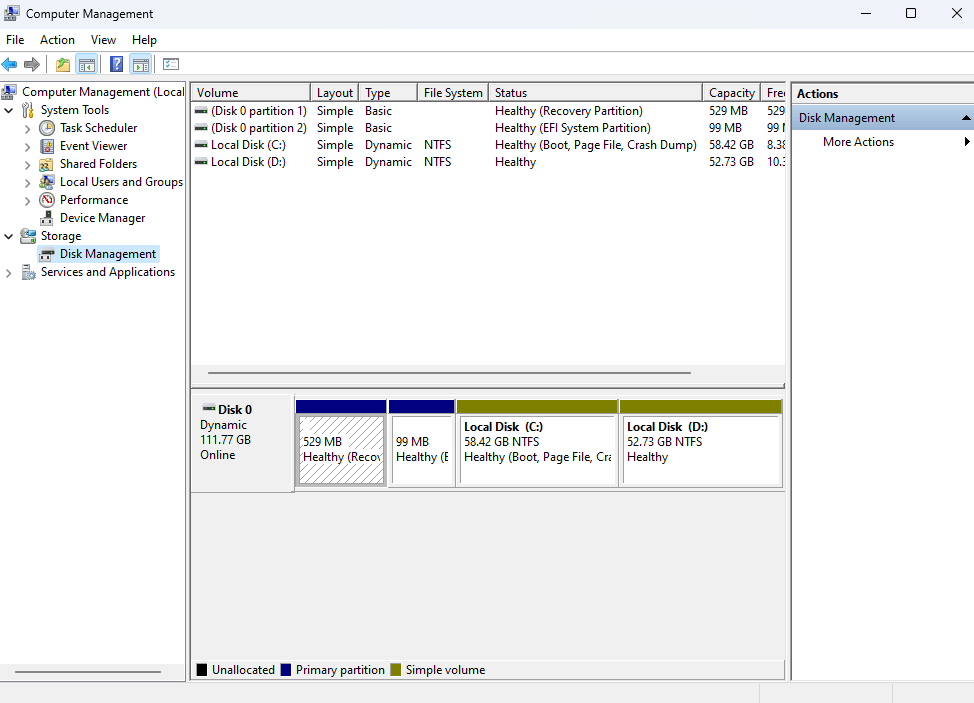
Or try typing compmgmt.msc in Run or CMD and it should open Computer Management. In the Storage tab there is a tab called Device management. Click on that, and see if your drive is there. If it isn't then try refreshing (There's an icon at the top).
If your drive doesn't work after all that, your best bet is to try recovering the data at a specialist unfortunately. And when you do recover them, move them to an external SSD instead of HDD because SSDs are more resistant to damage. Plus, you get the benefit of the extra fast speeds and little to no noise if noise bothers you.
Just my two cents, there's always going to be someone who will be able more or less likely to be able solve this problem for you who is a more techy person that I am lol. But I hope my answers at least help you a little bit :)
Btw if this solves your problem then you're welcome XD...
' cx='32' cy='32' r='32' /%3E%3Ctext x='50%25' y='55%25' dominant-baseline='middle' text-anchor='middle' fill='%23FFF' %3EA%3C/text%3E%3C/svg%3E)

