Azure Databricks
An Apache Spark-based analytics platform optimized for Azure.
This browser is no longer supported.
Upgrade to Microsoft Edge to take advantage of the latest features, security updates, and technical support.

Hi
I worked on creating a new cluster (ClusterA) and added a few users (UserA, B) to my workspace. I am the admin and have created a database and a few tables under ClusterA.
Now I need to add UserA to see the tables but not userB
I enabled table access control for my workspace following this url.
https://learn.microsoft.com/en-us/azure/databricks/administration-guide/access-control/table-acl#--enable-table-access-control-for-your-workspace
and configure cluster-level permissions by giving "Can attach to" permissions to only userA on cluster A
https://learn.microsoft.com/en-us/azure/databricks/security/access-control/cluster-acl#configure-cluster-level-permissions
When userA goes to Data tab, he can see the clusterA but not the database and tables underneath.
What do I need to do to give userA visibility to data and tables?
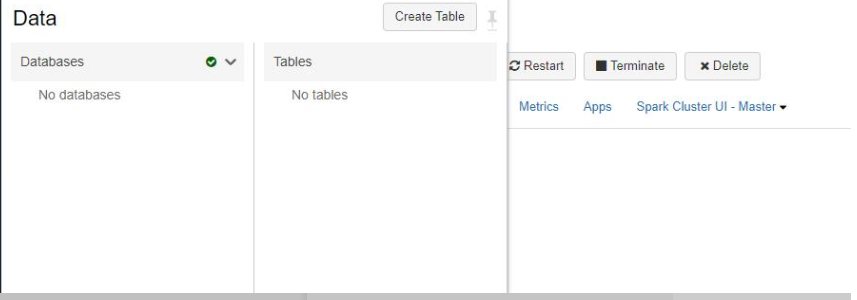
I tried running the following query on my notebook
SHOW GRANT userA ON DATABASE customer_db
but I got a message saying Query returned no results, I dont know what does that mean, did it work or no?

Also I tried giving access like this
GRANT USAGE ON DATABASE customer_db TO UserA;
GRANT SELECT ON DATABASE customer_db TO UserA
but still the screen looks like this
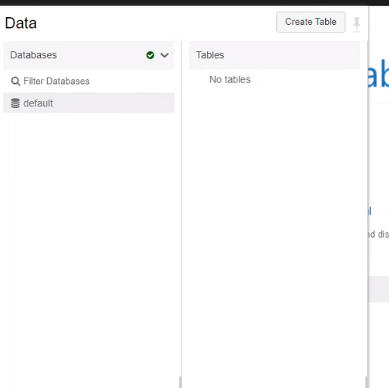
Not sure what am I missing?
' cx='32' cy='32' r='32' /%3E%3Ctext x='50%25' y='55%25' dominant-baseline='middle' text-anchor='middle' fill='%23FFF' %3EH%3C/text%3E%3C/svg%3E)
Hello @Sarah C Benjamin ,
We haven’t heard from you on the last response and was just checking back to see if you have a resolution yet .In case if you have any resolution please do share that same with the community as it can be helpful to others . Otherwise, will respond back with the more details and we will try to help .
Thanks
Himanshu
Hello @Sarah C Benjamin ,
We haven’t heard from you on the last response and was just checking back to see if you have a resolution yet .In case if you have any resolution please do share that same with the community as it can be helpful to others . Otherwise, will respond back with the more details and we will try to help .
Thanks
Himanshu
I still am having issues with it and have responded to your thread from May 27th.
Need to understand why am I getting the error that Database CA_DEV cant have Grant usage on for UserA.
Hello @Sarah C Benjamin ,
Apologizes for the late reply .
I did tried to repro this on my side . But when i tried to give access to the user , it through an error , but then if I create user group and then give access it works .
GRANT SELECT ON DATABASE test1 To usergroup1
SHOW GRANT usergroup1 ON DATABASE test1
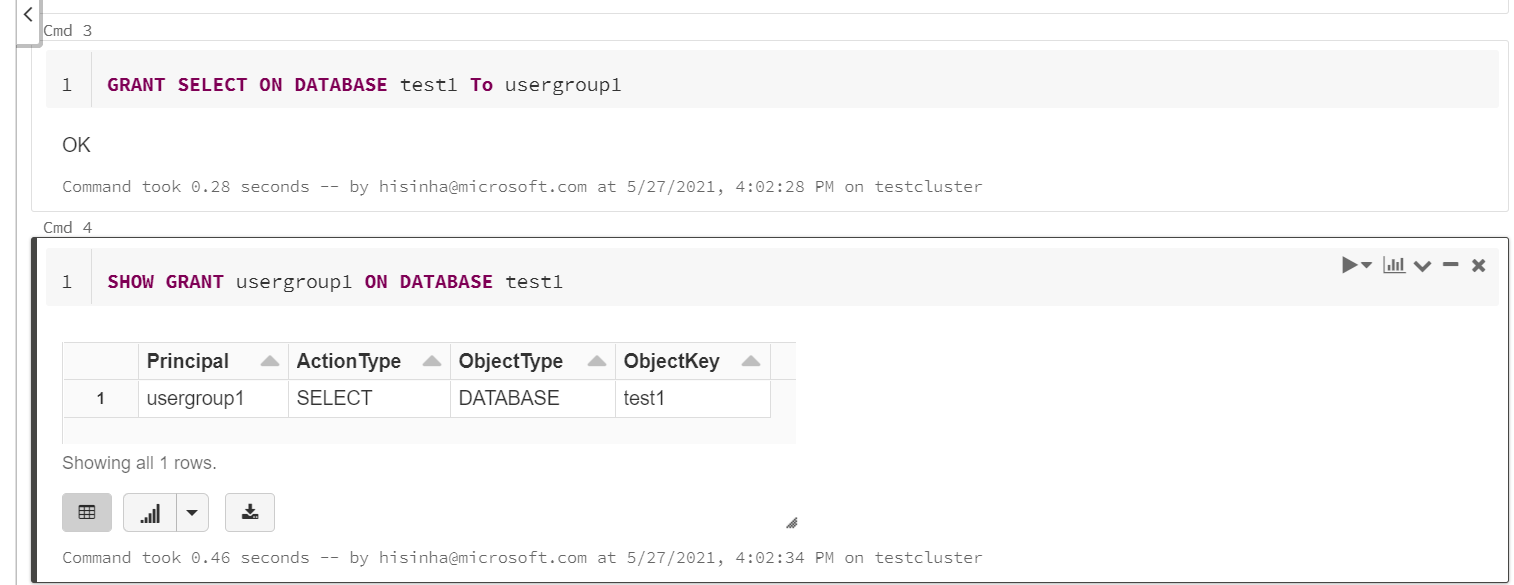
Please do let me know how it goes .
Thanks
Himanshu
Please do consider clicking on "Accept Answer" and "Up-vote" on the post that helps you, as it can be beneficial to other community members
Hi Himanshu
I am pretty consistently getting this error message when I try to grant usage access to the userA. This user is added to the cluster with CanAttach privilages.
Why am I not able to assign Usage to the database?
