Share via

Apps not Loading and Task Manager not Responding

Anonymous
2023-11-16T04:46:51+00:00

Hi,

This issue has been persistent for about a week now.

No joke. This all started after I updated Fortnite for the new chapter... Just want to provide a timeline and anything I did previously to this issue.

Basically, when I try to load game apps or launchers such as Steam, Epic Launcher, CS2, basically any game within those launchers I get the lil loading circle next to my pointer and then nothing nothings. Now, I try to open Steam games and it puts up a "Steam Updating" box but nothing happens. I reinstalled Epic Launcher which didn't work. However, it was particularly difficult to uninstall the app. Whenever I loaded into the Settings "Apps & Features" it would take a few minutes to load and wouldn't let me search for the apps. This specific issue with Settings doesn't happen anymore. Task Manager was also giving me a hard time, with constant Not Responding and crashing, this problem still happens occasionally whenever I need it to work.
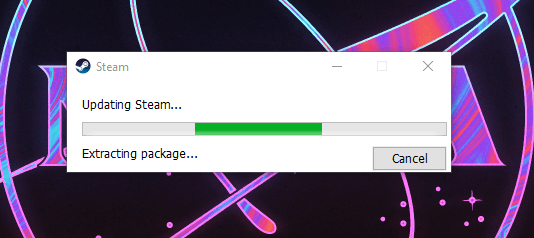
When I try to uninstall Steam, either through the Settings or a new Steam Installer, it deletes a ton of stuff but takes forever. See photo attached. I'm plugged into an ethernet port in my dorm at college. Ookla speed test show 200-300Mbps Up and down most of the time, so idk why I'm getting 1MBps Send and Receive through ethernet.
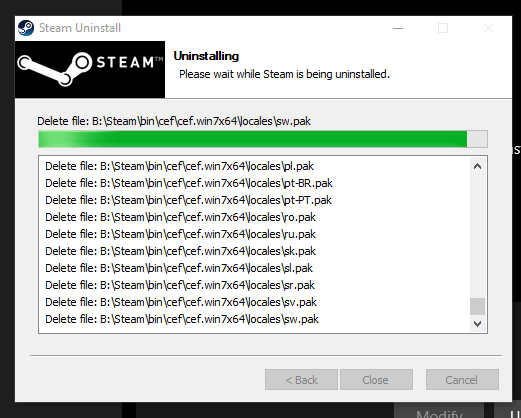
I'm not sure if it's just a coincidence the game launchers stopped working at the same time or not, but the Task Manager and my PC not wanting me to uninstall the apps really confused me. If there's anything I can do, advice is appreciated.

Thank You!

Windows for home | Windows 10 | Performance and system failures

Locked Question. This question was migrated from the Microsoft Support Community. You can vote on whether it's helpful, but you can't add comments or replies or follow the question.

0 comments No comments

Answer accepted by question author

Ivan B 114.8K Reputation points Independent Advisor
2023-11-17T01:56:34+00:00

Hi,

And of course you can use the HD if you don't keep the programs bootable

Yes, and the best definitive solution, even if you fix the bug, it always comes back to this day, the best solution is an SSD.

Hope this helps.

If you find the answer helpful, please mark it as an answer.

Independent Advisor - Community

Thanks

Was this answer helpful?

1 person found this answer helpful.
0 comments No comments

4 additional answers

Sort by: Most helpful
  1. Anonymous
    2023-11-17T01:36:09+00:00

    Hi,

    Yes, It does appear that I am suffering from the disk 100 bug. Disk B: is the troublemaker.

    Unfortunately, the Steam Installer was mid-uninstall on all the games so trying your tip to keep Steam and the games on separate drives was futile.

    I used Revo to uninstall all my games for a fresh start anyway.

    I went to google for more help and found videos that might help. I've tried all the tips to no avail. Here's what I did:

    • Disable SysMain in the Services app
    • Error checking HDD B:... did not even scan.
    • Disabled HDD optimization
    • chkdsk b:\ /f

    Should I just shell out the money for an SSD?

    Thanks

    Was this answer helpful?

    0 comments No comments
  2. Ivan B 114.8K Reputation points Independent Advisor
    2023-11-16T21:46:06+00:00

    Hi ,

    The problem is there is suffering from the disk 100 bug on drive B so you open resource monitoring and see usage rate.

    Do the following using Revo to uninstall applications on drive B: any application except games but launchers and programs you uninstall.

    Install Steam on the SSD drive and try to check the game on drive B, example CS2, it will take longer to start.

    Independent Advisor - Community

    Thanks

    Was this answer helpful?

    0 comments No comments
  3. Anonymous
    2023-11-16T15:49:49+00:00

    Hello Ivan,

    Drive B: is a HD disk.

    Thanks for your help!

    Was this answer helpful?

    0 comments No comments
  4. Ivan B 114.8K Reputation points Independent Advisor
    2023-11-16T06:51:51+00:00

    Hi ,

    I am Ivan, I will help you with this.

    Drive B: HD disk or SSD?

    Independent Advisor - Community

    Thanks

    Was this answer helpful?

    0 comments No comments
