Azure Data Factory
An Azure service for ingesting, preparing, and transforming data at scale.
This browser is no longer supported.
Upgrade to Microsoft Edge to take advantage of the latest features, security updates, and technical support.
' cx='32' cy='32' r='32' /%3E%3Ctext x='50%25' y='55%25' dominant-baseline='middle' text-anchor='middle' fill='%23FFF' %3EMK%3C/text%3E%3C/svg%3E)
Hi All,
I have to export the Fixed length file from my SQL query Input using Azure Mapping Data flow. Could you please anyone share the logic?

Hello @Marimuthu Kalyanasundaram ,
Welcome to the Microsoft Q&A platform.
In below example I am trying to take "tbl_employees" table data in to Fixed length file.
Source table:
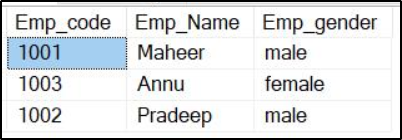
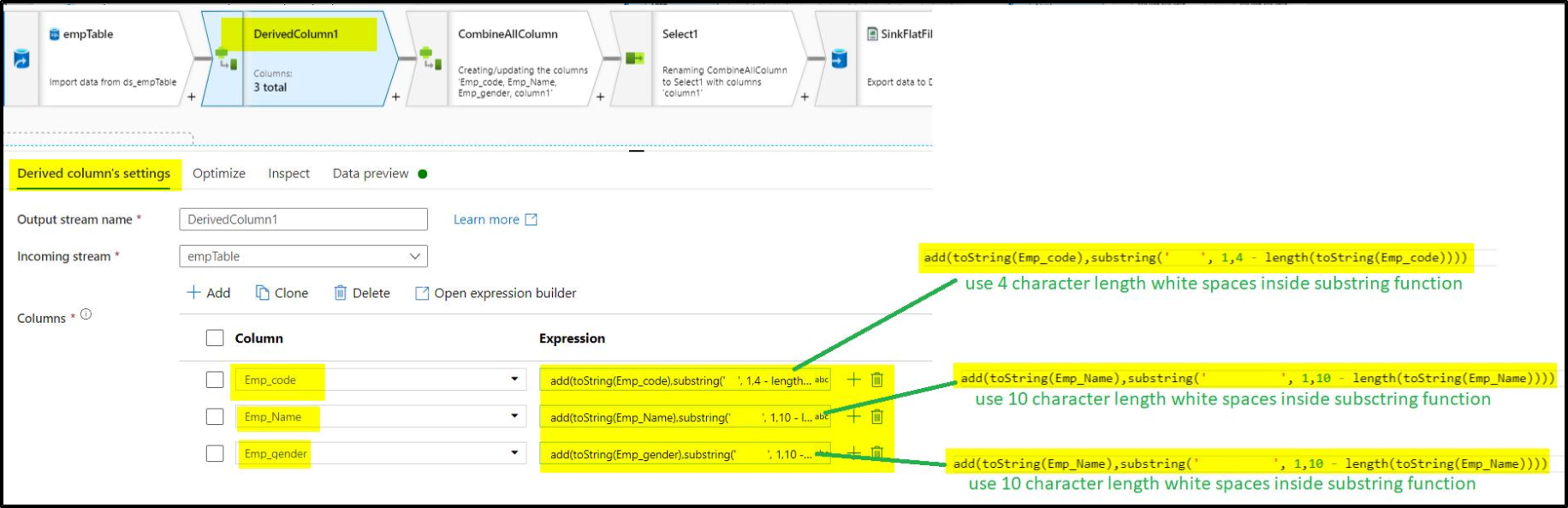
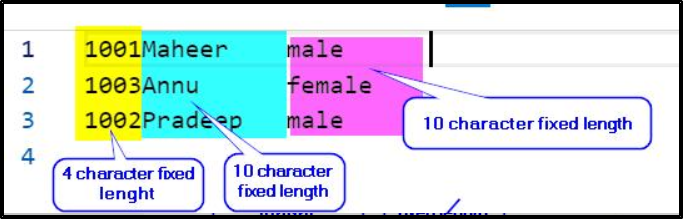
Emp_code column should save as 4 character fixed length
Emp_name column should save as 10 character fixed length
Emp_gender column should save as 10 character fixed length
Here are the implementation steps:
Step1: Add tbl_employees table as source in mapping data flow.
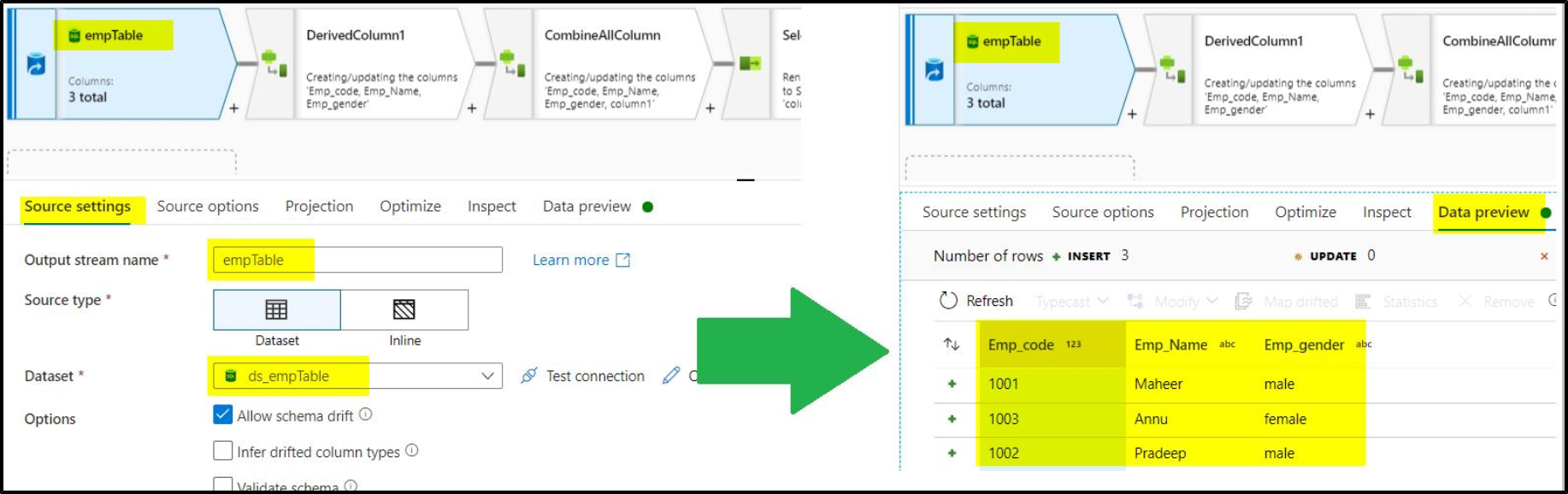
Step2: Add derived column transformation to transform columns in to fixed length strings.
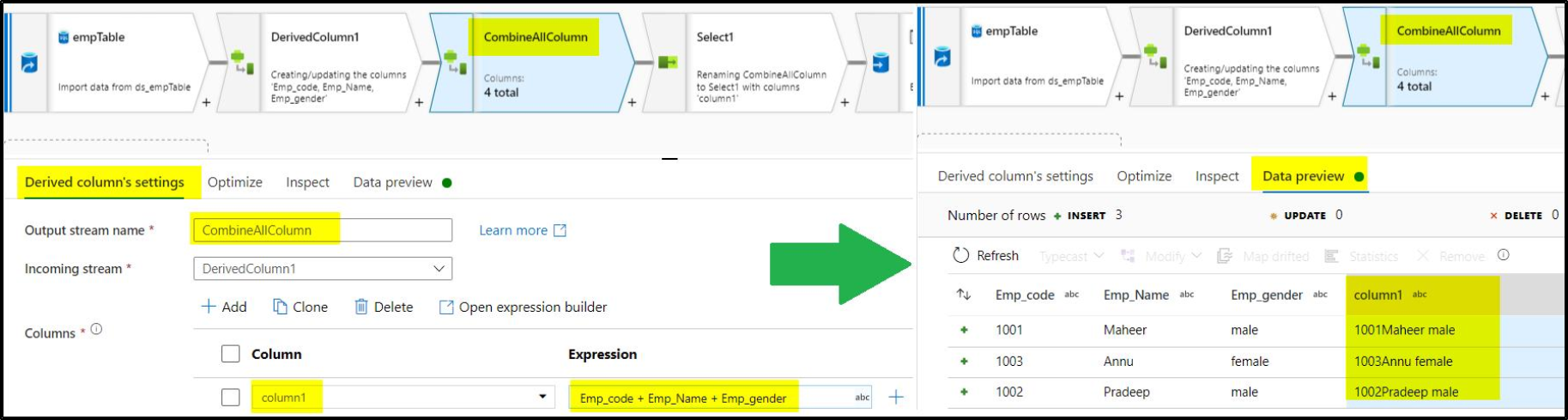
Step3: use derived column transformation to combine all these columns(Emp_code, Emp_Name & Emp_gender) in to single column.
Step4: Use select transformation to take only combined column that is column1.
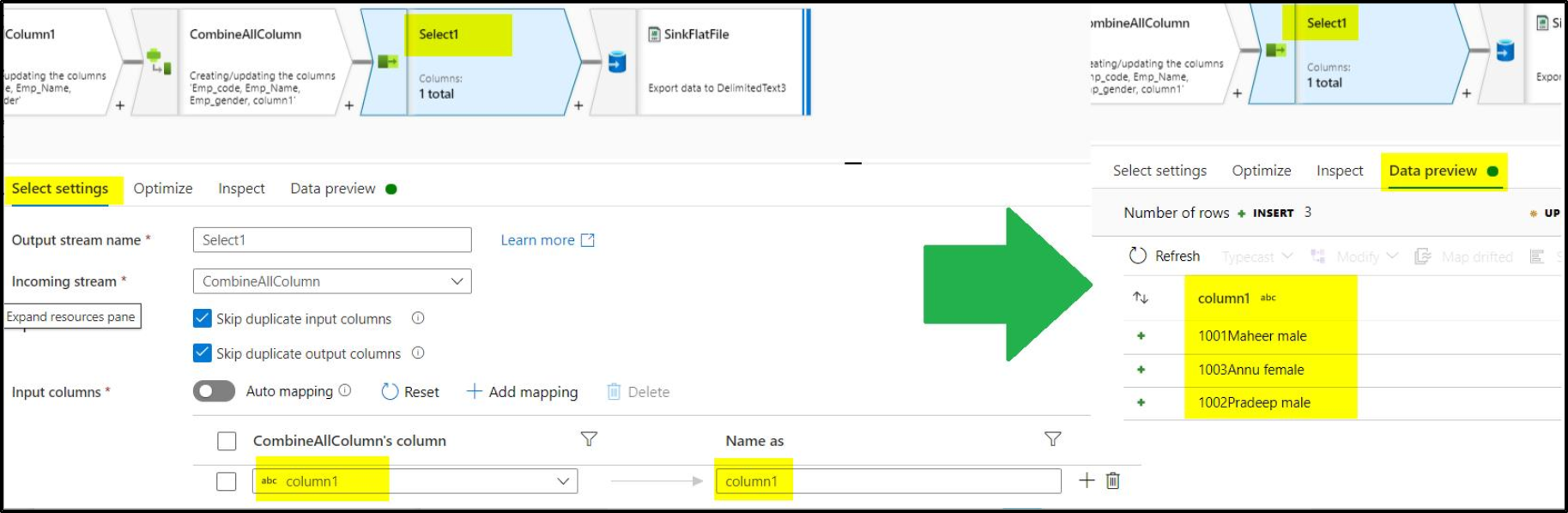
Step5: Load data in to desired location using Sink Transformation
Below is the output fixed length file screenshot.
Hope this helps. Do let us know if you any further queries.
---------------------------------------------------------------------------
Please "Accept the answer" if the information helped you. This will help us and others in the community as well.
Thanks for your excellent explanation, I also did the same logic. But I used only one Derived columns setting. Is there any different there for using the 2 derived columns activities,
Thanks for your Support.
Hello @Marimuthu Kalyanasundaram ,
Hope this helps. Do let us know if you any further queries.
---------------------------------------------------------------------------
Please "Accept the answer" if the information helped you. This will help us and others in the community as well.
Hi ,
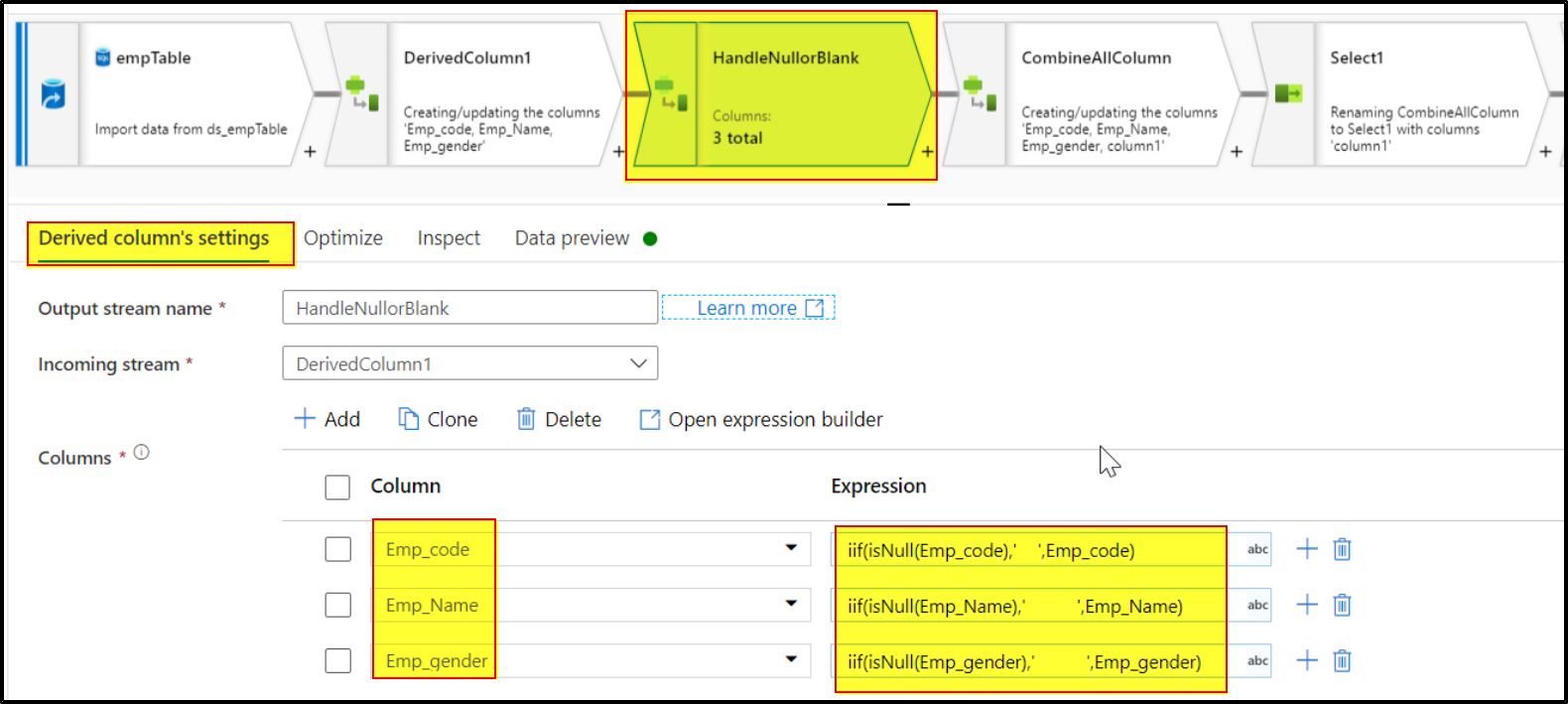
How to handle the Null or Blank values in above coding, I tried above code but if any null or blank values are present in the data then whole data displayed as NULL. Any suggestion?
Hello @Marimuthu Kalyanasundaram ,
Thank you for reaching on the follow up query. Please check below details to overcome Null or blank values scenario.
In the above solution, after Step2, include below step before step 3. Follow rest all steps as it is.
Note: Spaces in below expressions are same length of your Fixed size column lengths
Hope this helps. Do let us know if you any further queries.
Hello @Marimuthu Kalyanasundaram ,
Just checking in to see if the above answer helped. If this answers your query, do click Accept Answer and Up-Vote for the same. And, if you have any further query do let us know.
Hello @Marimuthu Kalyanasundaram ,
Following up to see if the above suggestion was helpful. And, if you have any further query do let us know.