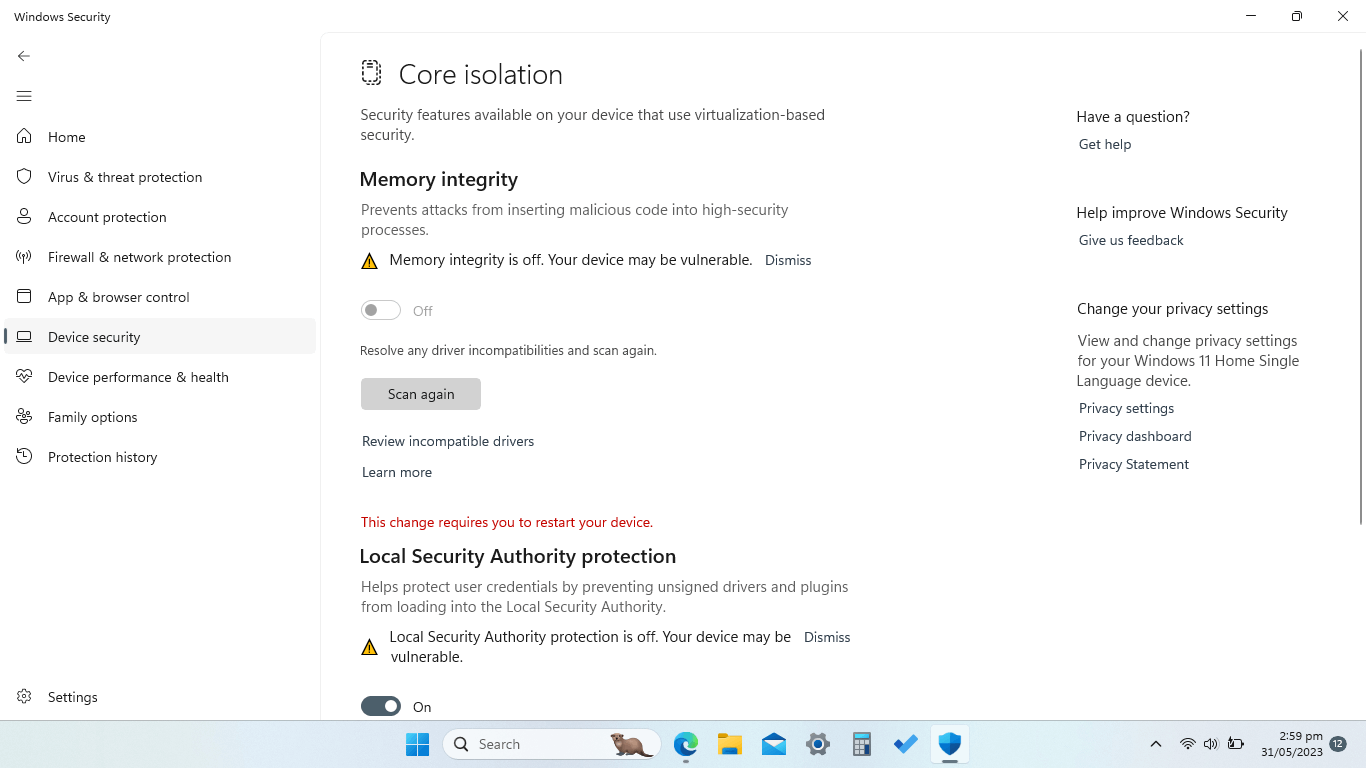
Memory integrity with local security authority protection does not turn on. I've tried reinstalling Windows From the hard drive and from the Internet.
However, it does not seem the soul that issue when I try turning on memory integrity on, It says there are incompatible drivers. And then when I press review incompatible drivers it does not show any Incompatible drivers.
I've tried restarting and going through drivers manually to see to see if there are any. Drivers that I do not recognize. But. I didn't find any suspicious drivers.
Also another important fact. I don't know if this is related to this issue. My screen seems to glitch occasionally. I'm pretty sure it's not a problem with the actual hardware because I've tried streaming my screen on a TV. And then it did not seem to glitch.
Sometimes it starts glitching right when from the very start when the logo shows up.
It's occasional, though. Does not happen. Very often, but when it happens. It lasts for about. 20 minutes and then goes away. The glitching issue and the memory integrity issue occurred roughly the same time.
here is a demonstration. (of the memory integrity issue) if more info is required, I'll be happy to provide. i really look forward to getting this issue solved.
 ' cx='32' cy='32' r='32' /%3E%3Ctext x='50%25' y='55%25' dominant-baseline='middle' text-anchor='middle' fill='%23FFF' %3EA%3C/text%3E%3C/svg%3E)

