' cx='32' cy='32' r='32' /%3E%3Ctext x='50%25' y='55%25' dominant-baseline='middle' text-anchor='middle' fill='%23FFF' %3EMM%3C/text%3E%3C/svg%3E)

' cx='32' cy='32' r='32' /%3E%3Ctext x='50%25' y='55%25' dominant-baseline='middle' text-anchor='middle' fill='%23FFF' %3ESW%3C/text%3E%3C/svg%3E)
Hi @More, Manish (DI SW GS&CS GS&S GDN DOT ALM TEST)
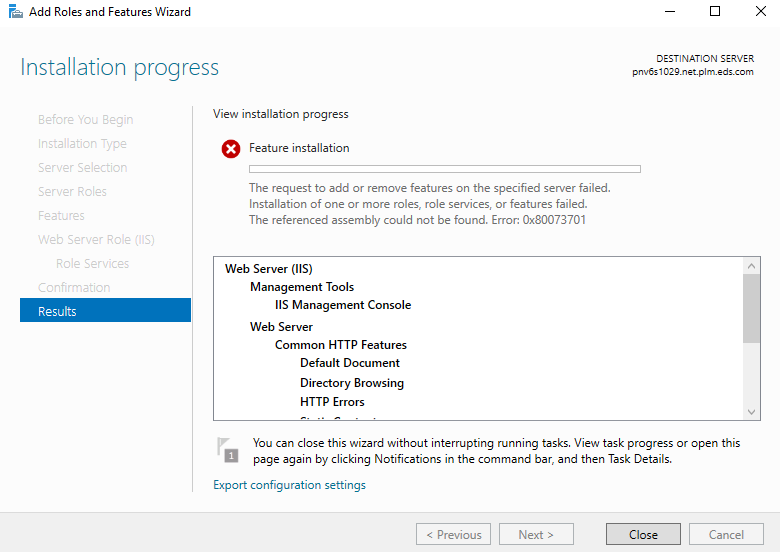
Error 0x80073701 is ERROR_SXS_ASSEMBLY_MISSING, it means there are some system files are missing, which caused the update installation failure.
Resolution:
- Run the checksur.exe (System Update Readiness Tool) tool.
- Run System File Checker. From the command line run the command sfc /scannow
- Examine the language packs installed on the system. Uninstall the unnecessary language packs.
- Review the cbs logs and uninstall the patches which were missing assemblies and reboot the server.
- Reinstall Service Pack 1.
If the answer is helpful, please click "Accept Answer" and upvote it.
Note: Please follow the steps in our documentation to enable e-mail notifications if you want to receive the related email notification for this thread.