Microsoft Security | Microsoft Purview
A unified data governance solution that helps manage, protect, and discover data across your organization

This browser is no longer supported.
Upgrade to Microsoft Edge to take advantage of the latest features, security updates, and technical support.
' cx='32' cy='32' r='32' /%3E%3Ctext x='50%25' y='55%25' dominant-baseline='middle' text-anchor='middle' fill='%23FFF' %3EMA%3C/text%3E%3C/svg%3E)
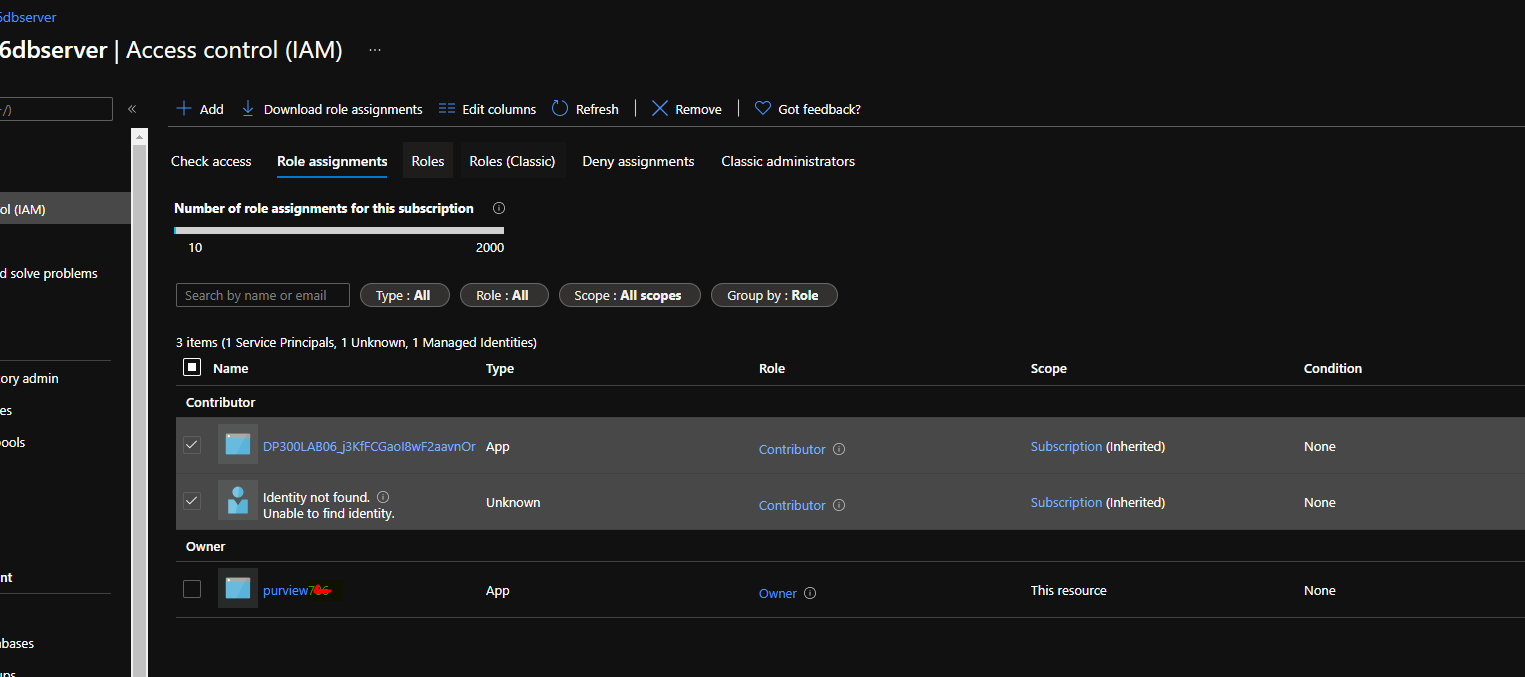
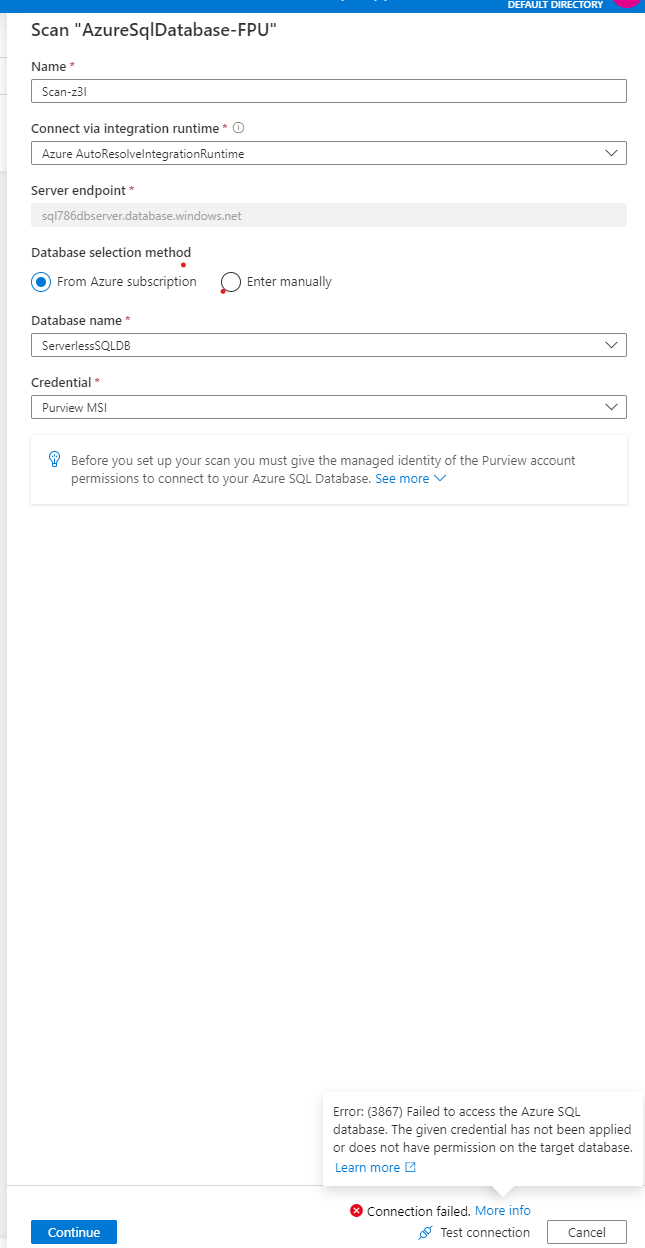
I m unable to scan Azure SQL server DB in Purview due to complicated User access process .
Error: (3867) Failed to access the Azure SQL database. The given credential has not been applied or does not have permission on the target database.
Attached is the screenshot.

The whole process is so complicated , not sure who designed it , truly just to scan a simple resource is a challenge.
I have attached screenshot for reference. I have a key vault in the same region as the Purview is in.
I know my Purview managed identity and how should it be mapped to provide access to SQL DB and PURVIEW ?
I had provided Purview managed identity with owner access and yet it fails to connect


Hello @Anonymous ,
Thanks for the question and using MS Q&A platform.
As per the question, you want to use SQL authentication using Azure Key vault.
You need to follow the below steps to use the SQL authentication to scan Azure SQL Database.
Step1: Create a Secret in the Azure Key vault.
I had created Azure SQL authentication password in the secret called chepra.

Step2: Assign access using using Key Vault Access Policy

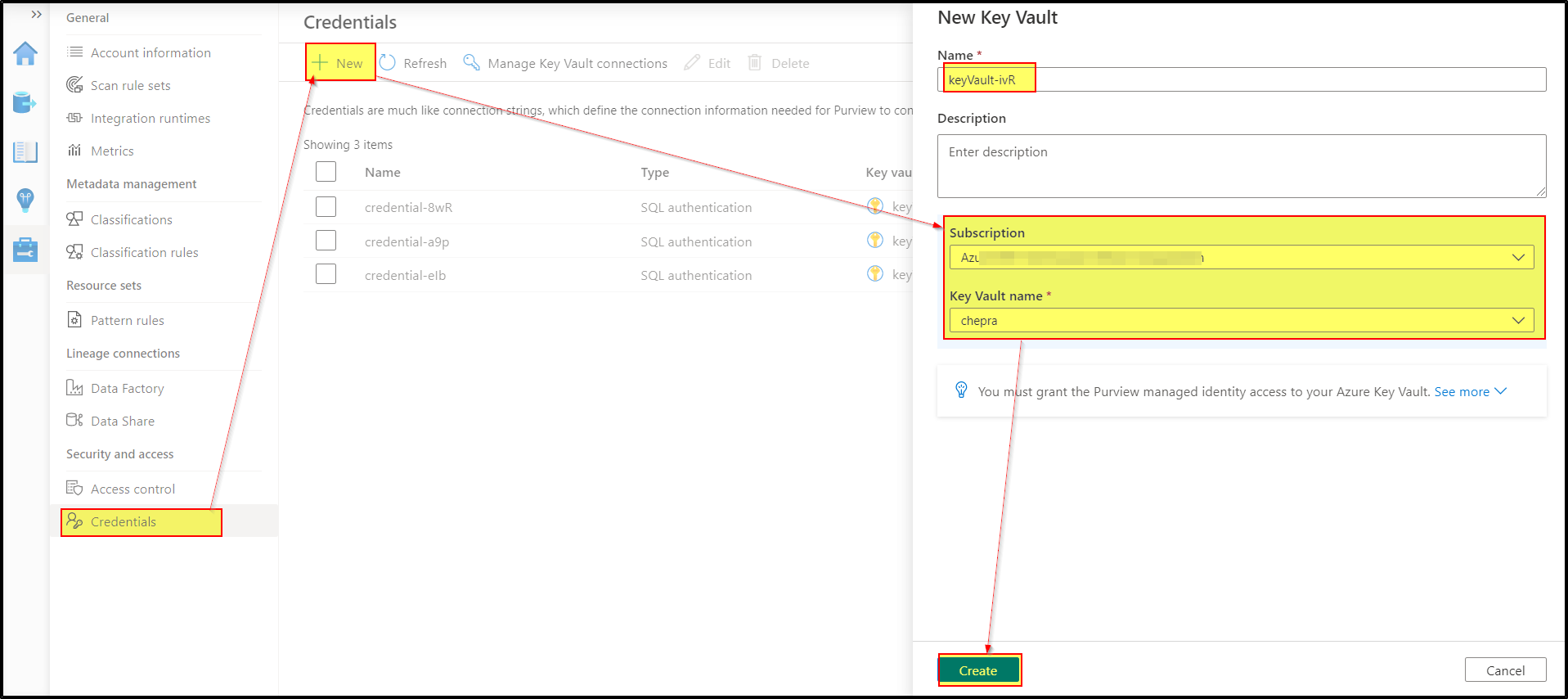
Step3: Create Azure Key Vaults connections in your Azure Purview account
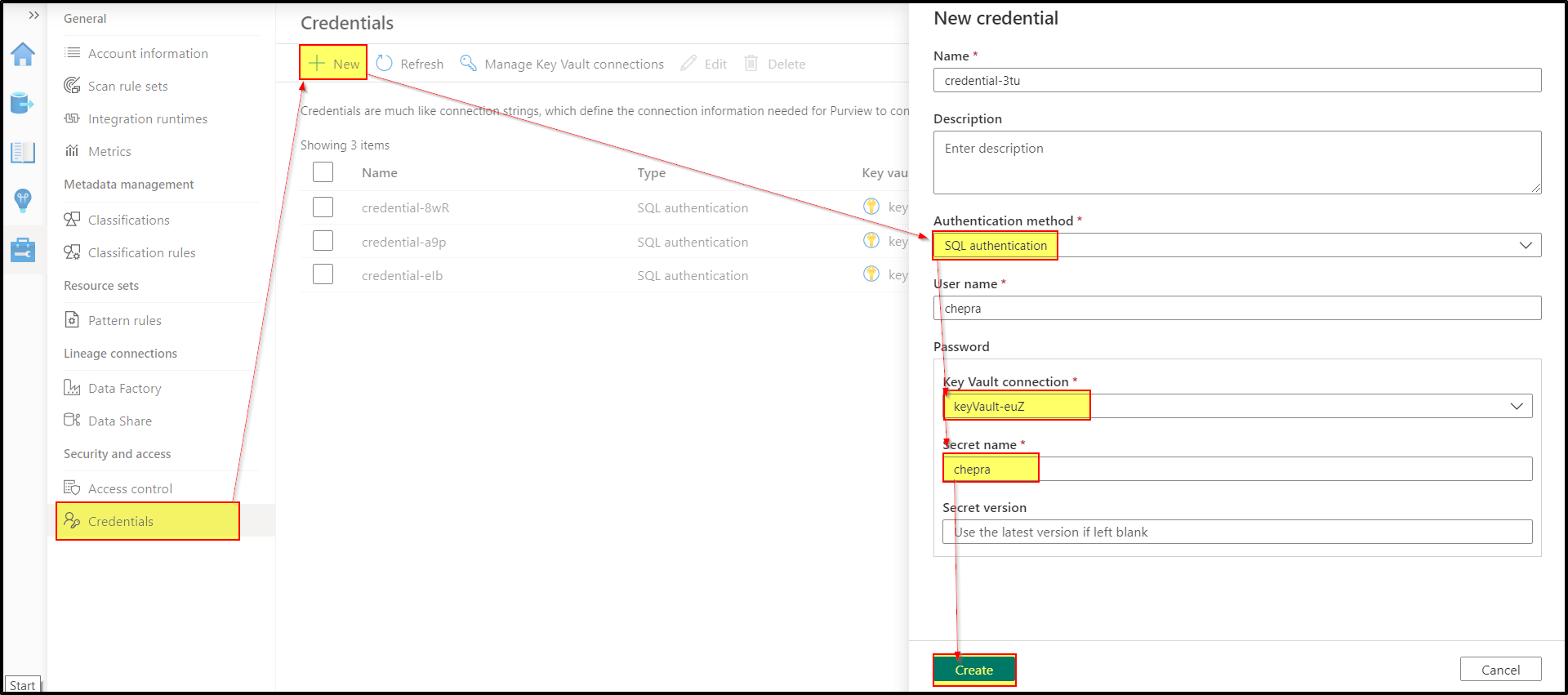
Step4: Create a new credential
Step5: Register an Azure SQL Database data source

Step6: Now create a scan rule by selecting the previously created credentials.


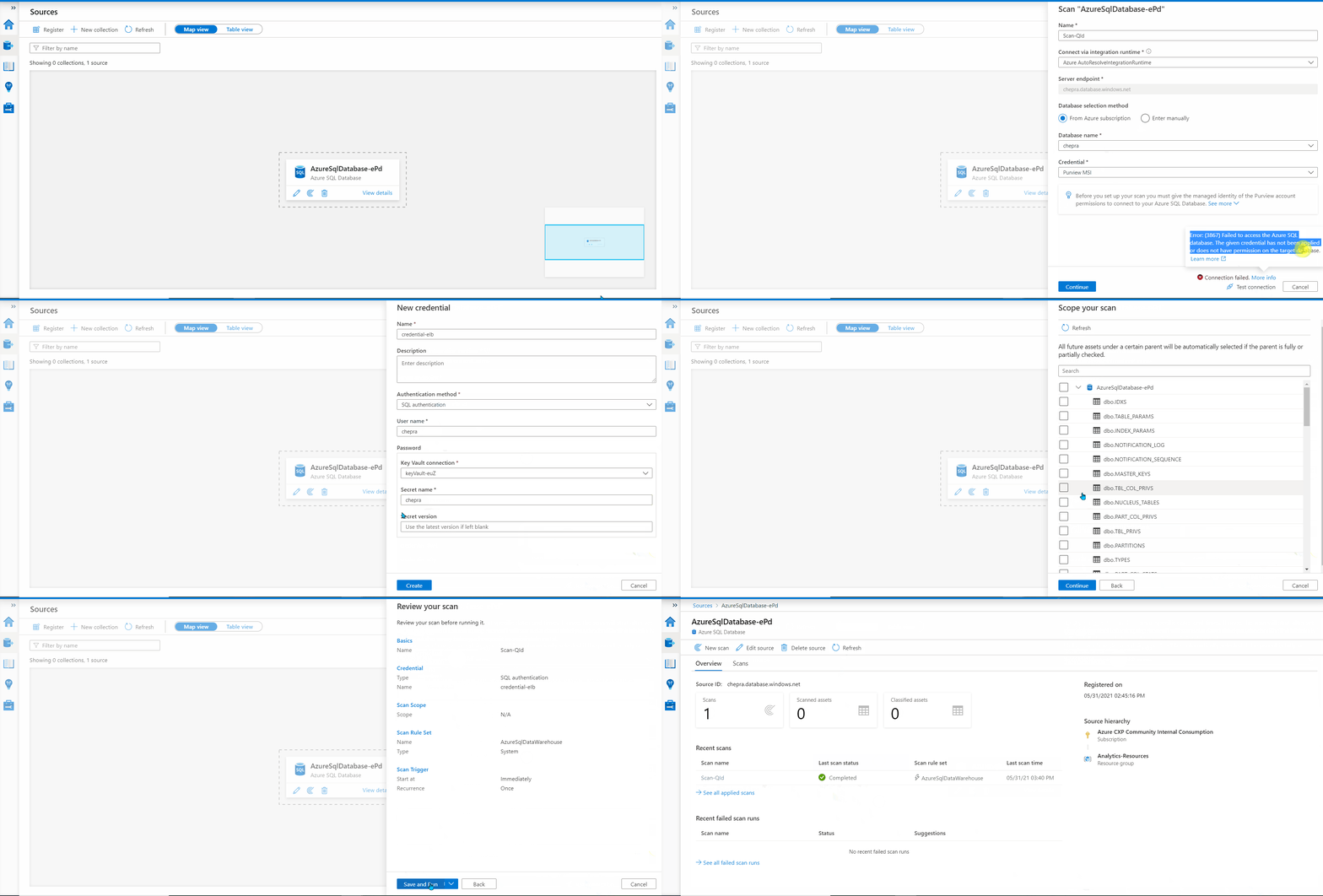
Hope this helps. Do let us know if you any further queries.
---------------------------------------------------------------------------
Please "Accept the answer" if the information helped you. This will help us and others in the community as well.
I set the access and tried to connect but now getting the below error. The access was granted to the account in Keyvault Access policies.
Error: (3860) Failed to access the {0}.


Hello @Anonymous ,
Normally, this issue is transient. Could you please retry and see if the error persists?
The below step was needed for access
CREATE USER [Username] FROM EXTERNAL PROVIDER
GO
EXEC sp_addrolemember 'db_datareader', [Username]
GO
The article is here -
https://learn.microsoft.com/en-us/azure/purview/register-scan-azure-sql-database
Anyways thanks for your help.
The Program team who is making these screens really needs some feedback. Overall , the Program team doesn't test the features from users perspective and release complicated user journeys .
Looks like things are rushed to meet deadlines.
Hello @Anonymous ,
Glad to know that your issue has resolved.
Thanks for the feedback. I will share this feedback with the product team and make necessary changes in the document.
' cx='32' cy='32' r='32' /%3E%3Ctext x='50%25' y='55%25' dominant-baseline='middle' text-anchor='middle' fill='%23FFF' %3ENW%3C/text%3E%3C/svg%3E)
I tried to scan the azure SQL , but I m getting an error "Error: (20503) Failed to access the Azure key vault. Please grant Purview MSI permissions to get secrets on your key vault."
Can you please help me with this?
Thanks.