For my company, we have a main UPS computer that all other computers connect to remotely on the network.
We have always make a Map Network Drive to the UPS Computer. We have been doing this for years.
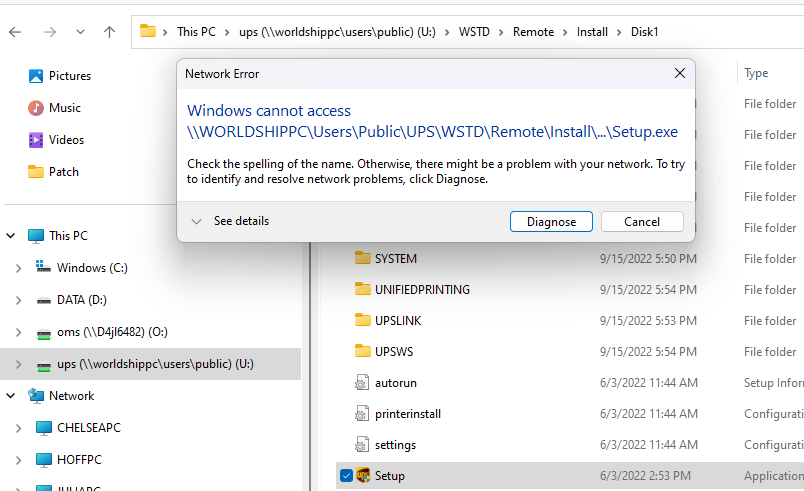
But when I tried it yesterday on our newest computer, the new computer can see the folders and software on the UPS Computer, It can even open folders and install programs from other folders, but it can not open the one program we need to install the remote UPS software. When we try clicking on the program we get an error message.
**Windows cannot access "file name" Check the spelling of the name. Otherwise, there might be a problem with your network. To try to identify and resolve network problems, click Diagnose.**
And when I click Diagnose it says it can't find the issue.
Is this a firewall issue? the program is there but the connection says it's not.
all other folders and programs work just fine, I just can't open the one I need.
' cx='32' cy='32' r='32' /%3E%3Ctext x='50%25' y='55%25' dominant-baseline='middle' text-anchor='middle' fill='%23FFF' %3EA%3C/text%3E%3C/svg%3E)
