I am failing to get this to work. I have spent the past two hours googling solutions. I tried the ones I understood, none worked.
Target PC is 192.168.0.9
Target PC microsoft account is ******@outlook.com
Target PC is win10 pro
Remote PC microsoft account is UGA_******@hotmail.com
Remote PC is win10 home
Both PC's are inconveniently named Ivan Jones, however
Target PC is Ivan Jones
Remote PC is ivan jones
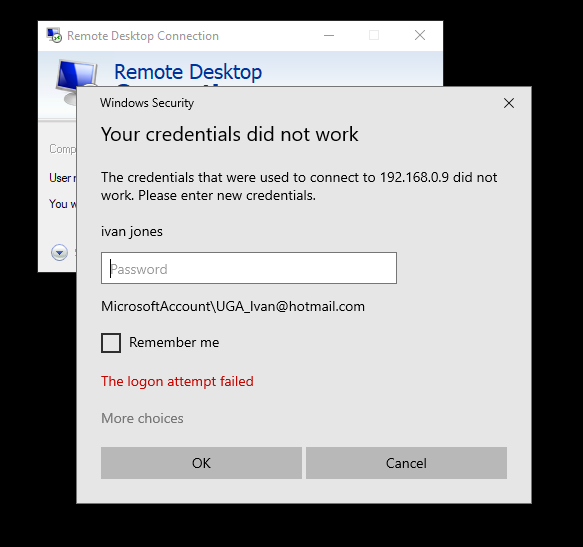
If I understand correctly, I am to use the credentials for the Target PC when entering credentials into the windows security prompt, which would be ******@outlook.com, however the windows prompt automatically gives me the lower case "ivan jones" and the
UGA_Ivan account.
I am utterly confused. Please advise.
' cx='32' cy='32' r='32' /%3E%3Ctext x='50%25' y='55%25' dominant-baseline='middle' text-anchor='middle' fill='%23FFF' %3EA%3C/text%3E%3C/svg%3E)
