Exchange Online
A cloud-based service included in Microsoft 365, delivering scalable messaging and collaboration features with simplified management and automatic updates.
This browser is no longer supported.
Upgrade to Microsoft Edge to take advantage of the latest features, security updates, and technical support.
' cx='32' cy='32' r='32' /%3E%3Ctext x='50%25' y='55%25' dominant-baseline='middle' text-anchor='middle' fill='%23FFF' %3ERR%3C/text%3E%3C/svg%3E)
Hi All
I am using Exchange 2016 hybrid environment. i want to create room mailboxes i am using the below syntax in exchange onprem, the mailboxes are being created but they are visible under mailboxes tab in EAC not under resources Tab. i have a csv file in the below format. Please guide me.
' cx='32' cy='32' r='32' /%3E%3Ctext x='50%25' y='55%25' dominant-baseline='middle' text-anchor='middle' fill='%23FFF' %3EKY%3C/text%3E%3C/svg%3E)
Hi @Roger Roger
I tested in my lab and was able to reproduce the issue.
I suppose that it should be the expected behavior.
The room mailbox is listed under mailboxes instead of resources because its RecipientType is MailUser.

It is also mentioned in this link:
New-RemoteMailbox
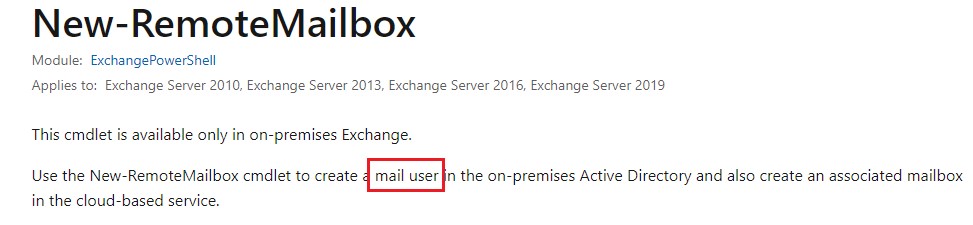
If you run the following command via EMS:
Get-ADuser -Identity room1 -Properties * | fl msExchRemoteRecipientType,msExchRecipientDisplayType,msExchRecipientTypeDetails

You may see the results match the ones in this link:
Recipient Type Values
33 ProvisionMailbox, RoomMailbox
-2147481850 MailUser (RemoteRoomMailbox)
8589934592 RemoteRoomMailbox
And it shows the correct values of the remote mailbox.
If the response is helpful, please click "Accept Answer" and upvote it.
Note: Please follow the steps in our documentation to enable e-mail notifications if you want to receive the related email notification for this thread.