hi as i mentioned before i reinstalled windows. The images i am sending as of now is the current state of my system, but i used to check if my system was up to date also in the previous installation. The last image is in english. Which is from lenovo website.
The first is from Windows Update tool, and the second one is Lenovo Vantage standalone program.

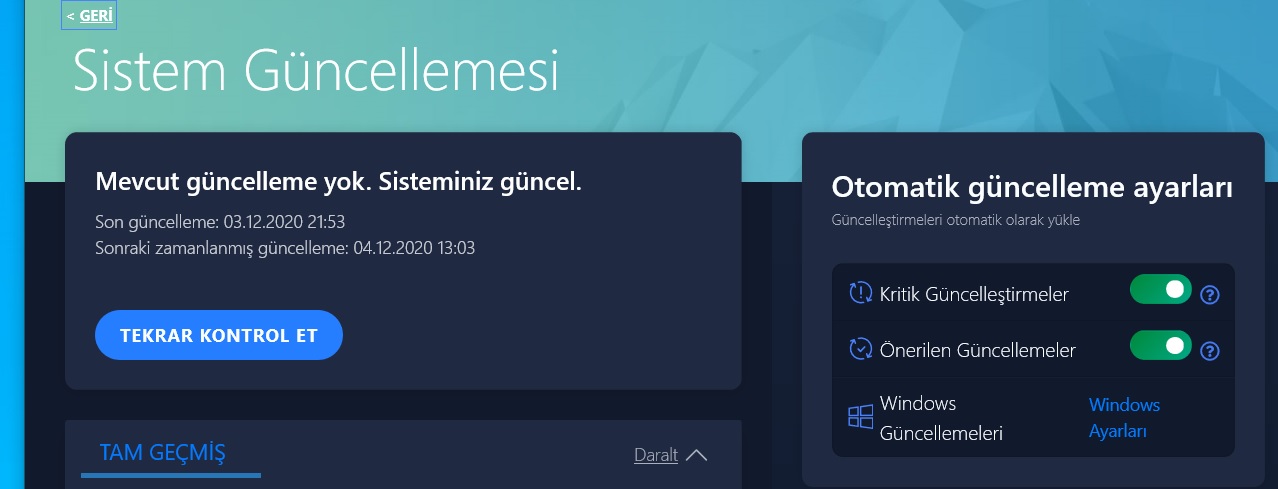
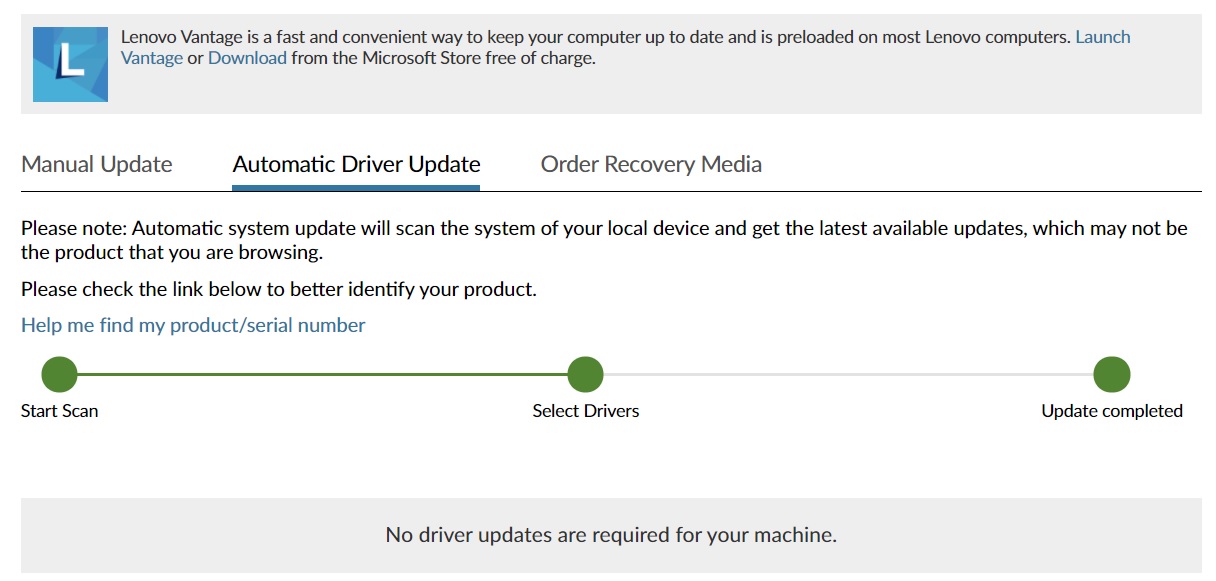
As you can see my system is up to date both by windows installation and other hardware drivers.
I would like to state that I use my system while playing games that are overloaded on the graphics card, such as Black Desert Online. I play these types of games at maximum graphics quality. The temperature does not get too high. I even shrink the game to
the system tray and do other works in drawing applications such as Autocad. I did not receive any Bsod during these transactions. Whenever I close all the heavy processes and open Chrome and watch videos, or check website pages, bsod comes up. So it usually
happens when the system is under light load. I should also mention that the system does not shut down normally (Windows - shut down) It starts to shut down but the keyboard lights stays on, the fans are turning and I have to force shut down almost every time,
by pressing the button for a long time.
however my computer usually runs so fast and smooth that it overwhelms me every time I get a bsod screen. I had computers with BSOD screens before, but those PCs were generally irresponsive under load.
Now it's time to try the other steps you suggested.
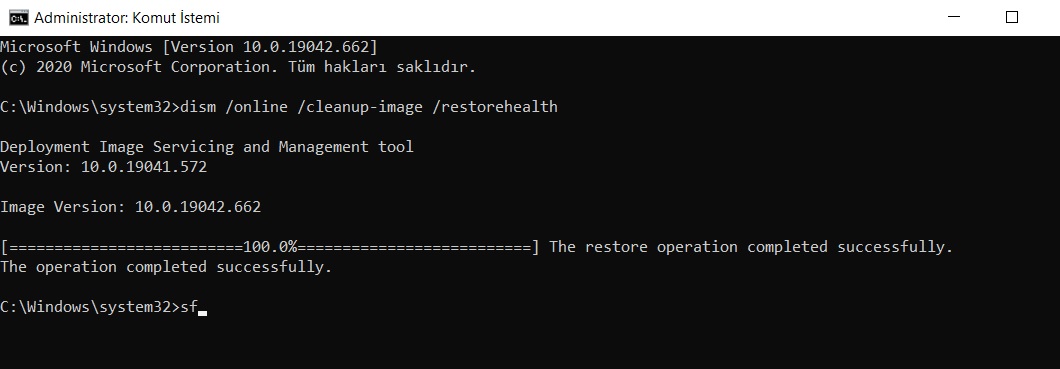
When i opened cmd promt with windows+R and typed in the command > dism /online /cleanup-image /restorehealth it notified me with "elevated permissions needed" or sth like that so now i am
running cmd with admin rights, and the command works fine. (This step i also tried in my previous windows installation it passed with no errors. )
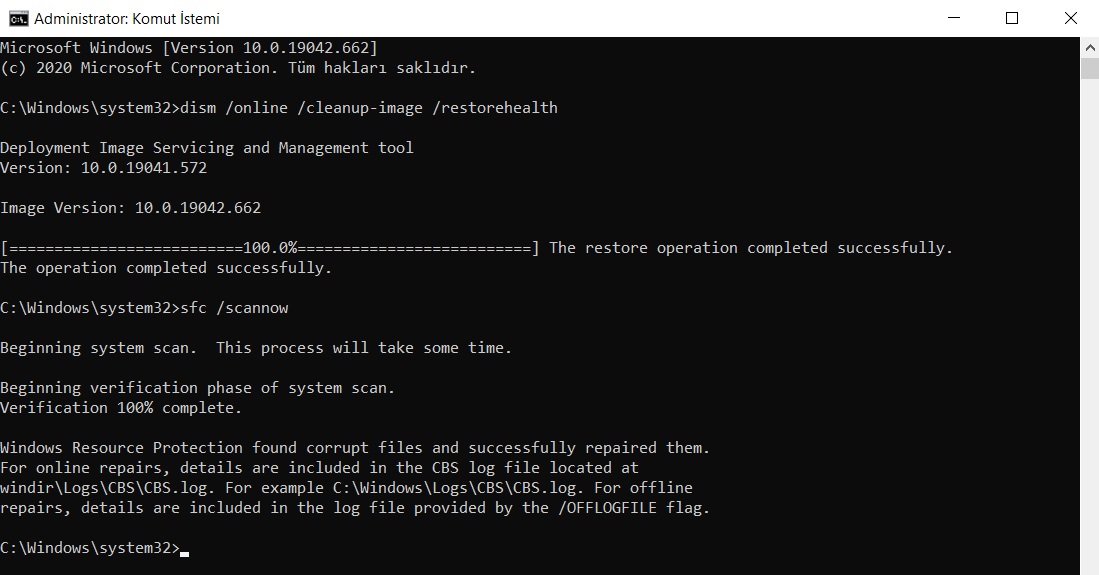
chkdsk /f is now asking me to restart, saving this progress.
Restarted, upon boot it processed my drive C: and said Checking and reparing drive C:, completed %100 but of course i was unable to take a screenshot. There
was no need for force restart.
- DRIVER VERIFIER
I created a system restore point.
- Select "Create custom settings (for code developers)" and click "Next".
Done
4. Select "Select individual settings from a full list" and click "Next". (This option was not there.
5. Select everything expect for "Force Pending I/O Requests" and "Low Resource Simulation" and click "Next". (This option was partially there.)
I am uploading an image for future diagnose.
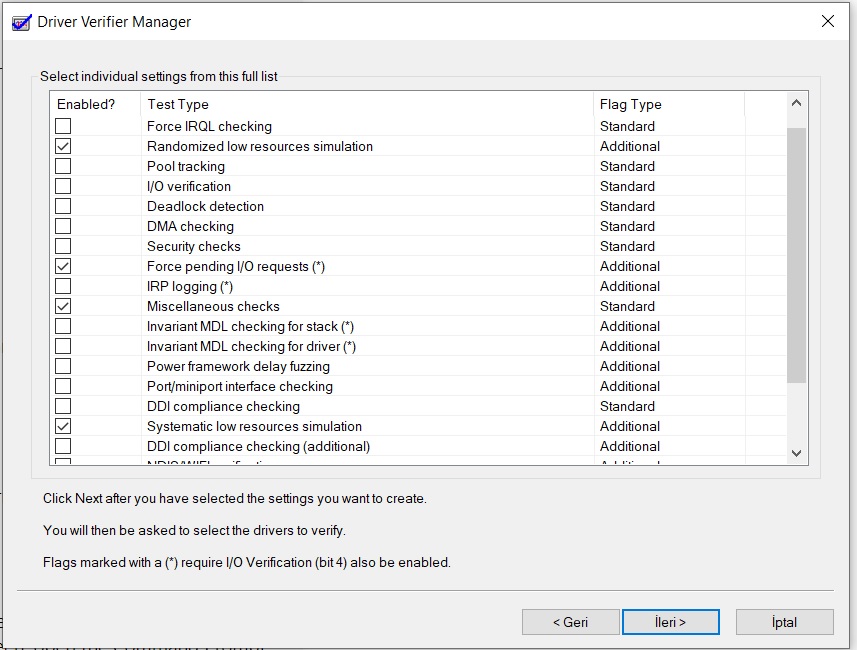
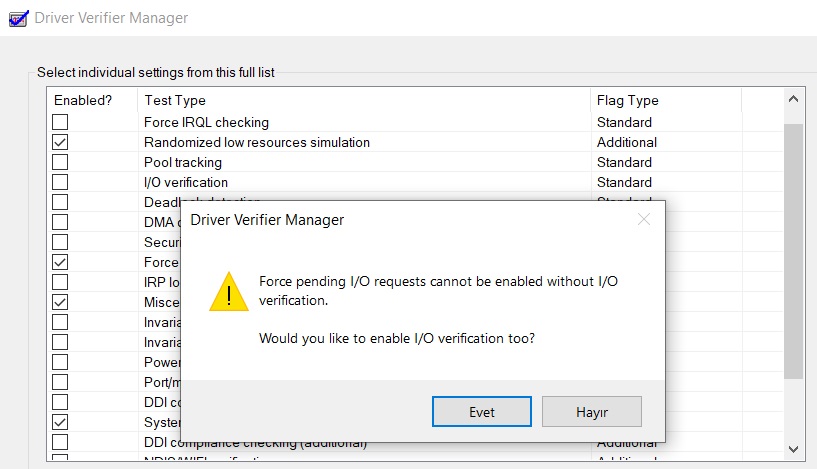
Clicked yes.
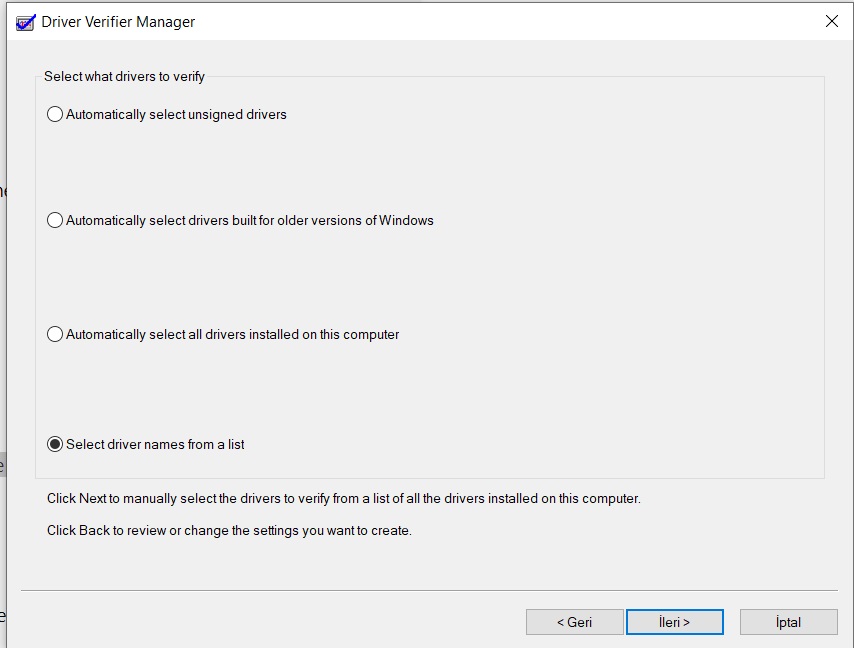
This came up, I sellected the option shown above.
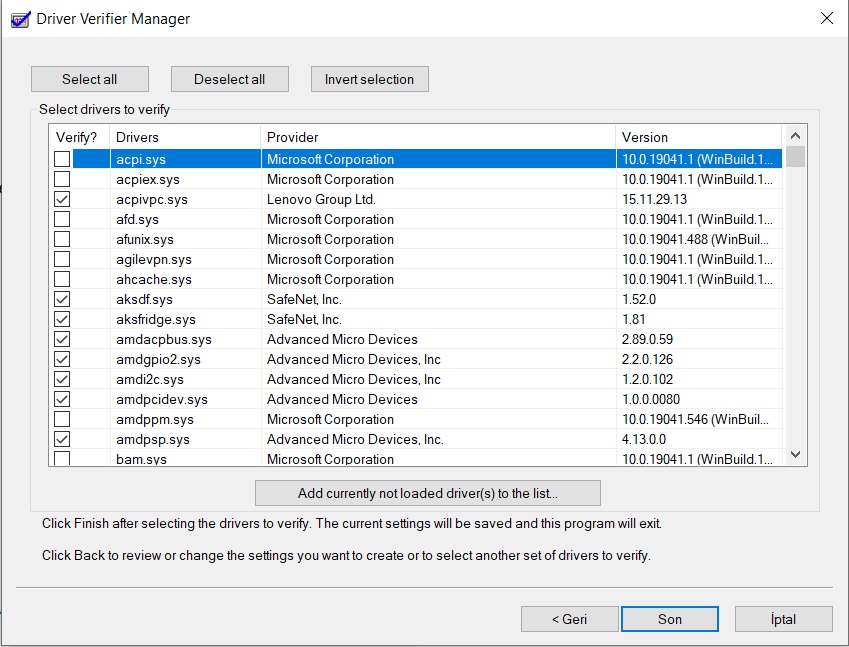
From within this list i searched for and checked all the drivers whose provider
was not Microsoft Corporation and continued.
Restarted my computer.
"If it BSODs, it'll show DRIVER_VERIFIER_DETECTED_VIOLATION (xxxxx.sys). Please, share that error code with me along with the .DMP file it creates."
No bsod, my computer booted in 10 seconds without any problem. There was no need for force restart.
Please note that after this I opened verifier again and stopped the process by "Delete existing settings" on the first page of Driver Verifier.
Update: After the last time i edited the post ( Aprox. 10 minutes after that) i get yet another bsod.)
https://1drv.ms/u/s!AuMsyqvZP1QniExihxSbpQibpdA1
Here is the crash dump file :(
' cx='32' cy='32' r='32' /%3E%3Ctext x='50%25' y='55%25' dominant-baseline='middle' text-anchor='middle' fill='%23FFF' %3EA%3C/text%3E%3C/svg%3E)
