Hello,
Im really new for this, i found that an application doesn't run in my VM, because hyper V doesn't have nvidia driver installed.
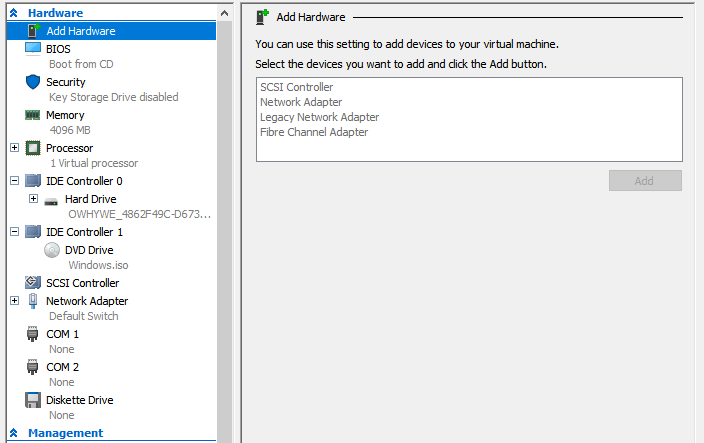
so I found this
https://docs.microsoft.com/en-us/windows-server/virtualization/hyper-v/deploy/deploying-graphics-devices-using-dda
^^from this site I got this >
`#Configure the VM for a Discrete Device Assignment
$vm = "VM NaME"
#Set automatic stop action to TurnOff
Set-VM -Name $vm -AutomaticStopAction TurnOff
#Enable Write-Combining on the CPU
Set-VM -GuestControlledCacheTypes $true -VMName $vm
#Configure 32 bit MMIO space
Set-VM -LowMemoryMappedIoSpace 3Gb -VMName $vm
#Configure Greater than 32 bit MMIO space
Set-VM -HighMemoryMappedIoSpace 33280Mb -VMName $vm
#Find the Location Path and disable the Device
#Enumerate all PNP Devices on the system
$pnpdevs = Get-PnpDevice -presentOnly
#Select only those devices that are Display devices manufactured by NVIDIA
$gpudevs = $pnpdevs |where-object {$_.Class -like "Display" -and $_.Manufacturer -like "NVIDIA"}
#Select the location path of the first device that's available to be dismounted by the host.
$locationPath = ($gpudevs | Get-PnpDeviceProperty DEVPKEY_Device_LocationPaths).data[0]
#Disable the PNP Device
Disable-PnpDevice -InstanceId $gpudevs[0].InstanceId
#Dismount the Device from the Host
Dismount-VMHostAssignableDevice -force -LocationPath $locationPath
#Assign the device to the guest VM.
Add-VMAssignableDevice -LocationPath $locationPath -VMName $vm`
WIll this re enable nvidia in the VM?
if not how to add nvidia card to this VM?
thanks!
' cx='32' cy='32' r='32' /%3E%3Ctext x='50%25' y='55%25' dominant-baseline='middle' text-anchor='middle' fill='%23FFF' %3EA%3C/text%3E%3C/svg%3E)
