CHKDSK isn't absolutely guaranteed to find or fix all possible issues, but it sure looks like the reads of data from the drive are failing, so it's very likely to be a problem with the drive. Most drives fail within about 4.1 years, but many die younger (and some die older), so it's a distinct possibility that it's time to replace the drive.
Ejecting Flash Drive Issue
Hi!
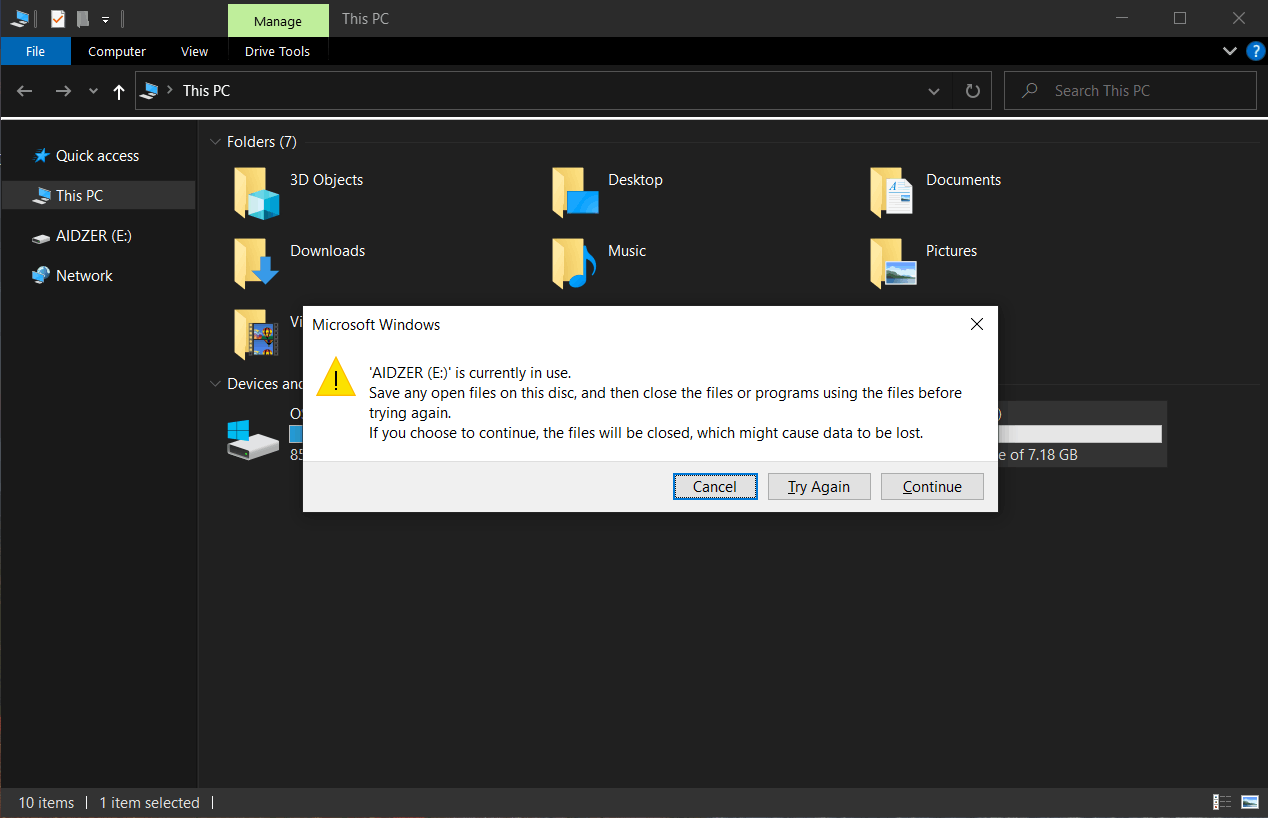
Why is it every time I insert a flash drive then ejecting it, It's always saying that the drive is in use even though I don't have any running applications in the background? I tried formatting the drive (not quick), inserting the drive, and eject it after a few seconds but still, issue is present. But if I click try again a few times, it will eject at some point, like after 1-2 tries. The image is attached below for reference.
I tried ejecting the flash drive via the taskbar and it seems to be no problem. Why is there's always an error when I try to eject via Windows Explorer?
PS. I also did chkdsk and sfc/scannow and there is no problem found. My Windows 10 is also up to date and there is no warnings or error in my device manager.
Windows for home | Windows 10 | Devices and drivers
Locked Question. This question was migrated from the Microsoft Support Community. You can vote on whether it's helpful, but you can't add comments or replies or follow the question.
10 answers
Sort by: Most helpful
-
Anonymous
2021-06-20T03:09:37+00:00 I looked up in the event viewer and saw the warning logs. And I can confirm that the Harddisk2 is my flash drive using disk management. I tried to search what caused it and others said that it might be a failing drive. Others said its normal because of the ejection error messgae. So I run the E: chkdsk /f /r via powershell admin to make sure and found no errors. Any idea if any of that theory is correct? or is the failing drive only applicable if the drive is installed on the system (C: or D:)?
-
@CmdrKeene 90,626 Reputation points Volunteer Moderator2021-06-19T17:02:40+00:00 It could potentially be a new bug that is not yet known to the developers. Could be helpful if you open the Feedback Hub and send in a problem report about it (and please do recreate the problem with the recorder when prompted, as that will gather system event logs that can help trace down the error).
-
Anonymous
2021-06-19T16:55:39+00:00 Thank you for your response. I failed to mention that i also looked on the "Process Explorer" from sysinternals and tried investigating my drive E:\ and as per checking there is no program associated/using with the drive. Also, as i mention earlier, i also tried inserting my flash drive then not opening any program. Just the explorer.exe. still the issue is present.
And yes you are correct. In theory, explorer.exe and the taskbar ejection should be the same. I tried recreating the ejecting issue on a different laptop running on Windows 8 and seems to be working fine both explorer.exe and taskbar (Almost the same programs installed, its my old laptop)
That's why im wondering what might be the cause of this. Searching the web for possible cause leads me to nothing.
-
@CmdrKeene 90,626 Reputation points Volunteer Moderator2021-06-19T14:13:39+00:00 In theory, both methods of ejecting should be the same. Perhaps Explorer's reading the drive to show that free space indicator on the icon (or perhaps it calculates that but has a bug where it fails to release the lock on the drive, or takes a while to do so, which is why it works for you after a few attempts).
One thing you can do, if you wish to really investigate deeply, is use Microsoft's tool called "Process Explorer", which can help you identify precisely which program is locking the drive or file. Here's one (of a great many) guides about using it to do just that: How to Identify which Windows Process is Locking a File or Folder – GSX Help Center
