Sort-Object ascending

oggy 1 Reputation point
2021-06-06T06:56:14.367+00:00

Hi Everyone

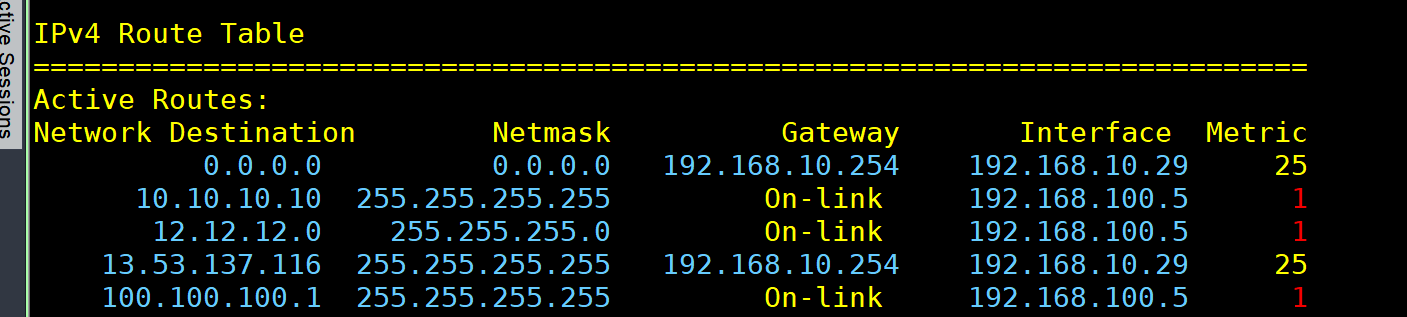
I want to print routing table in windows and sort the metric value ascending
I tried something like

route print | Select-String -Pattern " IPv4 | Metric " -Context 1,50 | Sort-Object -Unique

the above is just example where I want to take IPv4 routing table and sort the Metric value ascending

Can anyone help me to figure out the correct syntax ?

Thanks

Windows for business | Windows Server | User experience | PowerShell
0 comments No comments
{count} votes

2 answers

Sort by: Most helpful
  1. Leon Laude 86,091 Reputation points
    2021-06-06T09:00:53.283+00:00

    Hi @oggy ,

    You could try using the PowerShell equivalent for the route command instead, Get-NetRoute.
    Here's an example:

    Get-NetRoute | Sort-Object -Property InterfaceMetric

    Example:

    102703-get-netroute.png

    ----------

    (If the reply was helpful please don't forget to upvote and/or accept as answer, thank you)

    Best regards,
    Leon

  2. Rich Matheisen 48,026 Reputation points
    2021-06-06T20:07:42.783+00:00

    You can "roll your own" set of data, too:

    $r = [ordered]@{
        "Network Destination" = ""
        Netmask = ""
        Gateway = ""
        Interface = ""
        RouteMetric = ""
        InterfaceMetric = ""
    }
    Get-NetRoute -AddressFamily IPv4 |
        ForEach-Object{
            $r.Interface = Get-NetIPAddress -InterfaceIndex $_.ifIndex -AddressFamily IPv4 
            $r.Gateway = (Get-NetIPConfiguration -InterfaceIndex $_.ifIndex).IPv4DefaultGateway.NextHop
            $r."Network Destination" = ($_.DestinationPrefix -split "/")[0]
            $cidr =($_.DestinationPrefix -split "/")[1]
            $bmask = ("1" * $cidr) + ("0" * (32 - $cidr))
            $bytes = @()
            for ($i = 0; $i -le 24; $i=$i+8){
                $bytes += [System.Convert]::ToInt16($bmask.substring($i,8),2)
            }
            $r.Netmask = $bytes -join "."
            $r.RouteMetric = $_.RouteMetric
            $r.InterfaceMetric = $_.InterfaceMetric
            [PSCustomObject]$r
        }
    
    0 comments No comments

Your answer

Answers can be marked as 'Accepted' by the question author and 'Recommended' by moderators, which helps users know the answer solved the author's problem.