Azure Stream Analytics
An Azure real-time analytics service designed for mission-critical workloads.
This browser is no longer supported.
Upgrade to Microsoft Edge to take advantage of the latest features, security updates, and technical support.
' cx='32' cy='32' r='32' /%3E%3Ctext x='50%25' y='55%25' dominant-baseline='middle' text-anchor='middle' fill='%23FFF' %3EN%3C/text%3E%3C/svg%3E)
My requirement is to take data from log analytics perf table to stream analytic job as an input, in near real-time. I want, for example last 2 mins data, from the perf table, not the entire perf table. What is the best way to do this?
Note: I already checked the log analytic publish to EventHub feature but it is not supporting the Linux perf table.

Hello @narmada ,
Welcome to the Microsoft Q&A platform.
Perf logs - Partial support – only windows perf data is currently supported. The Linux perf data is missing in export currently.
As per the document, to collect syslog data from version 5 of Red Hat Enterprise Linux, CentOS, and Oracle Linux distributions, the rsyslog daemon should be installed and configured to replace sysklog. This document also has the steps on how to collect rsyslog data.
For exporting data from log analytics to event hub. you can check below documents:
Log Analytics – data export (preview) - Microsoft Tech Community
Log Analytics workspace data export in Azure Monitor (preview) - Azure Monitor | Microsoft Learn
Hope this helps. Do let us know if you any further queries.
---------------------------------------------------------------------------
Please "Accept the answer" if the information helped you. This will help us and others in the community as well.
What is the best way to connect Log analytic perf table as a Azure Stream Analytics data stream input? Is it through an Event Hub? Or is there a direct way?
Requirement:
Hello @narmada ,
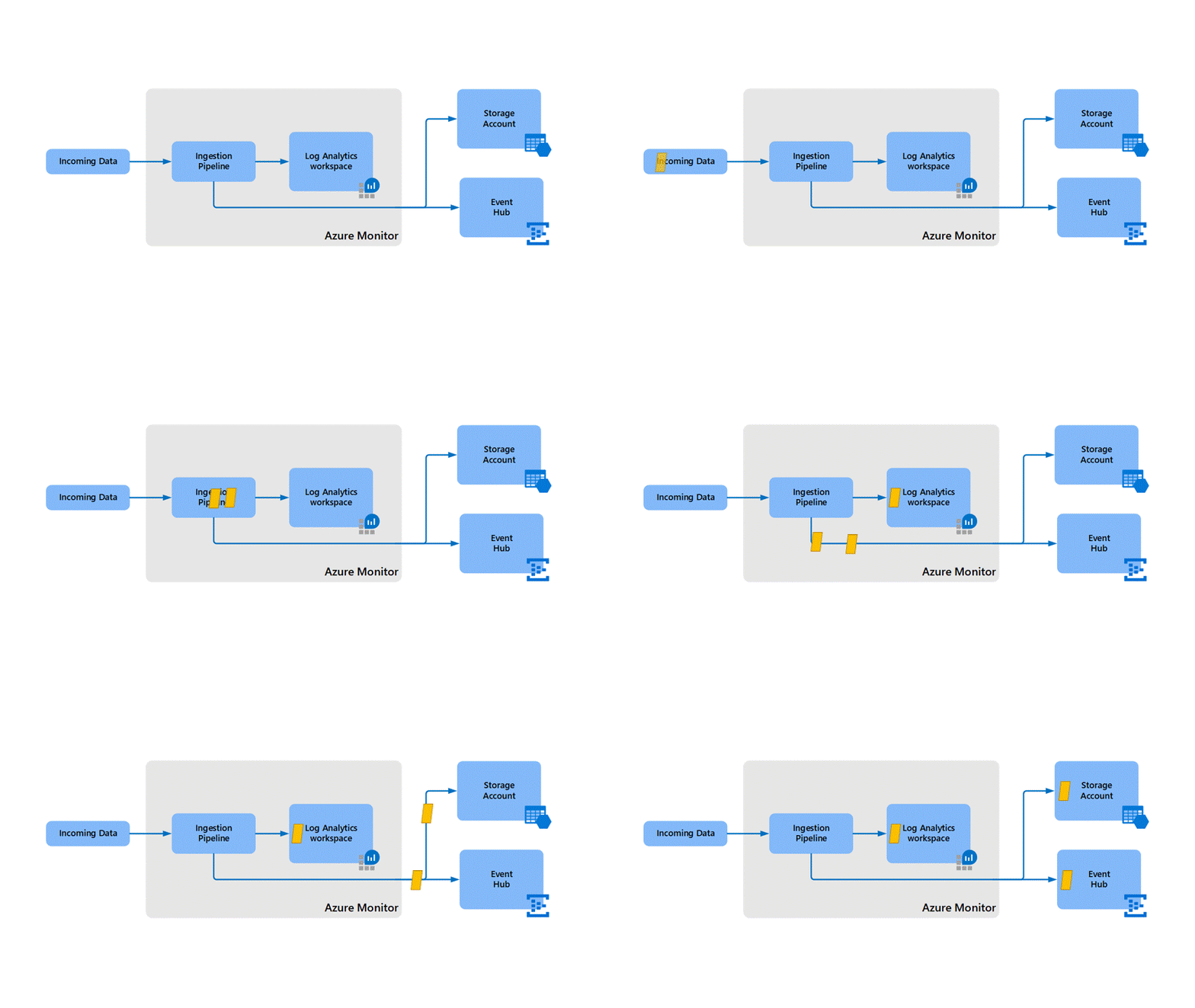
Unfortunately, you cannot directly connect Log Analytics workspace to Azure Stream Analytics.
The following image shows how data is sent to Stream Analytics, analyzed, and sent for other actions like storage or presentation:
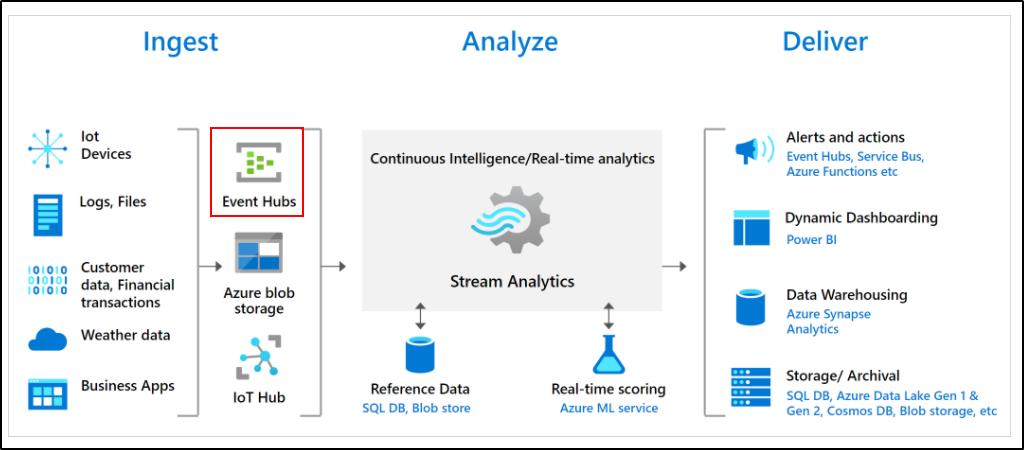
You need to send the data to event hubs and then you can stream data using Azure Stream Analytics.
As explained above - Perf logs - Partial support – only windows perf data is currently supported.
Hope this helps. Do let us know if you any further queries.
Hello @narmada ,
Just checking in to see if the above answer helped. If this answers your query, do click Accept Answer and Up-Vote for the same. And, if you have any further query do let us know.
Hello @narmada ,
Following up to see if the above suggestion was helpful. And, if you have any further query do let us know.