Hi guys , anyone can help me with this problem ? a few days ago i was wondering how can i see the backup files that itunes creates (I'm an iphone user) I ran a search and found out they are stored in C>user>me . but there was nothing , I told myself maybe they are hidden so i turned on the hidden button and it was applying to all attributes . It suddenly stoped and asked a question : You need administrator access (or sth like that) to continue , so i pressed cancel because i didn't know what will happen
This ended here and next time i headed user folder , there wasn't my personal folder there (there was public folder) I ignored
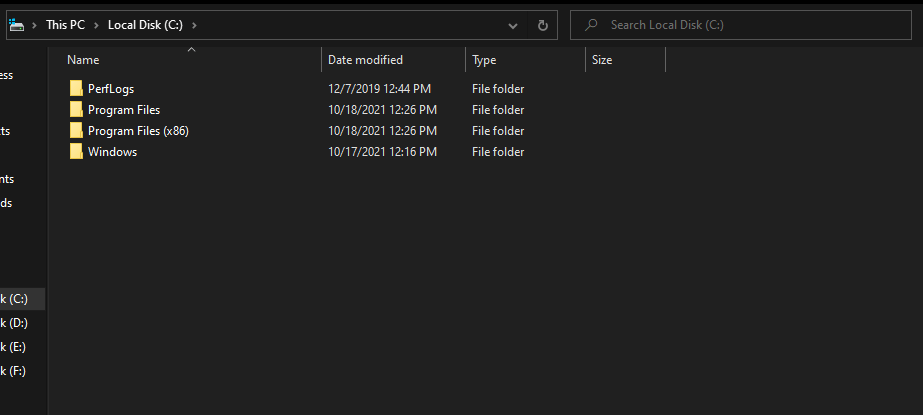
Today i headed to C and this time the whole user folder was gone
If anyone can tell me what to do i'll really appreciate it
Also i don't know what is stored in my user folder because all the files and songs i have are still in another drive so i will thank you if you explain me is it necessary to have the user folder in PC or not.
' cx='32' cy='32' r='32' /%3E%3Ctext x='50%25' y='55%25' dominant-baseline='middle' text-anchor='middle' fill='%23FFF' %3EA%3C/text%3E%3C/svg%3E)

