Dear community,
I recently upgraded to windows 11 and noticed an issue with my pc graphics.
I had the same issue on windows 10 but only in visual studio code, now it is on many apps apparently.
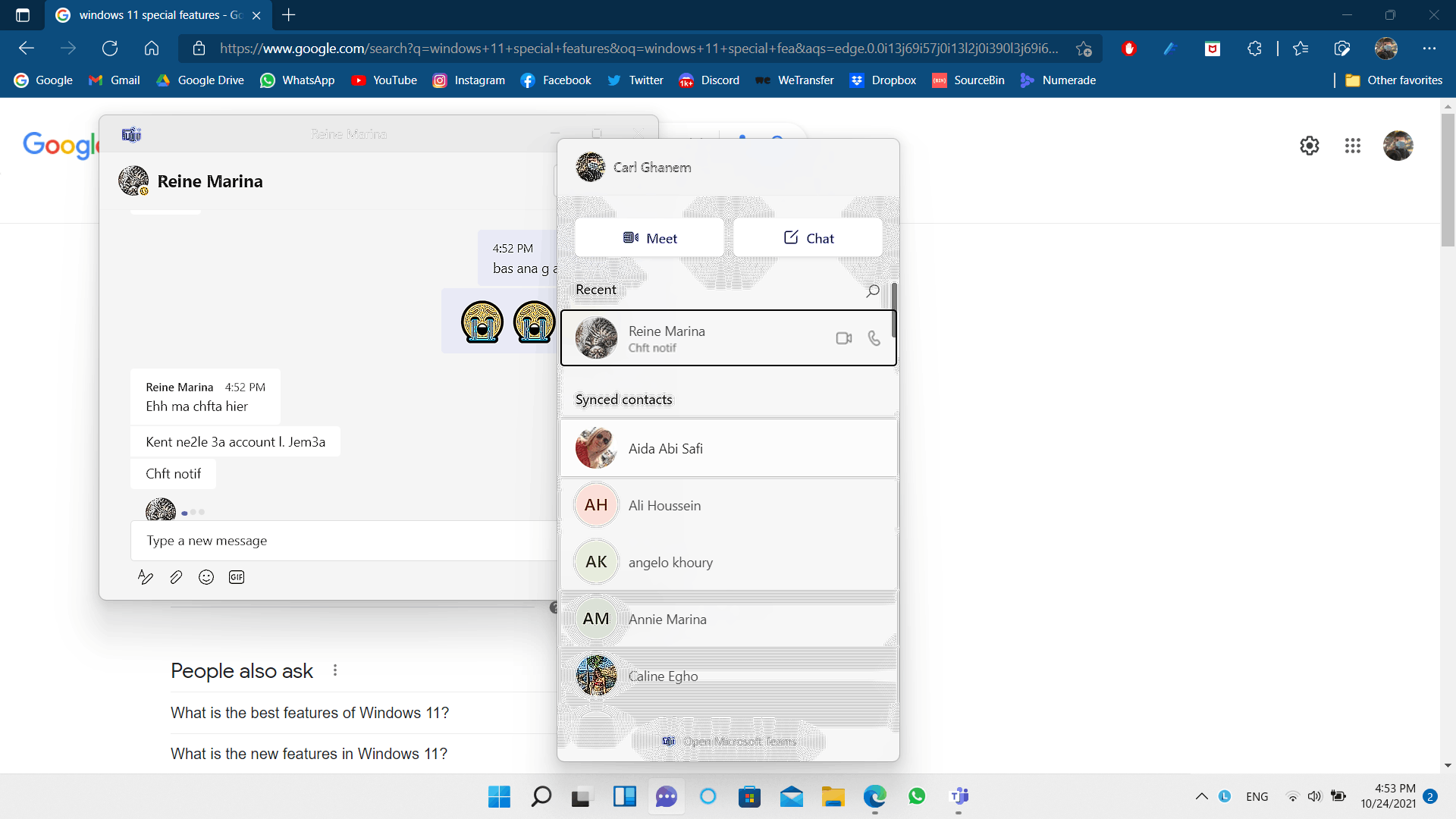
The issue is that whenever I hover my mouse over options and buttons on the screen, parts of the screen start to get blurred and pixelated as shown in the image below. If i click around the blurred area it gets normal again. I had the problem in the widgets panel but turns out it moved to MS teams. And it still exists in VS code.
The most recent activity I've done was moving from my intel integrated GPU to my NVIDIA card but that was around 2 weeks ago and the issue started around 1 week ago in VS code.
I know it's not a breaking issue such as a black screen but I'd still love to know if there's a way to fix it. PS: it doesn't happen in all programs. For eg, I'm using MS edge and it's working fine.
Thank you for your response.
' cx='32' cy='32' r='32' /%3E%3Ctext x='50%25' y='55%25' dominant-baseline='middle' text-anchor='middle' fill='%23FFF' %3EA%3C/text%3E%3C/svg%3E)

' cx='32' cy='32' r='32' /%3E%3Ctext x='50%25' y='55%25' dominant-baseline='middle' text-anchor='middle' fill='%23FFF' %3EJ%3C/text%3E%3C/svg%3E)
