Community Center | Not monitored
Tag not monitored by Microsoft.

This browser is no longer supported.
Upgrade to Microsoft Edge to take advantage of the latest features, security updates, and technical support.
' cx='32' cy='32' r='32' /%3E%3Ctext x='50%25' y='55%25' dominant-baseline='middle' text-anchor='middle' fill='%23FFF' %3EDG%3C/text%3E%3C/svg%3E)
Hello,
Is anyone using BlobPorter to move page blobs to block blobs? I have read the docs and I think this seems to be correct but all I get is no matching files.
My source container is: https://mystorage.blob.core.windows.net/test - this contains a mix of 7 page and block blobs
My target container is https://mystorage.blob.core.windows.net/test2
I want to move/convert all blobs from src to trg and convert the page blobs to block blobs.
The command I'm running is
C:\Program Files\BlobPorter>BlobPorter.exe -f "https://mystorage.blob.core.windows.net/test/*.*" -c test2 -g 8 -t file-blockblob
Tried with and without the . at the end, same result
> 2020/07/03 18:46:04 the pattern https://mystorage.blob.core.windows.net/test/*.* did not match any files
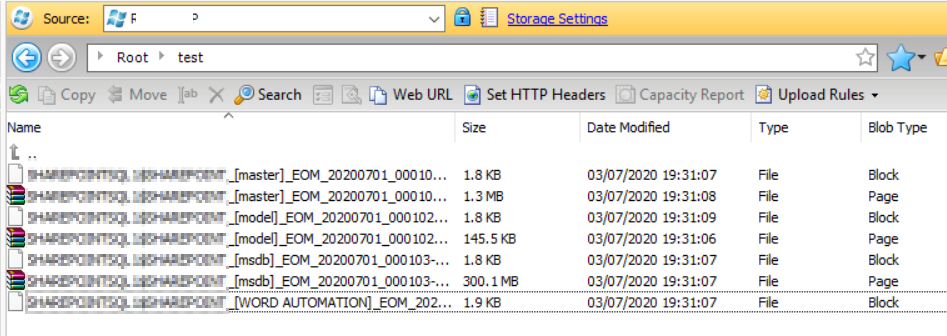
Tag not monitored by Microsoft.
Answer accepted by question author
Ok this works now after changing to blob-blockblob as you suggested.
BlobPorter.exe -f "https://mystorage.blob.core.windows.net/test" -c test2 -t blob-blockblob
Thanks for your help

@DaveGray-0128 Glad to hear that issue got fixed. Appreciate for sharing the steps which helped you, this would certainly benefit other community members
' cx='32' cy='32' r='32' /%3E%3Ctext x='50%25' y='55%25' dominant-baseline='middle' text-anchor='middle' fill='%23FFF' %3EA%3C/text%3E%3C/svg%3E)
@DaveGray-0128 Apologies for the delayed response. I believe having a mix of page and block blobs could be the issue here. Are you able to run it on a single page blob? BlobPorter also has examples available here. I recommend reaching out to the maintainers here to get your questions answered.
Please don’t forget to "Accept the answer" wherever the information provided helps you, this can be beneficial to other community members.
Sure I can try this with just page blobs as they are the ones which are a huge headache.
I did look at the GitHub page but I cannot seem to find a complete example in the ones listed and
obvious way to contact them short of leaving a bug report.
I will try with just page blobs now and post back the result.
Thanks
No luck :-(
Just page blobs in the container and I have tried the following patterns:
BlobPorter.exe -f "https://myaccount.blob.core.windows.net/test"  -c test2 -g 8 -t file-pageblob

BlobPorter.exe -f "https://myaccount.blob.core.windows.net/test/"  -c test2 -g 8 -t file-pageblob

BlobPorter.exe -f "https://myaccount.blob.core.windows.net/test/*.*"  -c test2 -g 8 -t file-pageblob
Sorry you are still having issues. You are trying to convert from page blob to block blob correct? If so I believe -t should be "blob-blockblob". I recommend creating an issue on GitHub page, it is not clear if you can use wildcards when using the URI. If that is not supported you might need to create a for loop to accomplish this.