Azure Logic Apps
An Azure service that automates the access and use of data across clouds without writing code.
This browser is no longer supported.
Upgrade to Microsoft Edge to take advantage of the latest features, security updates, and technical support.
' cx='32' cy='32' r='32' /%3E%3Ctext x='50%25' y='55%25' dominant-baseline='middle' text-anchor='middle' fill='%23FFF' %3ELL%3C/text%3E%3C/svg%3E)
Hi, I'm trying to figure out how to use logic apps to move files in Azure File Storage from one location to another location. For example,
I created source Azure file share /test/nav and uploaded 3 text files in there
also created destination Azure file share /test/westpac
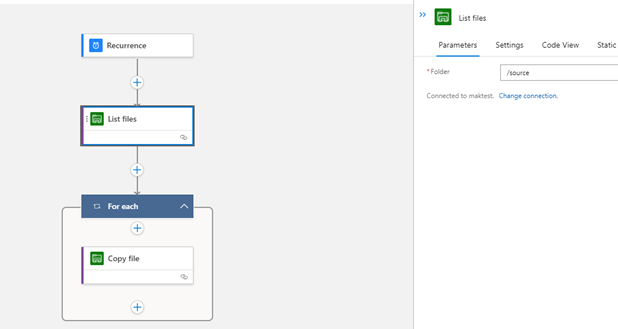
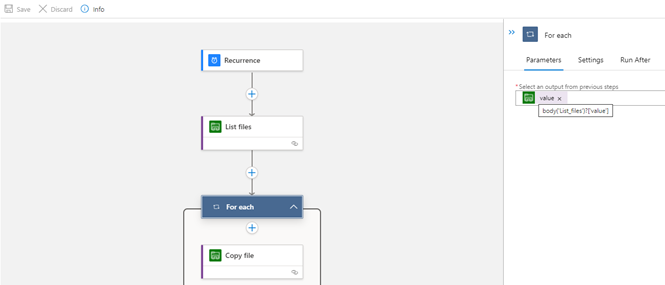
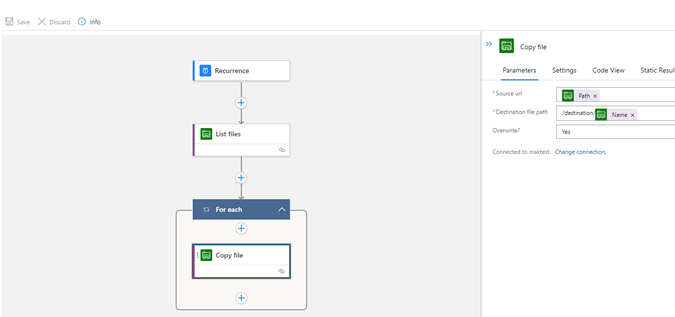
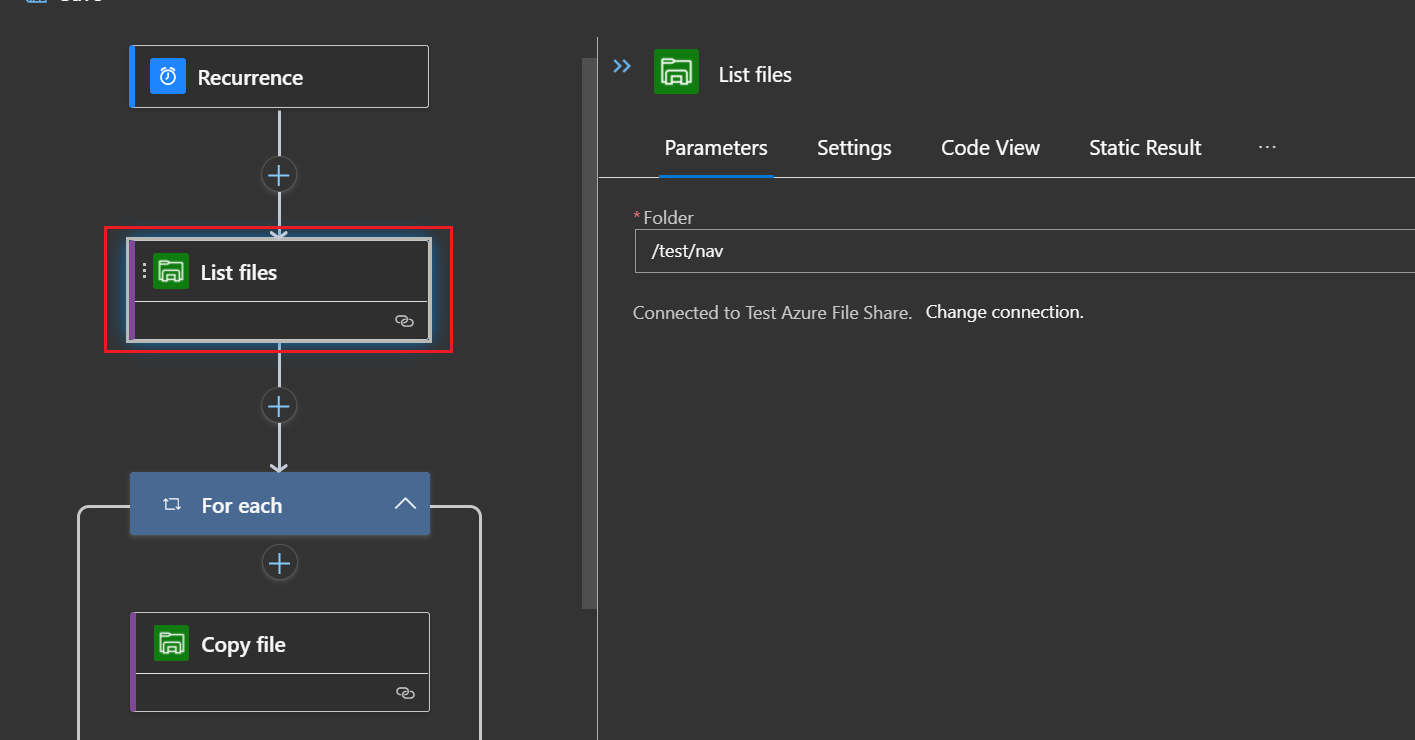
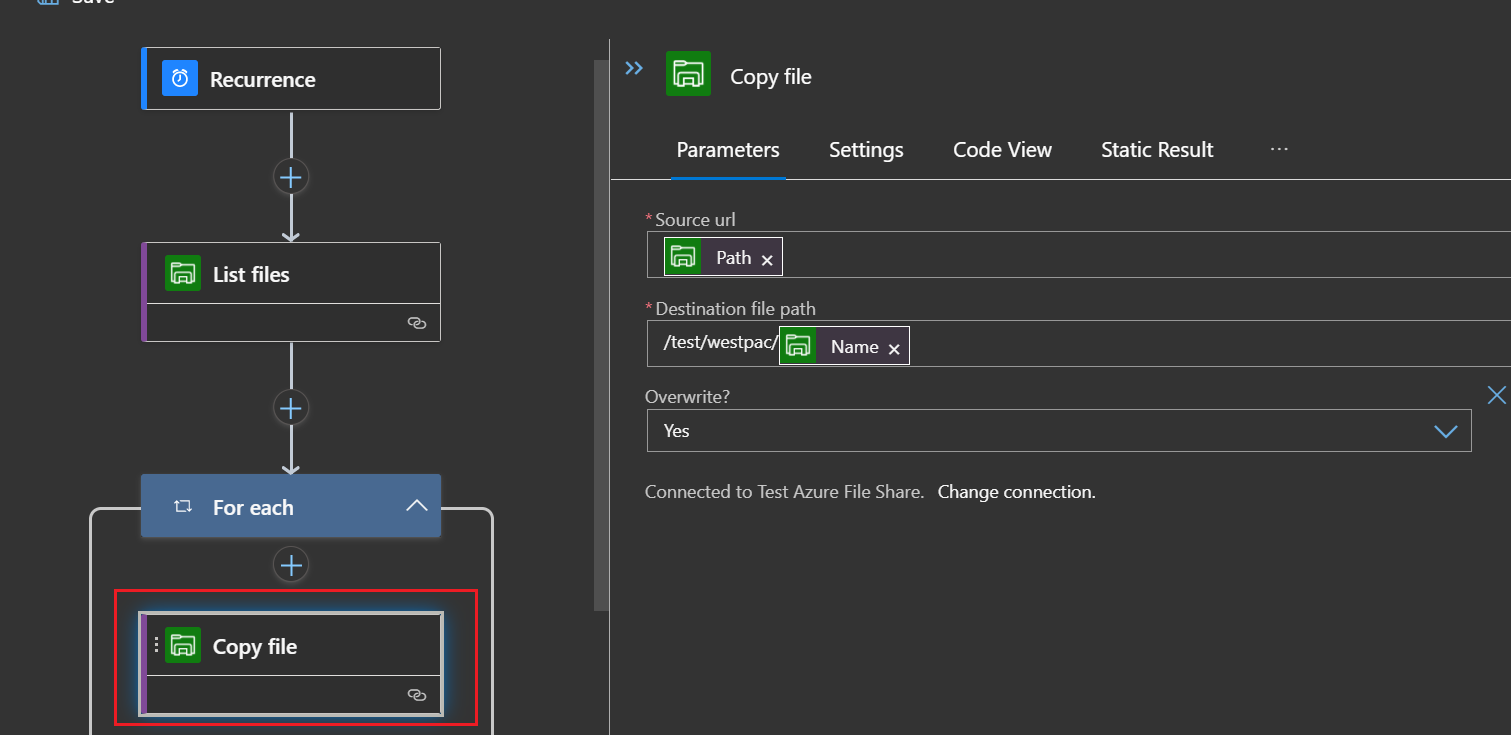
My goal is to move those 3 text files from /test/nav to /test/westpac, below is some screenshots from my logic apps designer. Also i pasted my workflow json file.
My problem is i didn't receive any file in destination folder. Can anyone point me to right direction ?
{
"definition": {
"$schema": "https://schema.management.azure.com/providers/Microsoft.Logic/schemas/2016-06-01/workflowdefinition.json#",
"actions": {
"List_files": {
"type": "ApiConnection",
"inputs": {
"host": {
"connection": {
"referenceName": "azurefile"
}
},
"method": "get",
"path": "/datasets/default/foldersV2/@{encodeURIComponent(encodeURIComponent('JTJmdGVzdCUyZm5hdg=='))}",
"queries": {
"nextPageMarker": "",
"useFlatListing": false
}
},
"runAfter": {},
"metadata": {
"JTJmdGVzdCUyZm5hdg==": "/test/nav"
}
},
"For_each": {
"type": "Foreach",
"foreach": "@Tomas Podoba ('List_files')?['value']",
"actions": {
"Copy_file": {
"type": "ApiConnection",
"inputs": {
"host": {
"connection": {
"referenceName": "azurefile"
}
},
"method": "post",
"headers": {
"ReadFileMetadataFromServer": true
},
"path": "/datasets/default/copyFile",
"queries": {
"source": "@items('For_each')?['Path']",
"destination": "/test/westpac/@{items('For_each')?['Name']}",
"overwrite": true,
"queryParametersSingleEncoded": true
}
},
"runAfter": {}
}
},
"runAfter": {
"List_files": [
"Succeeded"
]
}
}
},
"triggers": {
"Recurrence": {
"type": "Recurrence",
"recurrence": {
"frequency": "Second",
"interval": 10
}
}
},
"contentVersion": "1.0.0.0",
"outputs": {}
},
"kind": "Stateful"
}

Thanks for your help.
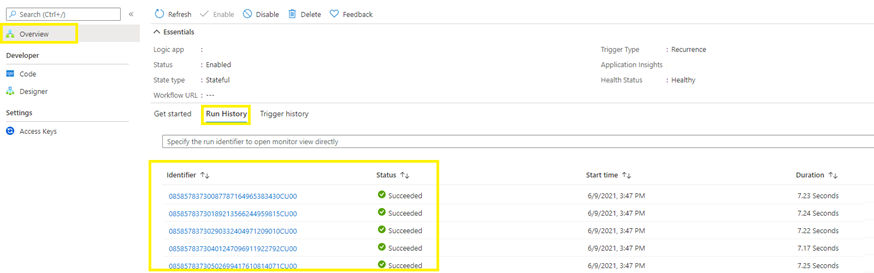
I did another trigger, this time the workflow is working, and i am able to see files arrived in destination folder.But when i check run history, i can see a failed information, please see below screenshot.
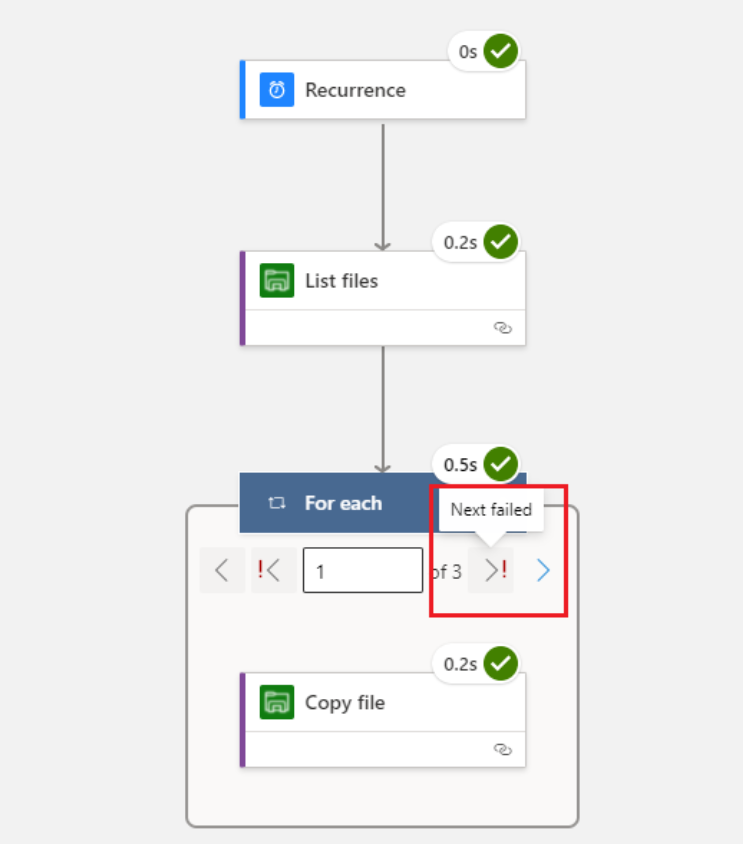
Basically i just want to confirm if i can ignore this failed message
@Lu Li To know the failure reason you need to click on "Next" and see the reason for the failure. If you know that for some of your workflow logic/file can be failed and that are expected and want to continue then you can write your own condition inside the for each action to ignore the Copy file action which makes it fail.
' cx='32' cy='32' r='32' /%3E%3Ctext x='50%25' y='55%25' dominant-baseline='middle' text-anchor='middle' fill='%23FFF' %3EAZ%3C/text%3E%3C/svg%3E)
I have a follow up question here. I the same scenario but in my case I have some big files that the azurefile actions cannot move because the copy step doesnt support chunking. I tried to look for some documentation to do this using azure functions but no luck. can anyone please help me share a link or something ?