Share via

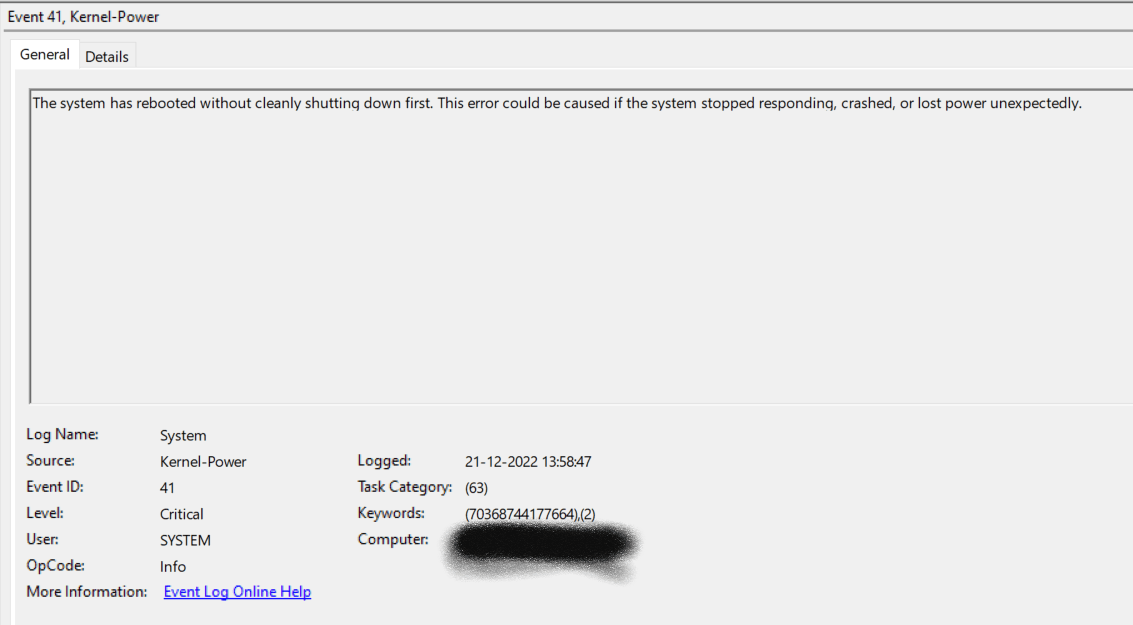
Windows Kernel-Power Event 41, Bluescreen code:19c

Anonymous
2022-12-21T08:51:58+00:00

I have been facing this crash quite a lot. I have even ordered a brand new laptop of same specs and still facing the same crashes.

It generally happens when I leave the system for some time and then when I come back, it does not wake up from sleep. After multiple keypress, the system restarts and shows me a fan error message during boot.

Here are the system specs:

OS Name Microsoft Windows 10 Pro

Version 10.0.19045 Build 19045

System Manufacturer LENOVO

System Model 21A1S04W00

System Type x64-based PC

System SKU LENOVO_MT_21A1_BU_Think_FM_ThinkPad P14s Gen 2a

Processor AMD Ryzen 7 PRO 5850U with Radeon Graphics, 1901 Mhz, 8 Core(s), 16 Logical Processor(s)

Below is the screenshort from Event Viewer.
Below is the extract from reliability history:

Source

Windows

Summary

Shut down unexpectedly

Date

‎21-‎12-‎2022 13:59

Status

Not reported

Problem signature

Problem Event Name: BlueScreen

Code: 19c

Parameter 1: 20

Parameter 2: ffff898f502b6300

Parameter 3: 0

Parameter 4: 0

OS version: 10_0_19045

Service Pack: 0_0

Product: 256_1

OS Version: 10.0.19045.2.0.0.256.48

Locale ID: 16393

Here is the link to minidump file:

Minidump.zip

Windows for home | Windows 10 | Performance and system failures

Locked Question. This question was migrated from the Microsoft Support Community. You can vote on whether it's helpful, but you can't add comments or replies or follow the question.

0 comments No comments

3 answers

Sort by: Most helpful
  1. DaveM121 891.6K Reputation points Independent Advisor
    2022-12-21T10:03:18+00:00

    Hi Shre,

    If the available hardware tests do not show any fault, and because the minidump files are just listing generic errors, no specific cause is listed, honestly, you should not be suffering this problem on a new device, you should return it under warranty and get a replacement.

    Was this answer helpful?

    0 comments No comments
  2. Anonymous
    2022-12-21T09:56:46+00:00

    Thanks for the quick response!

    I did a memory test but it didn't show any faults/errors

    Was this answer helpful?

    0 comments No comments
  3. DaveM121 891.6K Reputation points Independent Advisor
    2022-12-21T09:31:01+00:00

    Hi Shre,

    I am Dave, I will help you with this.

    Your minidump files just indicate memory (RAM) corruption no specific driver is listed

    Because your device is new and you are getting that Fan error, the best option is to run the Lenovo hardware diagnostics test to see if there is an underlying hardware fault.

    https://support.lenovo.com/us/en/solutions/ht50...

    ________________________________________________________

    Standard Disclaimer: This is a non-Microsoft website. The page appears to be providing accurate, safe information. Watch out for ads on the site that may advertise products frequently classified as a PUP (Potentially Unwanted Products). Thoroughly research any product advertised on the site before you decide to download and install it.

    .

    Was this answer helpful?

    0 comments No comments
