Azure Functions
An Azure service that provides an event-driven serverless compute platform.
This browser is no longer supported.
Upgrade to Microsoft Edge to take advantage of the latest features, security updates, and technical support.
' cx='32' cy='32' r='32' /%3E%3Ctext x='50%25' y='55%25' dominant-baseline='middle' text-anchor='middle' fill='%23FFF' %3EAW%3C/text%3E%3C/svg%3E)
Hi guys
While trying to finish this exercise https://learn.microsoft.com/en-us/learn/modules/chain-azure-functions-data-using-bindings/7-write-data-with-output-bindings-portal-lab?pivots=javascript I came across the following issue:
As you see, for the below example, it says Bookmark Added:
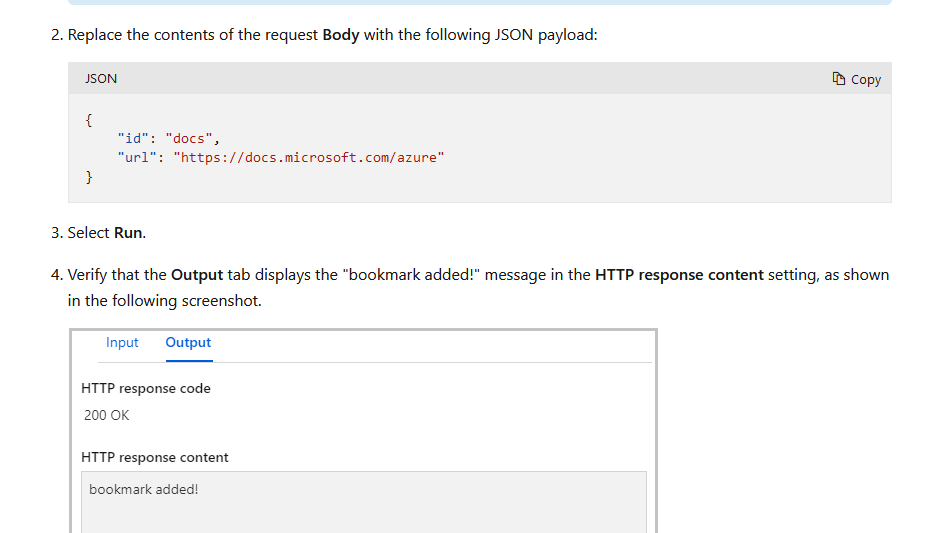
However, for this example it should have said "Bookmark already exists." considering an earlier page of this chapter https://learn.microsoft.com/en-us/learn/modules/chain-azure-functions-data-using-bindings/5-read-data-with-input-bindings-portal-lab?pivots=javascript where we already added that entry to the CosmosDB collection.
Also, when I tried to replicate this in the box I got the same message, suggesting that the input binding couldn't be reached. Considering this, I followed this suggestion https://learn.microsoft.com/en-us/answers/questions/373155/silent-failure-of-azure-function-cosmosdb-input-bi.html , and i tried adding the brackets on the id and partitionKey fields, however the function.json files was overwritten(basically a rollback) while testing the function, hence leading me to the same "Bookmark Added" message
Could you assist?
An Azure service that provides an event-driven serverless compute platform.
An Azure NoSQL database service for app development.
Answer accepted by question author
' cx='32' cy='32' r='32' /%3E%3Ctext x='50%25' y='55%25' dominant-baseline='middle' text-anchor='middle' fill='%23FFF' %3ECM%3C/text%3E%3C/svg%3E)
Hello @Andrei Witek , apologies for the delayed response here.
To get rid of the issue I think you will have to delete the HttpTrigger3 Function and recreate it. To delete you can go to the Functions Tab select the function and delete it.

When you recreate the HttpTrigger3 Function by following the steps here for Azure Cosmos DB input binding in step 9 please add Document ID setting as {id} and for Partition key {id} as well. Same for Azure Cosmos DB output binding please add Partition key as {id}
I have requested you to recreate function app because updating the function.json via portal does not reflect the correct value sometimes as it is not a recommended way. You can go through this Azure Functions binding expression patterns doc to understand more about why id parameter is passed in curly braces.
I have reached out to the team internally to rectify the exercise document and include the suggested changes above.
Please let me know if there are any concerns. Thank you!