Hello AnnemiekesArt,
Good to see you in Microsoft Community.
Firstly, could you let me know the specific system version? Please check it (you can display it by pressing the Win key + R key, and entering "winver", then Enter), and only send the relevant information without PII (your username or mail address) in the next reply.
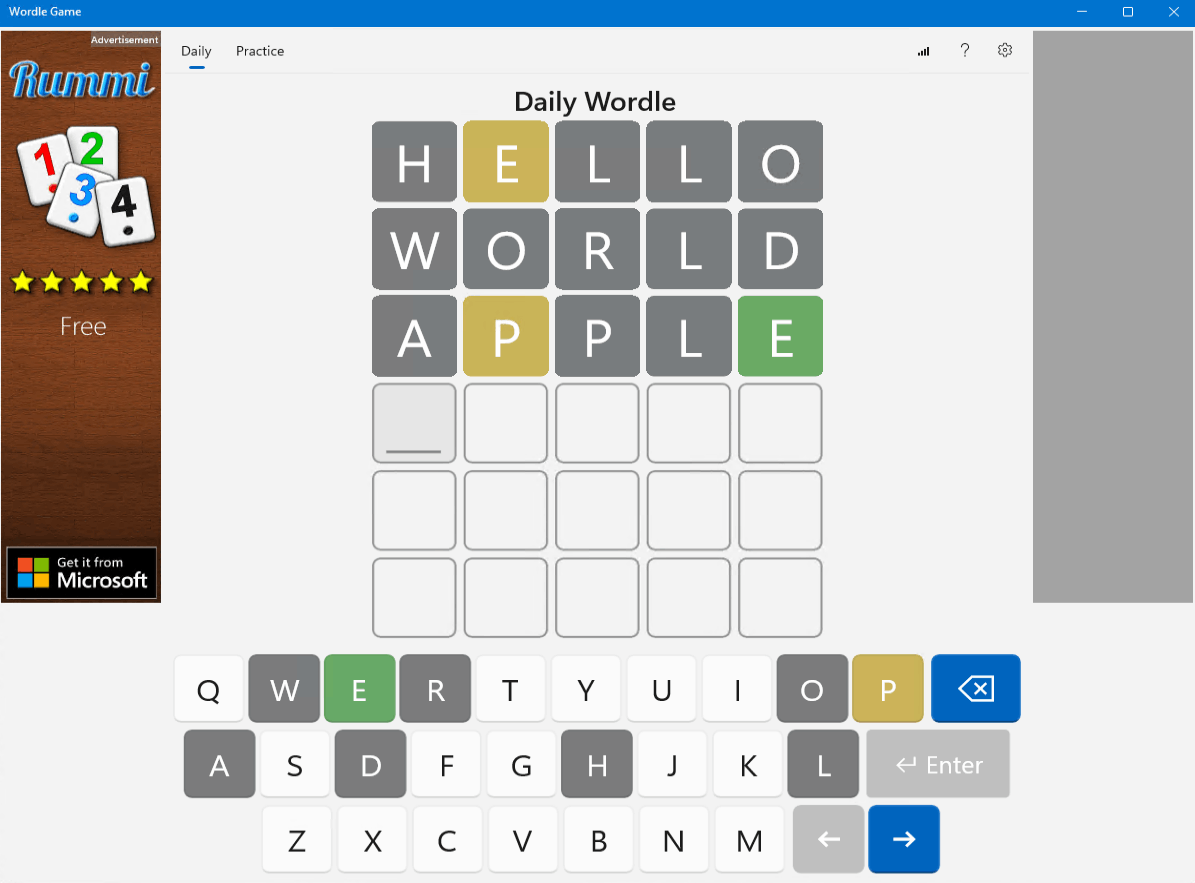
I installed Wordle from the Microsoft Store in the latest version of Windows 11 (Version 22H2 (OS Build 22621.819)) and it works fine as shown in the image below.
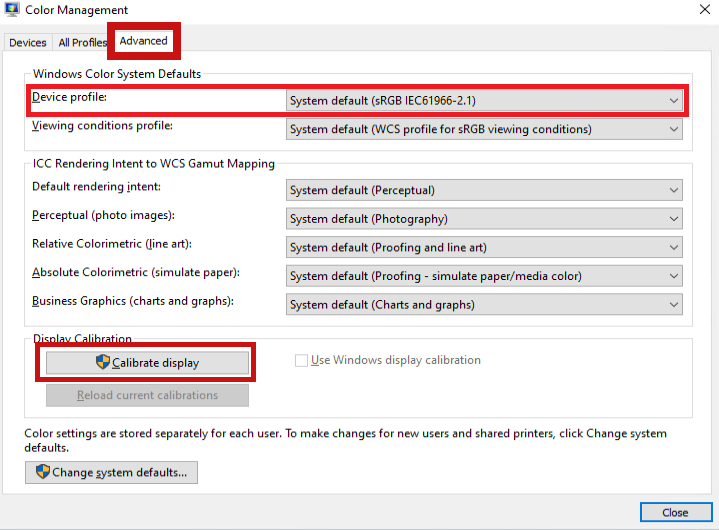
You may C onfirm the system's color scheme in Color Management ( Win + Q to open the search box, type 'color manage' ), I recommend you use the system default scheme, and then execute "Calibrate display".
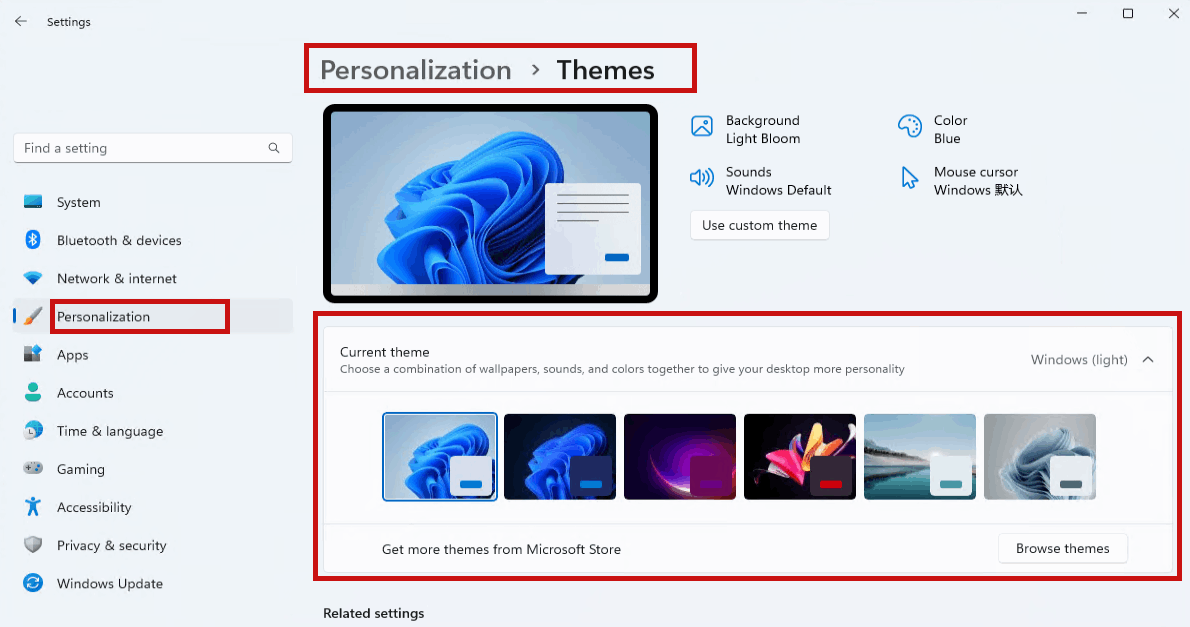
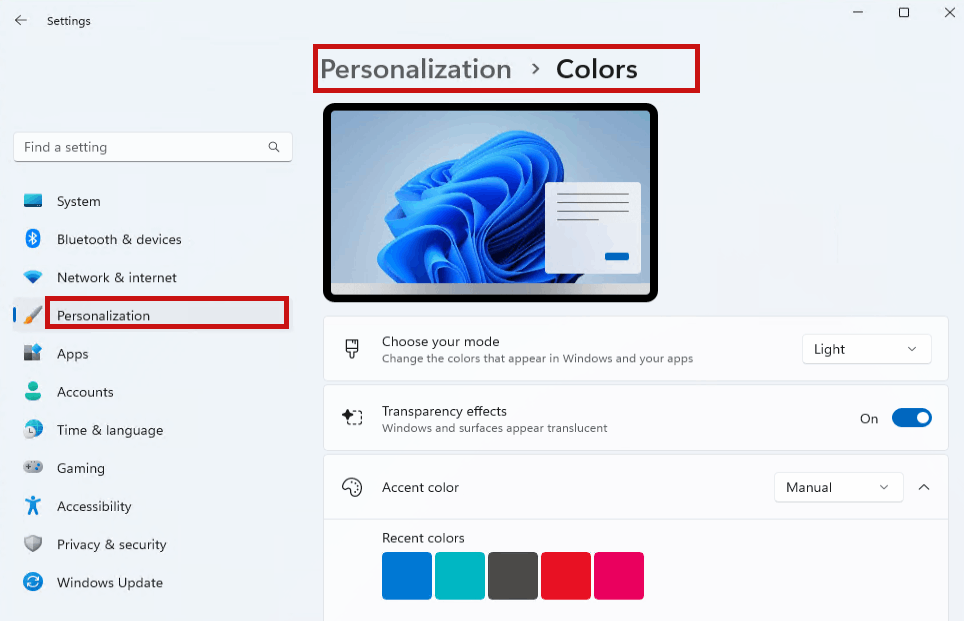
Then use the system default theme and colors.
Meanwhile, you may Perform a clean boot, this is a troubleshooting step to further confirm whether your current problem is a system issue or caused by third-party software, so please be patient.
Disclaimer*: A “clean boot” starts Windows with a minimal set of drivers and startup programs. It helps to determine whether a background program is interfering with your game or program and to isolate the cause of a problem.*
These steps of "clean boot" might look complicated at first glance. However, to avoid any trouble for you, please follow them in order and step-by-step so that it will help you get you back on track.
If anything is unclear, please do not hesitate to let me know.
Best Regards,
Mosken_L - MSFT | Microsoft Community Support Specialist
' cx='32' cy='32' r='32' /%3E%3Ctext x='50%25' y='55%25' dominant-baseline='middle' text-anchor='middle' fill='%23FFF' %3EA%3C/text%3E%3C/svg%3E)
