Azure Synapse Analytics
An Azure analytics service that brings together data integration, enterprise data warehousing, and big data analytics. Previously known as Azure SQL Data Warehouse.
This browser is no longer supported.
Upgrade to Microsoft Edge to take advantage of the latest features, security updates, and technical support.
' cx='32' cy='32' r='32' /%3E%3Ctext x='50%25' y='55%25' dominant-baseline='middle' text-anchor='middle' fill='%23FFF' %3ESD%3C/text%3E%3C/svg%3E)
Hi,
Can we connect Azure Synapse serverless pool tables/view from power bi desktop ?
' cx='32' cy='32' r='32' /%3E%3Ctext x='50%25' y='55%25' dominant-baseline='middle' text-anchor='middle' fill='%23FFF' %3ESS%3C/text%3E%3C/svg%3E)
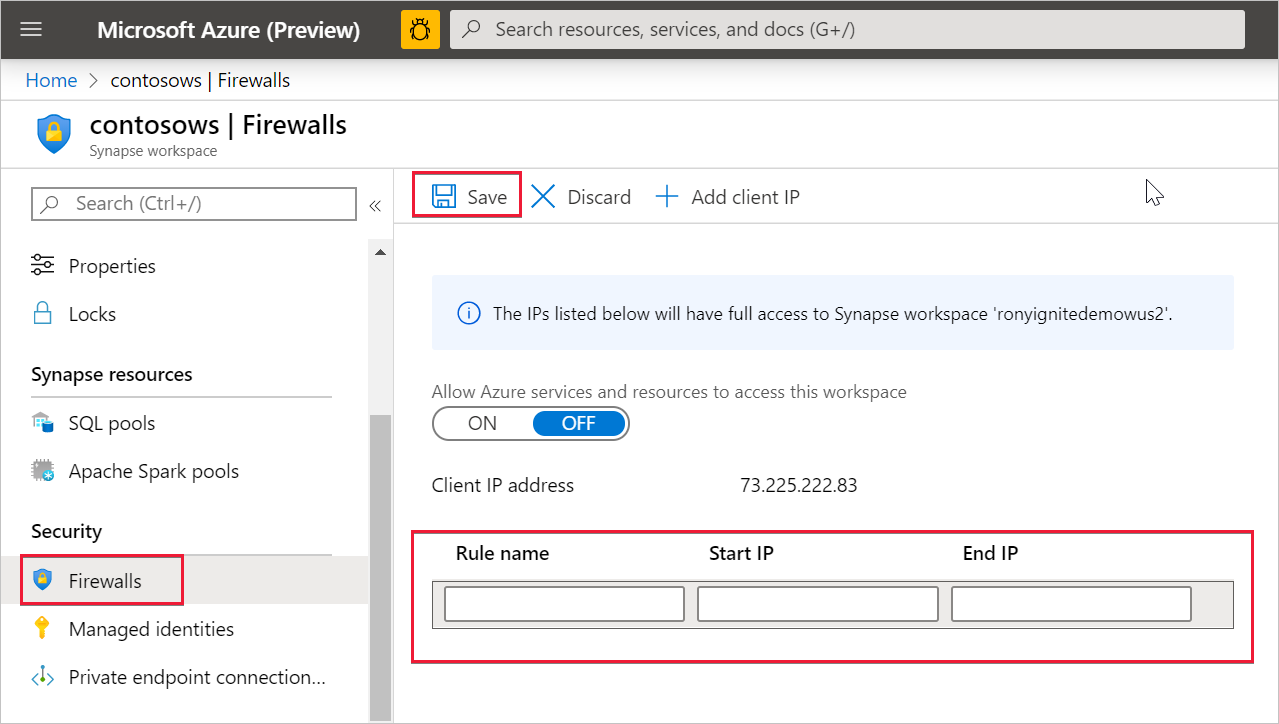
Generally yes, though you may need to update the firewalls on the public endpoint to allow access.
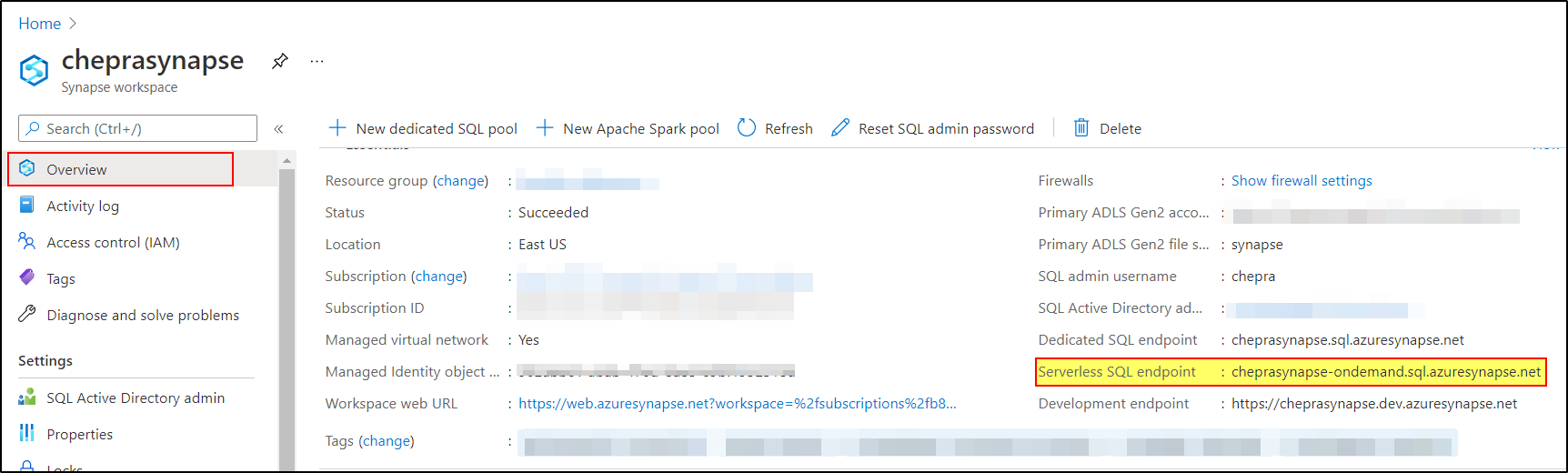
The connection string is available from the portal, and follows the pattern <workspace name>-ondemand.sql.azuresynapse.net
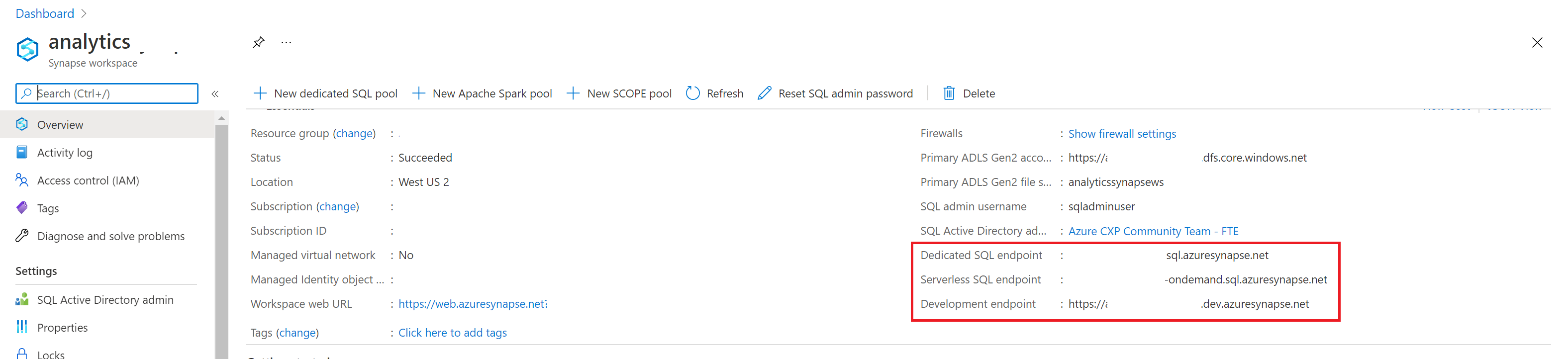
If you need to update the firewall, this is also readily available in the portal.

Hello @Shatamjeev Dewan ,
In additional to @Samara Soucy - MSFT response.
Get the Serverless SQL pool service endpoint address from Azure Portal.
Here is the walkthrough on connecting Power BI desktop to serverless SQL pool.
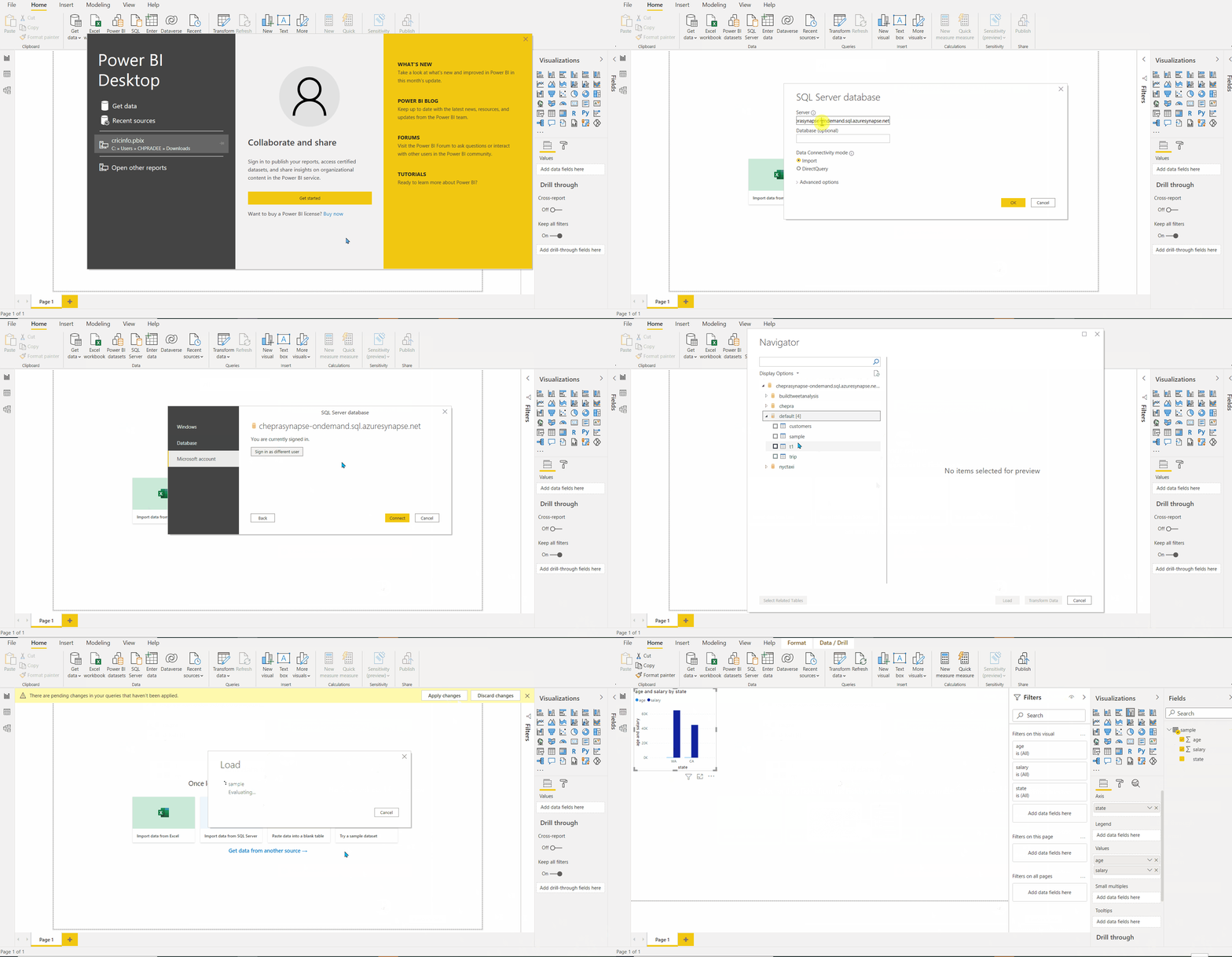
For more details, refer Connect to serverless SQL pool with Power BI Professional.
Hope this helps. Do let us know if you any further queries.
------------