Hello,
Recently my laptop is having audio issues (Crackling, Popping), I first assume that it may be software issues, so I reinstalled Realtek and also tried the older drivers but the problem persist. I also tried reinstalling windows 10 and still the same, not sure what's going on.
I googled online and saw people explanining that it may be latency issues, so I downloaded LatencyMON and tested it.
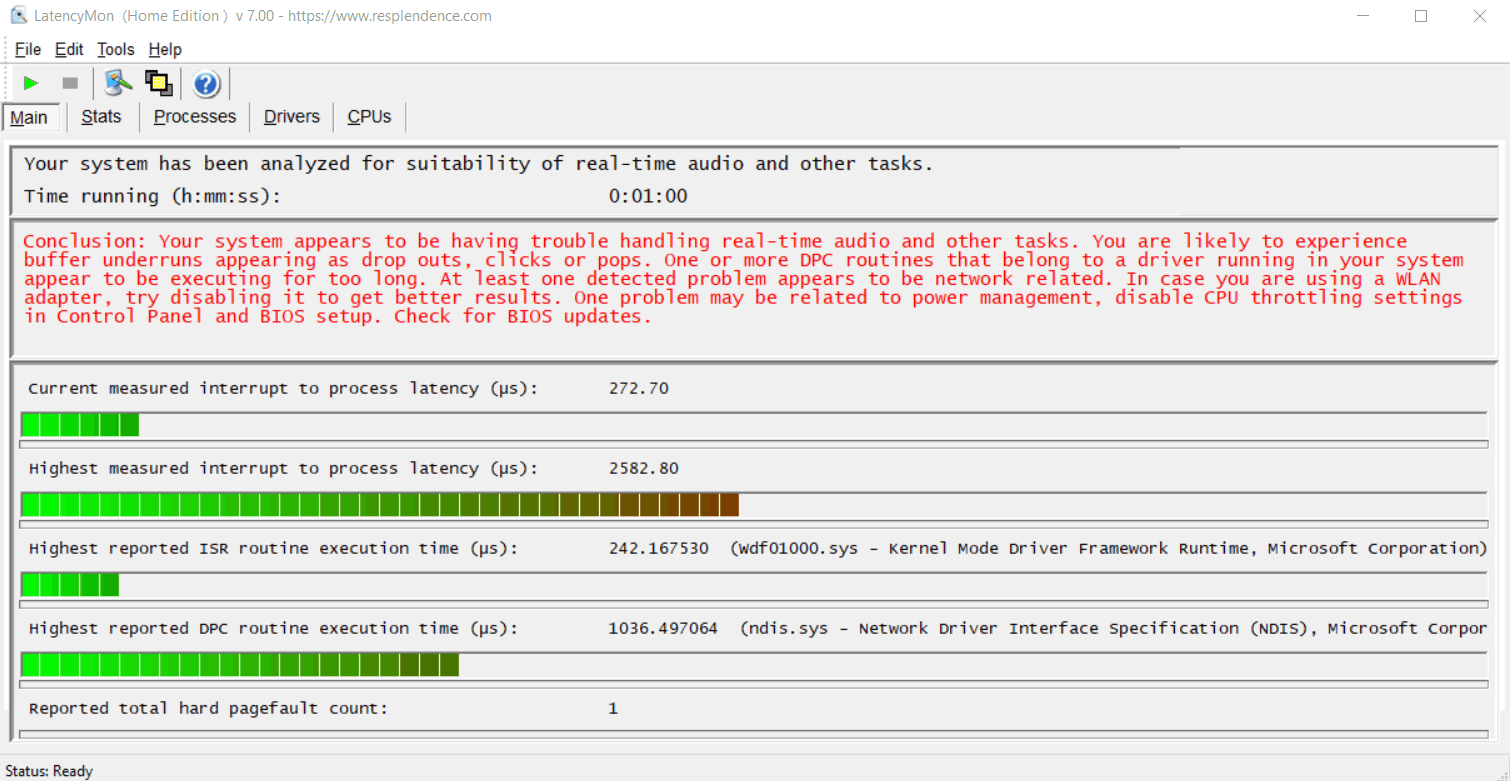
Here are the results and the report, much to my bewilderment.
_________________________________________________________________________________________________________
CONCLUSION
_________________________________________________________________________________________________________
Your system appears to be having trouble handling real-time audio and other tasks. You are likely to experience buffer underruns appearing as drop outs, clicks or pops. One or more DPC routines that belong to a driver running in your system appear to be executing for too long. At least one detected problem appears to be network related. In case you are using a WLAN adapter, try disabling it to get better results. One problem may be related to power management, disable CPU throttling settings in Control Panel and BIOS setup. Check for BIOS updates.
LatencyMon has been analyzing your system for 0:01:00 (h:mm:ss) on all processors.
_________________________________________________________________________________________________________
SYSTEM INFORMATION
_________________________________________________________________________________________________________
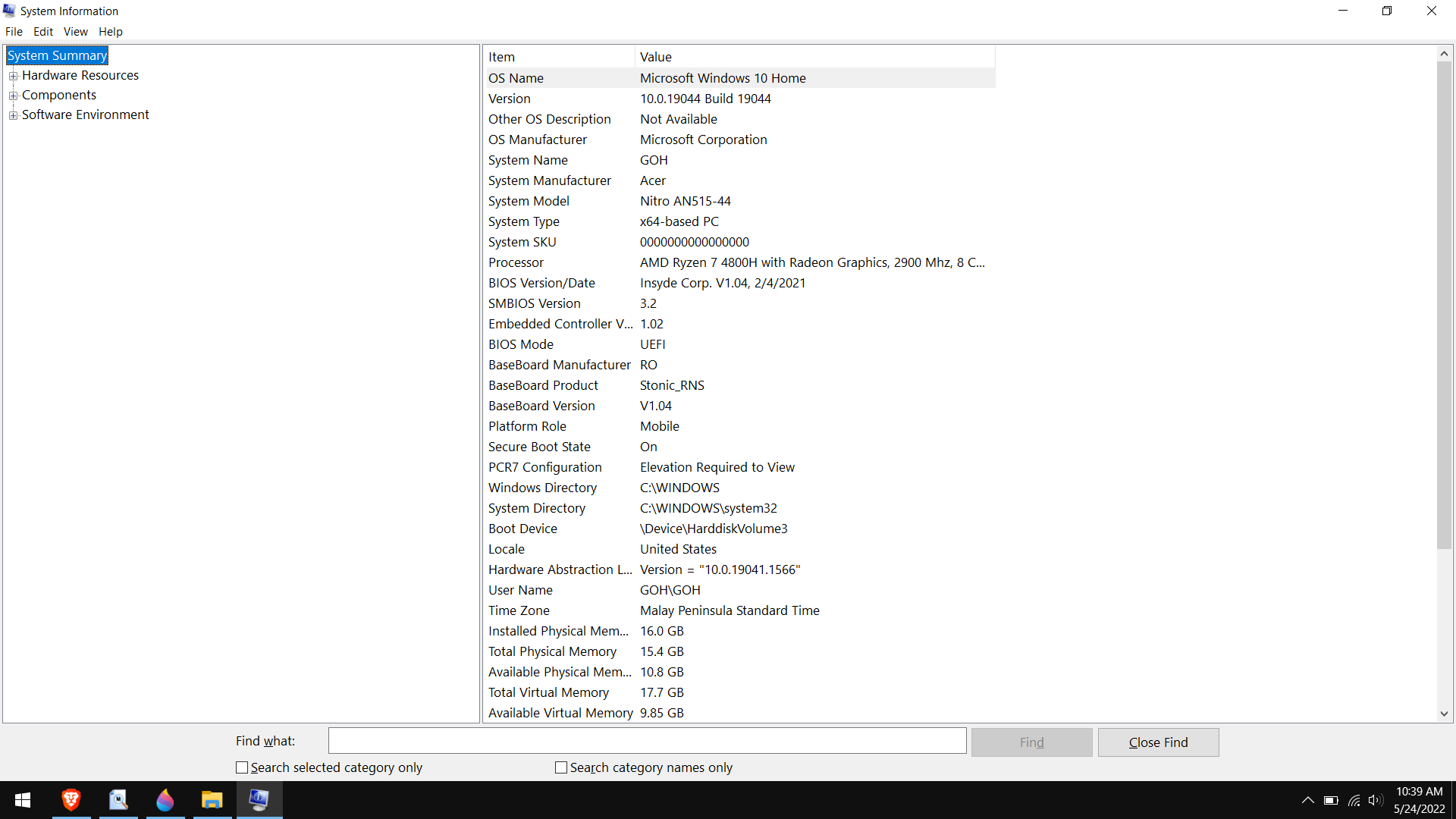
Computer name: GOH
OS version: Windows 10, 10.0, version 2009, build: 19044 (x64)
Hardware: Nitro AN515-44, Acer
CPU: AuthenticAMD AMD Ryzen 7 4800H with Radeon Graphics
Logical processors: 16
Processor groups: 1
RAM: 15741 MB total
_________________________________________________________________________________________________________
CPU SPEED
_________________________________________________________________________________________________________
Reported CPU speed: 2895 MHz
Note: reported execution times may be calculated based on a fixed reported CPU speed. Disable variable speed settings like Intel Speed Step and AMD Cool N Quiet in the BIOS setup for more accurate results.
_________________________________________________________________________________________________________
MEASURED INTERRUPT TO USER PROCESS LATENCIES
_________________________________________________________________________________________________________
The interrupt to process latency reflects the measured interval that a usermode process needed to respond to a hardware request from the moment the interrupt service routine started execution. This includes the scheduling and execution of a DPC routine, the signaling of an event and the waking up of a usermode thread from an idle wait state in response to that event.
Highest measured interrupt to process latency (µs): 2582.80
Average measured interrupt to process latency (µs): 13.527046
Highest measured interrupt to DPC latency (µs): 1057.30
Average measured interrupt to DPC latency (µs): 5.611334
_________________________________________________________________________________________________________
REPORTED ISRs
_________________________________________________________________________________________________________
Interrupt service routines are routines installed by the OS and device drivers that execute in response to a hardware interrupt signal.
Highest ISR routine execution time (µs): 242.167530
Driver with highest ISR routine execution time: Wdf01000.sys - Kernel Mode Driver Framework Runtime, Microsoft Corporation
Highest reported total ISR routine time (%): 0.003581
Driver with highest ISR total time: Wdf01000.sys - Kernel Mode Driver Framework Runtime, Microsoft Corporation
Total time spent in ISRs (%) 0.003985
ISR count (execution time <250 µs): 4231
ISR count (execution time 250-500 µs): 0
ISR count (execution time 500-1000 µs): 0
ISR count (execution time 1000-2000 µs): 0
ISR count (execution time 2000-4000 µs): 0
ISR count (execution time >=4000 µs): 0
_________________________________________________________________________________________________________
REPORTED DPCs
_________________________________________________________________________________________________________
DPC routines are part of the interrupt servicing dispatch mechanism and disable the possibility for a process to utilize the CPU while it is interrupted until the DPC has finished execution.
Highest DPC routine execution time (µs): 1036.497064
Driver with highest DPC routine execution time: ndis.sys - Network Driver Interface Specification (NDIS), Microsoft Corporation
Highest reported total DPC routine time (%): 0.034837
Driver with highest DPC total execution time: dxgkrnl.sys - DirectX Graphics Kernel, Microsoft Corporation
Total time spent in DPCs (%) 0.064550
DPC count (execution time <250 µs): 40631
DPC count (execution time 250-500 µs): 0
DPC count (execution time 500-10000 µs): 367
DPC count (execution time 1000-2000 µs): 1
DPC count (execution time 2000-4000 µs): 0
DPC count (execution time >=4000 µs): 0
_________________________________________________________________________________________________________
REPORTED HARD PAGEFAULTS
_________________________________________________________________________________________________________
Hard pagefaults are events that get triggered by making use of virtual memory that is not resident in RAM but backed by a memory mapped file on disk. The process of resolving the hard pagefault requires reading in the memory from disk while the process is interrupted and blocked from execution.
NOTE: some processes were hit by hard pagefaults. If these were programs producing audio, they are likely to interrupt the audio stream resulting in dropouts, clicks and pops. Check the Processes tab to see which programs were hit.
Process with highest pagefault count: brave.exe
Total number of hard pagefaults 1
Hard pagefault count of hardest hit process: 1
Number of processes hit: 1
_________________________________________________________________________________________________________
PER CPU DATA
_________________________________________________________________________________________________________
CPU 0 Interrupt cycle time (s): 2.184094
CPU 0 ISR highest execution time (µs): 242.167530
CPU 0 ISR total execution time (s): 0.035723
CPU 0 ISR count: 3808
CPU 0 DPC highest execution time (µs): 1036.497064
CPU 0 DPC total execution time (s): 0.522896
CPU 0 DPC count: 34131
_________________________________________________________________________________________________________
CPU 1 Interrupt cycle time (s): 1.036460
CPU 1 ISR highest execution time (µs): 42.192746
CPU 1 ISR total execution time (s): 0.002820
CPU 1 ISR count: 348
CPU 1 DPC highest execution time (µs): 530.264249
CPU 1 DPC total execution time (s): 0.049380
CPU 1 DPC count: 1564
_________________________________________________________________________________________________________
CPU 2 Interrupt cycle time (s): 0.736635
CPU 2 ISR highest execution time (µs): 0.0
CPU 2 ISR total execution time (s): 0.0
CPU 2 ISR count: 0
CPU 2 DPC highest execution time (µs): 397.455268
CPU 2 DPC total execution time (s): 0.012372
CPU 2 DPC count: 1177
_________________________________________________________________________________________________________
CPU 3 Interrupt cycle time (s): 0.622209
CPU 3 ISR highest execution time (µs): 0.0
CPU 3 ISR total execution time (s): 0.0
CPU 3 ISR count: 0
CPU 3 DPC highest execution time (µs): 397.224870
CPU 3 DPC total execution time (s): 0.012467
CPU 3 DPC count: 916
_________________________________________________________________________________________________________
CPU 4 Interrupt cycle time (s): 0.460667
CPU 4 ISR highest execution time (µs): 0.0
CPU 4 ISR total execution time (s): 0.0
CPU 4 ISR count: 0
CPU 4 DPC highest execution time (µs): 351.425907
CPU 4 DPC total execution time (s): 0.009365
CPU 4 DPC count: 975
_________________________________________________________________________________________________________
CPU 5 Interrupt cycle time (s): 0.506558
CPU 5 ISR highest execution time (µs): 0.0
CPU 5 ISR total execution time (s): 0.0
CPU 5 ISR count: 0
CPU 5 DPC highest execution time (µs): 287.936442
CPU 5 DPC total execution time (s): 0.005045
CPU 5 DPC count: 467
_________________________________________________________________________________________________________
CPU 6 Interrupt cycle time (s): 0.301865
CPU 6 ISR highest execution time (µs): 0.0
CPU 6 ISR total execution time (s): 0.0
CPU 6 ISR count: 0
CPU 6 DPC highest execution time (µs): 248.037651
CPU 6 DPC total execution time (s): 0.005484
CPU 6 DPC count: 657
_________________________________________________________________________________________________________
CPU 7 Interrupt cycle time (s): 0.29660
CPU 7 ISR highest execution time (µs): 0.0
CPU 7 ISR total execution time (s): 0.0
CPU 7 ISR count: 0
CPU 7 DPC highest execution time (µs): 145.030052
CPU 7 DPC total execution time (s): 0.003161
CPU 7 DPC count: 372
_________________________________________________________________________________________________________
CPU 8 Interrupt cycle time (s): 0.246091
CPU 8 ISR highest execution time (µs): 0.0
CPU 8 ISR total execution time (s): 0.0
CPU 8 ISR count: 0
CPU 8 DPC highest execution time (µs): 632.300173
CPU 8 DPC total execution time (s): 0.003381
CPU 8 DPC count: 313
_________________________________________________________________________________________________________
CPU 9 Interrupt cycle time (s): 0.231206
CPU 9 ISR highest execution time (µs): 0.0
CPU 9 ISR total execution time (s): 0.0
CPU 9 ISR count: 0
CPU 9 DPC highest execution time (µs): 209.411054
CPU 9 DPC total execution time (s): 0.001119
CPU 9 DPC count: 133
_________________________________________________________________________________________________________
CPU 10 Interrupt cycle time (s): 0.198315
CPU 10 ISR highest execution time (µs): 0.0
CPU 10 ISR total execution time (s): 0.0
CPU 10 ISR count: 0
CPU 10 DPC highest execution time (µs): 88.502591
CPU 10 DPC total execution time (s): 0.000459
CPU 10 DPC count: 91
_________________________________________________________________________________________________________
CPU 11 Interrupt cycle time (s): 0.193296
CPU 11 ISR highest execution time (µs): 0.0
CPU 11 ISR total execution time (s): 0.0
CPU 11 ISR count: 0
CPU 11 DPC highest execution time (µs): 73.536788
CPU 11 DPC total execution time (s): 0.000347
CPU 11 DPC count: 57
_________________________________________________________________________________________________________
CPU 12 Interrupt cycle time (s): 0.180308
CPU 12 ISR highest execution time (µs): 0.0
CPU 12 ISR total execution time (s): 0.0
CPU 12 ISR count: 0
CPU 12 DPC highest execution time (µs): 4.207254
CPU 12 DPC total execution time (s): 0.000060
CPU 12 DPC count: 17
_________________________________________________________________________________________________________
CPU 13 Interrupt cycle time (s): 0.172439
CPU 13 ISR highest execution time (µs): 0.0
CPU 13 ISR total execution time (s): 0.0
CPU 13 ISR count: 0
CPU 13 DPC highest execution time (µs): 3.706390
CPU 13 DPC total execution time (s): 0.000028
CPU 13 DPC count: 11
_________________________________________________________________________________________________________
CPU 14 Interrupt cycle time (s): 0.173239
CPU 14 ISR highest execution time (µs): 0.0
CPU 14 ISR total execution time (s): 0.0
CPU 14 ISR count: 0
CPU 14 DPC highest execution time (µs): 4.978584
CPU 14 DPC total execution time (s): 0.000053
CPU 14 DPC count: 13
_________________________________________________________________________________________________________
CPU 15 Interrupt cycle time (s): 0.202876
CPU 15 ISR highest execution time (µs): 1.652850
CPU 15 ISR total execution time (s): 0.000113
CPU 15 ISR count: 75
CPU 15 DPC highest execution time (µs): 46.480138
CPU 15 DPC total execution time (s): 0.000516
CPU 15 DPC count: 105
_________________________________________________________________________________________________________
Here are my System Information.
Any help will be greatly appreicated, thank you.
' cx='32' cy='32' r='32' /%3E%3Ctext x='50%25' y='55%25' dominant-baseline='middle' text-anchor='middle' fill='%23FFF' %3EA%3C/text%3E%3C/svg%3E)
