Ok so I have followed as many help articles as I can with no success, so here goes.
I had been using Bluetooth on my PC perfectly well for a while, then came a Windows update, now Bluetooth has disappeared, and not just from settings, also from device manager (yes I have shown hidden devices). The intriguing thing is that when I went to install the manufacturer's drivers it said that more up-to-date drivers had already been installed so this wasn't possible. Now as I said, there are no drivers showing anywhere in device manager, so the best I could think of was to find the most up-to-date drivers on the internet, go through the install, then repeat and remove them, so I had none. Following this, I installed the manufacturer-supplied drivers, still nothing.
The PCIe card is fine since it also supplies my WiFi connection, I have removed it, cleaned it, and put it back in case the connection was loose. I have seen others have the same issue where an update made it disappear and can't find any real solution. Troubleshooting tells me there is no Bluetooth device (as expected since not in devmgr).
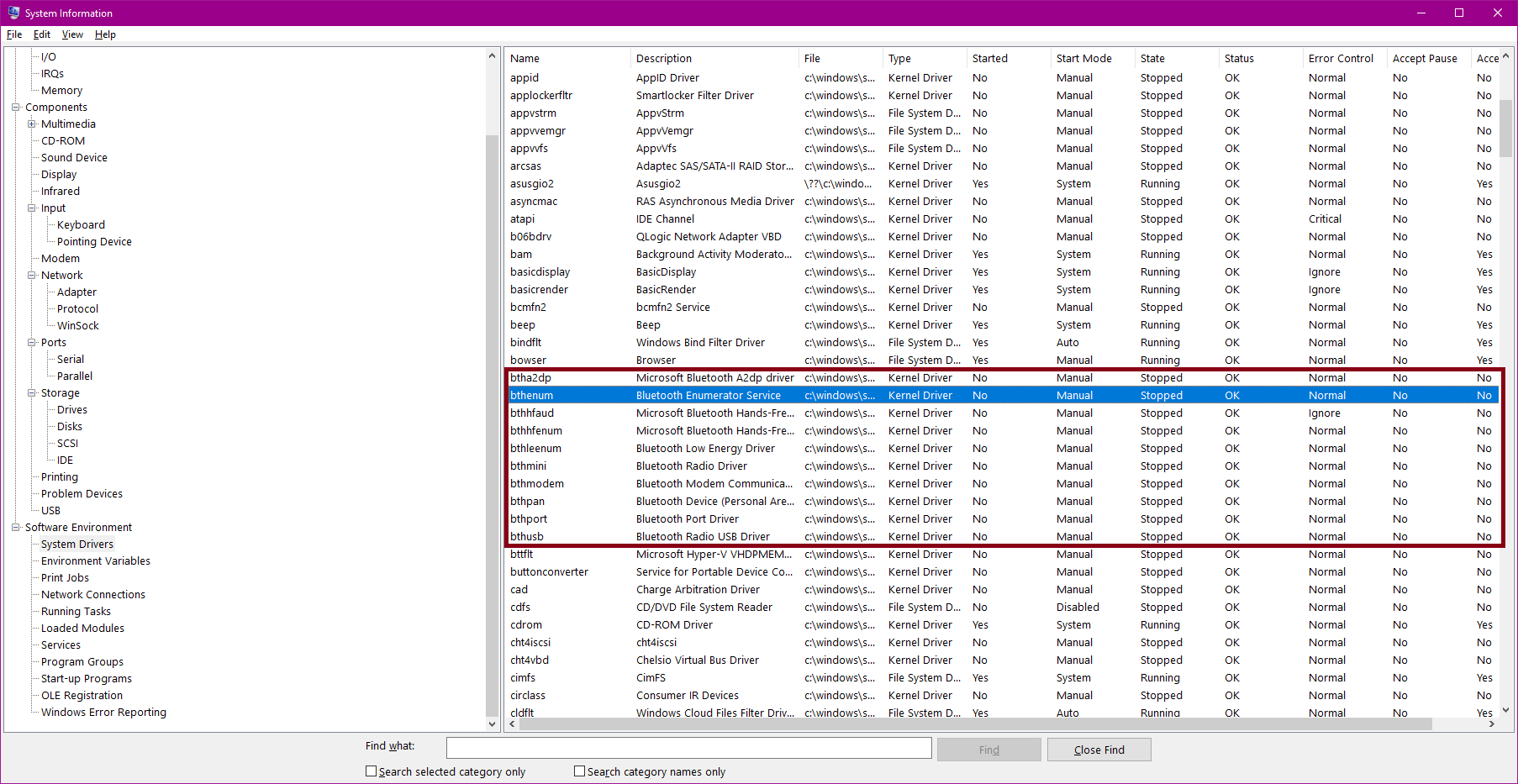
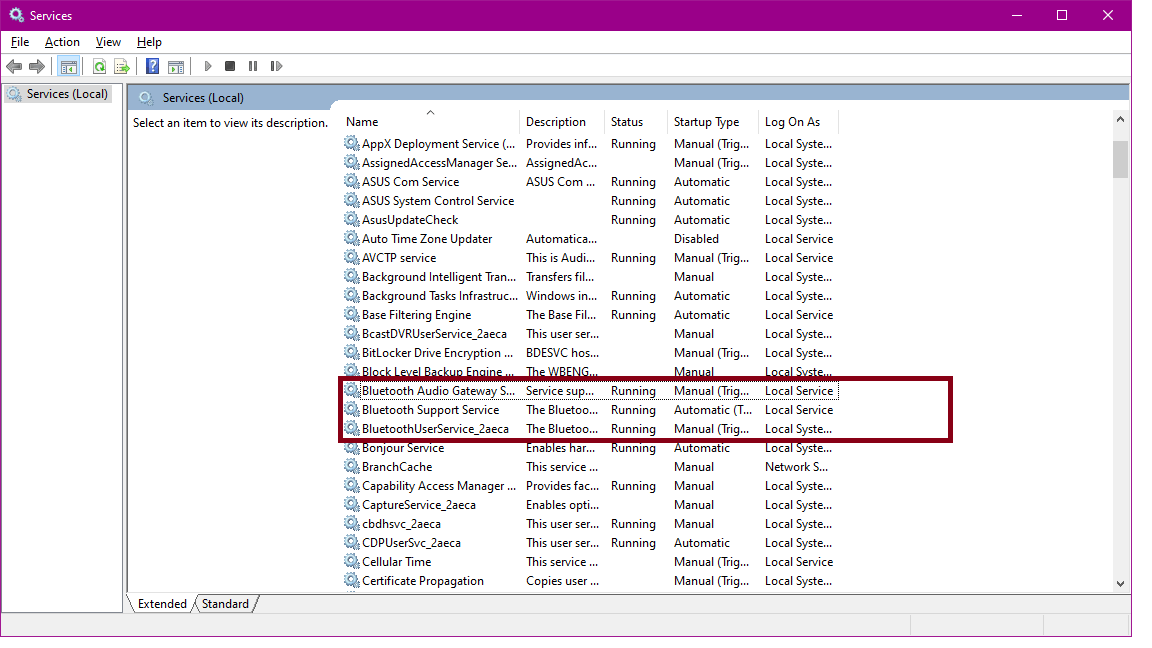
If someone could help that would be amazing, it's been doing my head in! I've included a screenshot of my msinfo page, which curiously shows the drivers for BT and shows them as 'stopped' and before anyone says it, there's also a screenshot of my services page, showing all BT services running (nb. I started the audio and user-service processes in case they were the problem).
Thanks in advance!
' cx='32' cy='32' r='32' /%3E%3Ctext x='50%25' y='55%25' dominant-baseline='middle' text-anchor='middle' fill='%23FFF' %3EA%3C/text%3E%3C/svg%3E)

' cx='32' cy='32' r='32' /%3E%3Ctext x='50%25' y='55%25' dominant-baseline='middle' text-anchor='middle' fill='%23FFF' %3ERA%3C/text%3E%3C/svg%3E)