Microsoft 365 and Office | SharePoint | For business | Windows
A group of Microsoft Products and technologies used for sharing and managing content, knowledge, and applications.

This browser is no longer supported.
Upgrade to Microsoft Edge to take advantage of the latest features, security updates, and technical support.
' cx='32' cy='32' r='32' /%3E%3Ctext x='50%25' y='55%25' dominant-baseline='middle' text-anchor='middle' fill='%23FFF' %3ESW%3C/text%3E%3C/svg%3E)
Hello,
I'm an MS novice (been using Google for years) - I wondered if someone could tell me if I create a security group 1) can I add endless users to this group (over 100) and 2) can I give this security group access to only one folder (with multiple sub-folders) within our organizations SharePoint site?
Our issue is we have been sharing externally but the users aren't using the verification codes correctly, are being timed out or they get access, and then it doesn't work the next time they access so we are having to remove them and read them - it's taking up so much time. SO I wondered if we create a security group with all the members would this negate the need for them to verify themselves everytime they want access to their working group/committee folders?
Thanks in advance
' cx='32' cy='32' r='32' /%3E%3Ctext x='50%25' y='55%25' dominant-baseline='middle' text-anchor='middle' fill='%23FFF' %3EED%3C/text%3E%3C/svg%3E)
Here’re steps:
1.Go to Microsoft 365 admin center -> Active groups -> Add a group -> Security -> Add owner and members in the security group.
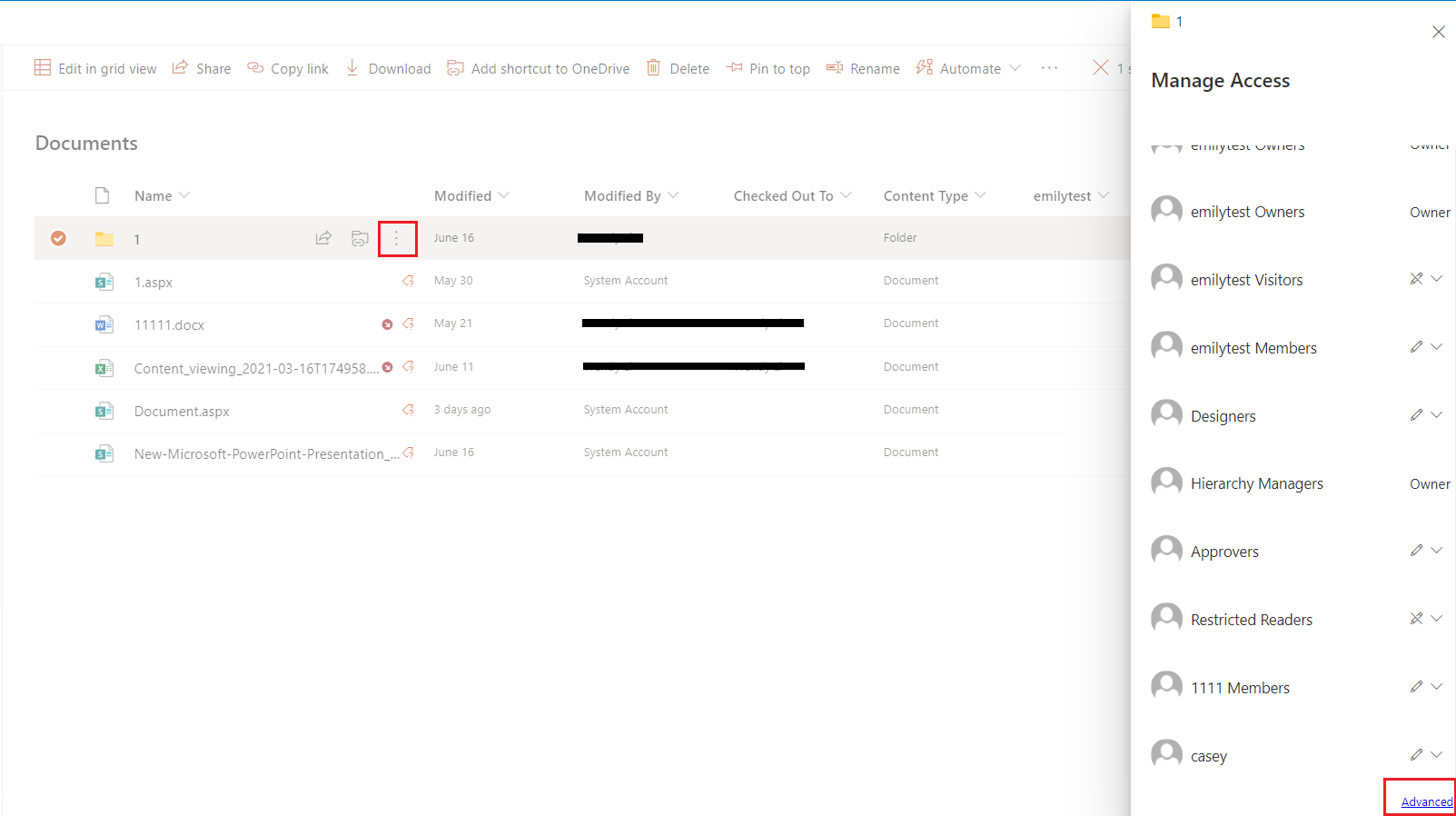
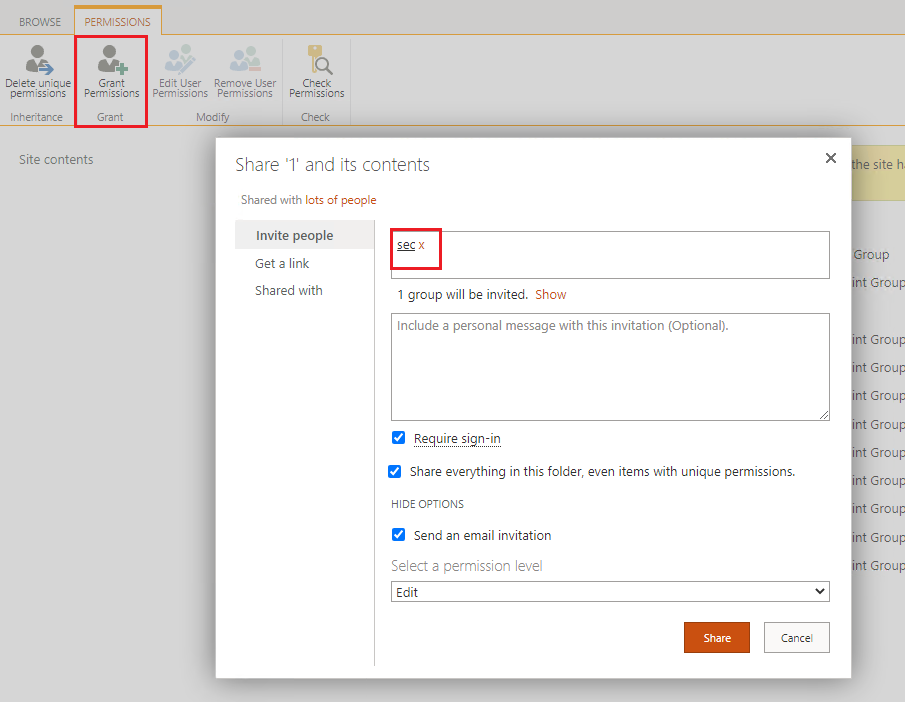
2.Go to the library -> Select the folder -> Manage access -> Advanced -> Stop Inheriting Permissions -> Grant permission -> Select the security group.

If an Answer is helpful, please click "Accept Answer" and upvote it.
Note: Please follow the steps in our documentation to enable e-mail notifications if you want to receive the related email notification for this thread.
I'm checking how the things are going on about this issue. Whether the answer helps you?
You can accept the answer if it helps.
' cx='32' cy='32' r='32' /%3E%3Ctext x='50%25' y='55%25' dominant-baseline='middle' text-anchor='middle' fill='%23FFF' %3ECJ%3C/text%3E%3C/svg%3E)
I found that I was able to add a security group to the folder, but they could not see it until I provisioned them access to the entire site. Any reason for this?