Developer technologies | ASP.NET Core | Other
A set of technologies in .NET for building web applications and web services. Miscellaneous topics that do not fit into specific categories.
This browser is no longer supported.
Upgrade to Microsoft Edge to take advantage of the latest features, security updates, and technical support.
' cx='32' cy='32' r='32' /%3E%3Ctext x='50%25' y='55%25' dominant-baseline='middle' text-anchor='middle' fill='%23FFF' %3EE%3C/text%3E%3C/svg%3E)
I am trying to require a selection on a DDL but not sure how to do it. I would like to display ---Select--- and make the user pick the correct selection. Here is my view, controller and model code. Could someone tell me what I am doing wrong?
Thanks!
View:
$.ajax({
    type: 'POST',
    url: '@Url.Action("GetCategory")', // we are calling json method

    dataType: 'json',

    data: { id: $("#RequestType").val() },

    success: function (category) {
        $.each(category, function (i, category) {
            $("#Catagory").append('<option value="' + category.Value + '">' +
                category.Text + '</option>');

        });
Controller:
 public JsonResult GetCategory(string id)
{
List<SelectListItem> category = new List<SelectListItem>();
switch (id)
{
    case "1":
        category.Add(new SelectListItem { Text = "N/A", Value = "N/A" });

        break;
    case "2":
        category.Add(new SelectListItem { Text = "N/A", Value = "N/A" });

        break;
    case "3":
        category.Add(new SelectListItem { Text = "N/A", Value = "N/A" });
        break;
    case "4":
        category.Add(new SelectListItem { Text = "---Select---", Value = null });
        category.Add(new SelectListItem { Text = "Address", Value = "Address" });
        category.Add(new SelectListItem { Text = "Closing", Value = "Closing" });

}
return Json(new SelectList(category, "Value", "Text"));
Model:
[Required(ErrorMessage = "Category Required.")]
[DisplayName("Category")]
public string Category { get; set; }
A set of technologies in .NET for building web applications and web services. Miscellaneous topics that do not fit into specific categories.
' cx='32' cy='32' r='32' /%3E%3Ctext x='50%25' y='55%25' dominant-baseline='middle' text-anchor='middle' fill='%23FFF' %3EYS%3C/text%3E%3C/svg%3E)
Hi @EB ,
I tested the code you provided, and I found two places that need to be modified:
-
     case "4":
        category.Add(new SelectListItem { Text = "---Select---", Value = null });
        category.Add(new SelectListItem { Text = "Address", Value = "Address" });
        category.Add(new SelectListItem { Text = "Closing", Value = "Closing" });
        break;
-
Result
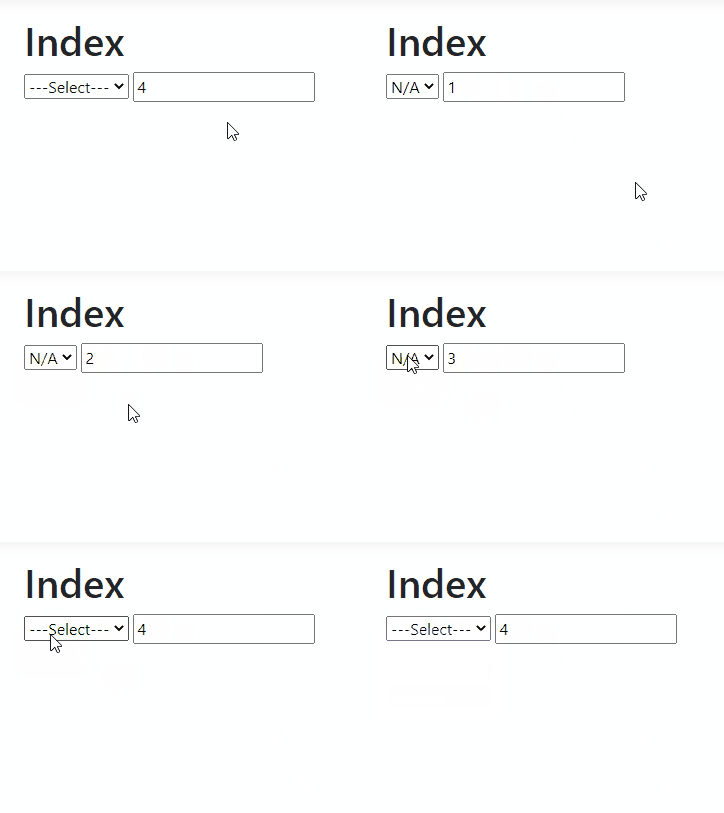
If the answer is helpful, please click "Accept Answer" and upvote it.
Note: Please follow the steps in our documentation to enable e-mail notifications if you want to receive the related email notification for this thread.
Best Regards,
YihuiSun

Maybe, the this will help you. You don't need an item in the dropdownlist for 'Select'. Look at what is being done for Payroll and how the dropdownlist is being populated.
https://github.com/darnold924/PublishingCompany/blob/master/PublishingCompany/Models/PayRollVM.cs
Understand your models...
https://deviq.com/terms/kinds-of-models
Understand the view model...
https://www.dotnettricks.com/learn/mvc/understanding-viewmodel-in-aspnet-mvc
read 'Understanding Models' subject in the link.
DM = domain model and VM = view model in the example solution.
https://github.com/darnold924/PublishingCompany
https://en.wikipedia.org/wiki/Separation_of_concerns
https://www.c-sharpcorner.com/UploadFile/56fb14/understanding-separation-of-concern-and-Asp-Net-mvc/
https://learn.microsoft.com/en-us/dotnet/architecture/modern-web-apps-azure/architectural-principles
' cx='32' cy='32' r='32' /%3E%3Ctext x='50%25' y='55%25' dominant-baseline='middle' text-anchor='middle' fill='%23FFF' %3EMT%3C/text%3E%3C/svg%3E)
Seems like that should work as the required will look for null and you're setting your select option to null. However in your binding code you are using the expression <value which means your actual option would be an empty string. Since empty string does not match the RequiredAttribute requirements it will see it as valid. The easiest solution is to probably add the AllowEmptyString property on the attribute to false. This would cause it to see both null and empty string as not meeting the requirements.