Microsoft 365 Insider | Loop | Other
A collaborative workspace app in Microsoft 365 designed to help teams co-create, stay organized, and work together in real time across apps and devices.

This browser is no longer supported.
Upgrade to Microsoft Edge to take advantage of the latest features, security updates, and technical support.
' cx='32' cy='32' r='32' /%3E%3Ctext x='50%25' y='55%25' dominant-baseline='middle' text-anchor='middle' fill='%23FFF' %3EA%3C/text%3E%3C/svg%3E)
I have been using Loop for a while, and now I have 3 ifferent workspaces, all of them working fine. I also have one personal Loop where I am the only user. IN my personal Loop, the message appeared recently, and I cannot see the side bar. I need to acces the loops through the recent loops tab.
I tryed with Edge and Chromne in my company pc and the error is there.
But if I acces in my phone or android app tablet the error is not there.
How can I fix it?
Thanks
***Moved from Microsoft 365 and Office / Other / For business / Other***
A collaborative workspace app in Microsoft 365 designed to help teams co-create, stay organized, and work together in real time across apps and devices.
Locked Question. This question was migrated from the Microsoft Support Community. You can vote on whether it's helpful, but you can't add comments or replies or follow the question.
Answer accepted by question author
Hi SergiG0101
Thank you very much for your reply!
I'm sorry to hear that none of these options worked for you, and thank you for making the attempt. As community support we can only try to continue to give feedback to Loop's development team and hope that they will fix it soon.
Also, thank you for your feedback, it means a lot to improve Microsoft products, I note that you marked your previous reply as unhelpful, you can click "Yes" or "No" to decide whether to mark this thread as an answer. This will help other users experiencing errors similar to yours to quickly pinpoint the cause of the error, thus reducing the unnecessary and annoying process of finding a solution. This will greatly help others with similar problems.
Please feel free to come back to this community to ask questions and discuss any future Microsoft product related issues.
If we learn of any updates or fixes of this issue, we will let you know immediately.
Best wishes
Ian - MSFT | Microsoft Community Support Specialist
Hi,
First, thank you so much for your quick answer. I really appreciate it.
I tryed the following to fix it:
Nothing worked. My colleague saw the same error as me, so I understand the problem is with the workspace, not with Browsers or users.
The problem appears with the new and old link to Loop.
The app shows the same error (as I understand the app is web based).
The Android apps are working fine...
I will also share the feedback through the official way inside Loop as well.
Please, let me know if you discover any other fix.
Thanks,
Sergi
Hello SergiG0101,
Welcome to the Microsoft Community, I'm glad to have this opportunity to help you with your problem.
I understand that you were unable to load the sidebar in the Loop with the error "Oops! Something went wrong while opening the workspace!".
I'm sorry to hear that you're experiencing this error, it's a real inconvenience to work with.
While we haven't reproduced your issue in our testing, we did receive feedback from users who had the same issue as you with the sidebar failing to load, and this may be a pending bug. As Microsoft Loop is currently in beta, there are some issues with using it. Regarding the issue you are experiencing, this is a pending fix. We are in the process of gathering more information about this and will provide internal feedback to the Loop's development team when we have done so. And we expect them to update and fix it as soon as possible.
While waiting for the fix, please try the following options to see if they work.
1. To work on a PC, try using the Loop client temporarily to see if you encounter the same problem.
On Windows, you can search for and download the Microsoft Loop application from the Microsoft Store.
2. Clear your browser cache (Edge for example).
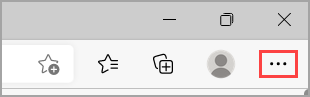 2. Select Settings > Privacy, search, and services.
3. Select Choose what to clearunder Clear browsing data > Clear browsing data now.
4. Under Time range, choose a time range from the list.
5. Select Cookies and other site data, and then select Clear now.
2. Select Settings > Privacy, search, and services.
3. Select Choose what to clearunder Clear browsing data > Clear browsing data now.
4. Under Time range, choose a time range from the list.
5. Select Cookies and other site data, and then select Clear now.
Disclaimer*: Your browser automatically saves temporary internet files to help pages load faster. Clearing this cache will sometimes fix website issues. Please back up all your personal files first, such as Favorites, to ensure you do not lose data.*
You can also provide feedback through official channels, more feedback will increase the development team's attention to this issue, and therefore it may be resolved faster.
How to give feedback: In Loop web site, click on Setting and More Options in the upper right corner (three dots) and then select Help and Feedback -> Provide Feedback.
If the above methods do not work, unfortunately, we do not have more effective solutions for the time being, so please be patient and wait for the fix.
Again, we apologize for the inconvenience caused and thank you for your understanding and feedback.
Best wishes
Ian - MSFT | Microsoft Community Support Specialist