SQL Server Reporting Services
A SQL Server technology that supports the creation, management, and delivery of both traditional, paper-oriented reports and interactive, web-based reports.
This browser is no longer supported.
Upgrade to Microsoft Edge to take advantage of the latest features, security updates, and technical support.
' cx='32' cy='32' r='32' /%3E%3Ctext x='50%25' y='55%25' dominant-baseline='middle' text-anchor='middle' fill='%23FFF' %3ER%3C/text%3E%3C/svg%3E)
Hi all,
I have a very simple grouping in SSRS.
I have 2 fields Dir1 en Dir2
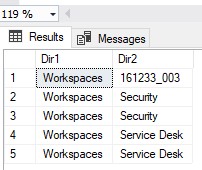
Data looks like this
Dir1 Dir2
Workspaces 161233_003
Workspaces Security
Workspaces Security
Workspaces Service Desk
Workspaces Service Desk
In my table tablix I make 2 groups based on these 2 columns, In the group properties of Dir2, I set the visibility to Hide and the display can be toggled by dir1, yet this is the result ??
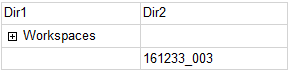
and when I press the + I get
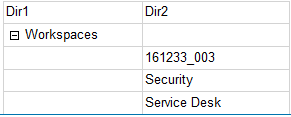
Why doesn't it hide them all ?

Hi @Rbie ,
I did the test locally.
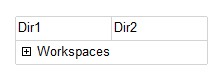
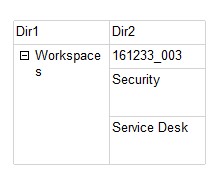
I have the following Tablix in the Database.
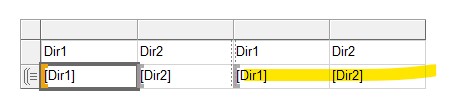
I assume that you have the following operations in the report:
[Dir1]-Add Parent Group-Group by [Dir1],
[Dir2]——Add Parent Group——Group by [Dir2],
Then if you show Tablix in the database, there should be two detail rows(Marked in yellow), here I set these two detail rows as hidden.
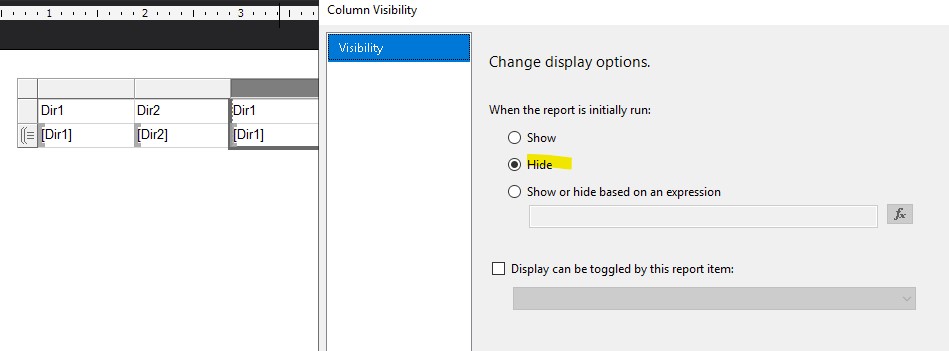
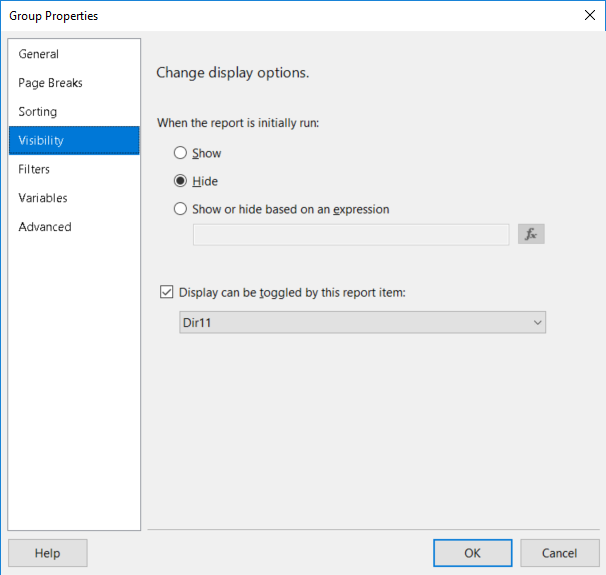
Secondly, in the Row Groups, select the "Dir2" group-Group Properties-visibility, as shown in the following figure:
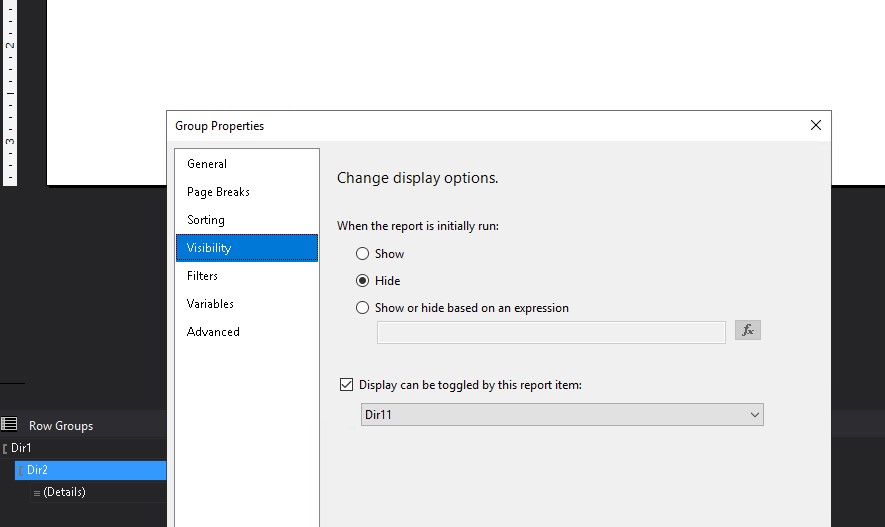
Hope this helps.
Best Regards,
Joy
If the answer is helpful, please click "Accept Answer" and upvote it.
Note: Please follow the steps in our documentation to enable e-mail notifications if you want to receive the related email notification for this thread.
' cx='32' cy='32' r='32' /%3E%3Ctext x='50%25' y='55%25' dominant-baseline='middle' text-anchor='middle' fill='%23FFF' %3EWF%3C/text%3E%3C/svg%3E)
If you have two fields in dir 1 you may need to group on both; alternatively hide based on the second field in dir 1 - see what comes up then.
But I suspect the reason you're seeing what you're seeing is that you have two fields in dir 1
Hi
I created the same tablix as yours in the database, but cannot reproduce your table when creating the report in VS. Are you setting field visibility or column visibility? And your grouping is the situation is that dir1 adds parent group and group by dir1?
If you are setting column visibility, how does the "+" position appear on "WorkSpaces"? (Because when I set column visibility, it only allows me to add "+" to "Dir1"text box)
Looking forward to your sharing.
Best Regards,
Joy
If the answer is helpful, please click "Accept Answer" and upvote it.
Note: Please follow the steps in our documentation to enable e-mail notifications if you want to receive the related email notification for this thread.
When I use other data to test, column 2 can be completely hidden, I would like to know what operations you have performed on the report.
No, it is literally just this
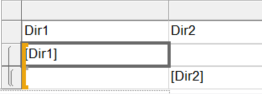
and I don't set the column visibility but the group visibilty, like

I can work around this problem by not using the group visibilty but the row visibilty, but that restrict me from adding another filter on the visibilty which I need, otherwise I get empty rows in cases dir2 is empty