Azure Synapse Analytics
An Azure analytics service that brings together data integration, enterprise data warehousing, and big data analytics. Previously known as Azure SQL Data Warehouse.
This browser is no longer supported.
Upgrade to Microsoft Edge to take advantage of the latest features, security updates, and technical support.
' cx='32' cy='32' r='32' /%3E%3Ctext x='50%25' y='55%25' dominant-baseline='middle' text-anchor='middle' fill='%23FFF' %3EA%3C/text%3E%3C/svg%3E)
Hello,
I am using the data factory author section for the first time to look at the existing data factory pipelines.
I get this message. Invalid Git configuration. Any suggestions please?
p.s. I am totally new to the azure DevOps...
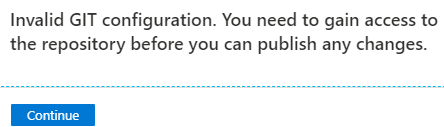
An Azure analytics service that brings together data integration, enterprise data warehousing, and big data analytics. Previously known as Azure SQL Data Warehouse.
' cx='32' cy='32' r='32' /%3E%3Ctext x='50%25' y='55%25' dominant-baseline='middle' text-anchor='middle' fill='%23FFF' %3ESK%3C/text%3E%3C/svg%3E)
I have all the necessary permission on the repo but still getting the same error
Could you please help?
Answer accepted by question author
' cx='32' cy='32' r='32' /%3E%3Ctext x='50%25' y='55%25' dominant-baseline='middle' text-anchor='middle' fill='%23FFF' %3ESS%3C/text%3E%3C/svg%3E)
You or your ADO admin can check under Project Settings > Repository to make sure you have access to the repo on the ADO side. You need read permissions at a bare minimum to see the code, but contributor would also let you make changes. To be clear- I'm talking about the Contributor role on the ADO repository, not the Contributor role within Azure Synapse.
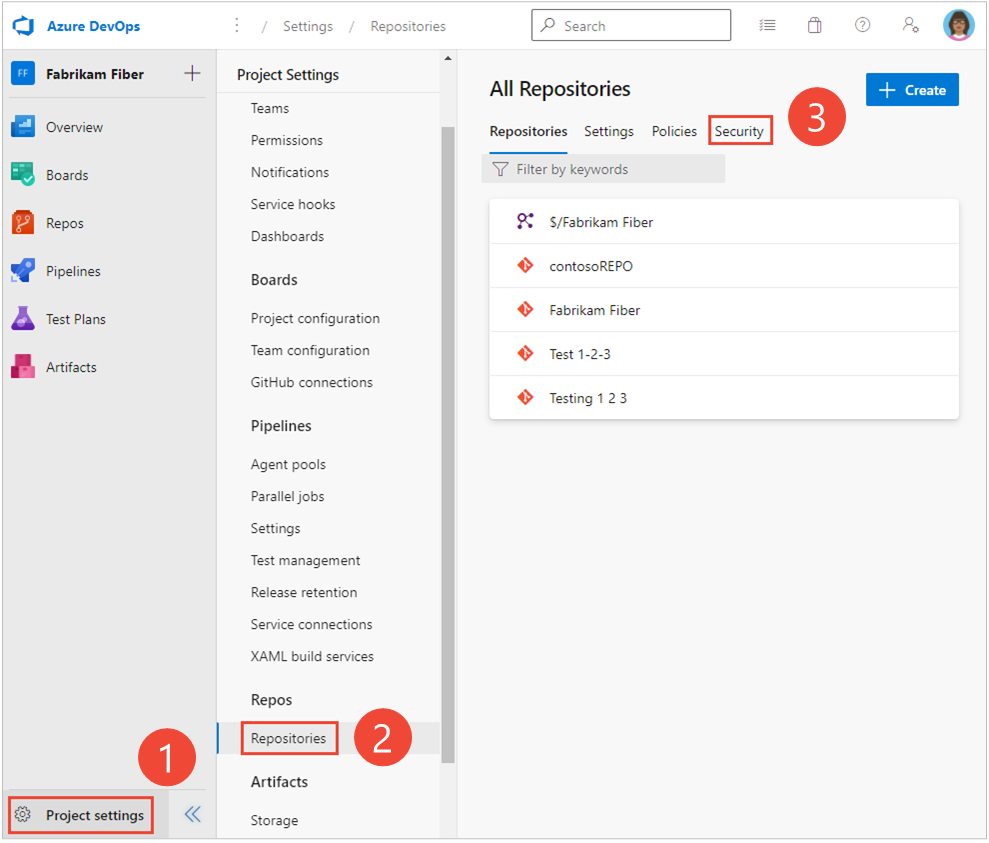
Please let me know if this allows you to resolve your issue.
Hello!
I wanted to check with you- does this answer resolve your issue or are you still having issues with permissions?

Thanks, @Samara Soucy - MSFT
The admin has added my user in the AzureDevOps project and this works immediately.