Inbox Messages Not showing

Anonymous
2016-08-06T01:37:40+00:00

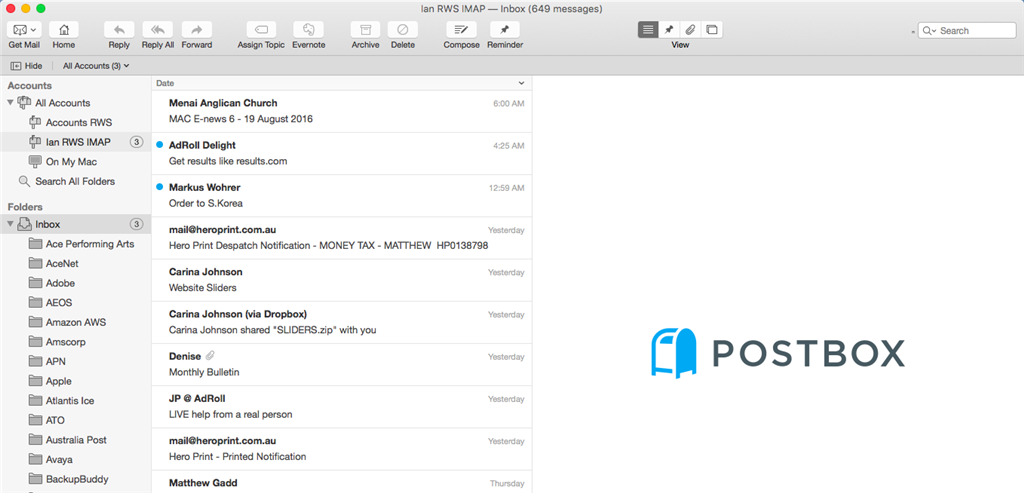
I have installed Outlook 365 on my desktop Mac, my MacBook Air, my iPad and my iPhone. It is working fine on the iPad and the iPhone but on both the desktop mac (27" iMac) and MacBook Air I am unable to view any new mail in my InBox. I have switched from PostBox to Outlook 365 as it is available across all my devices. Postbox works fine on both iMac 27" and MacBook Air. All the settings are fine and all previous mailboxes have synchronised OK. However new mail is not showing. I include a screenshot of the Outlook result and the PostBox result below. 
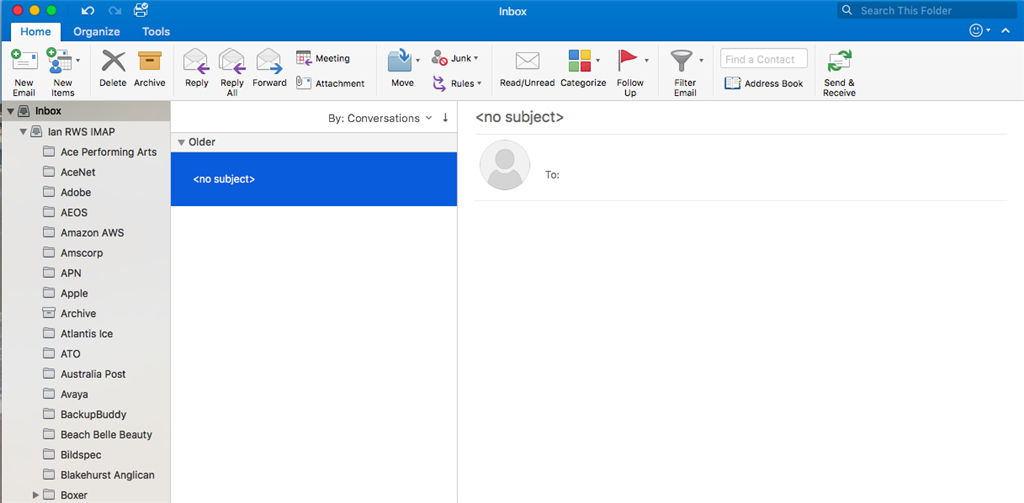
I need to be able to fix this so I can work across all devices. Is there some reason why the Inbox items do not show but all other folders are showing OK.

Kind regards

Ian

Outlook | MacOS | Legacy Outlook for Mac | For business

Locked Question. This question was migrated from the Microsoft Support Community. You can vote on whether it's helpful, but you can't add comments or replies or follow the question.

0 comments No comments
{count} votes

11 answers

Sort by: Most helpful
  1. Anonymous
    2016-08-06T18:55:44+00:00

    Hey,

    I suggest you rather setup your account on new Outlook 2016 for mac profile and verify if you are able to view new mail in Outlook 2016 for mac on the new profile - new profile for Outlook 2016 for mac as given in here - https://support.office.com/en-us/article/Manage-profiles-in-Outlook-2016-for-Mac-fed2a955-74df-4a24-bef6-78a426958c4c

    1 person found this answer helpful.
    0 comments No comments
  2. Anonymous
    2016-08-07T00:30:05+00:00

    Hey,

    I suggest you rather setup your account on new Outlook 2016 for mac profile and verify if you are able to view new mail in Outlook 2016 for mac on the new profile - new profile for Outlook 2016 for mac as given in here - https://support.office.com/en-us/article/Manage-profiles-in-Outlook-2016-for-Mac-fed2a955-74df-4a24-bef6-78a426958c4c 

    I have set up a new profile and re-installed the IMAP account but I get exatly the same problem. I can set up a POP account on the same mail server and mail account and the Inbox is just fine but I cannot seem to be able to set up an IMAP account. Do you have any other suggestions?

    regards

    Ian

    0 comments No comments
  3. Anonymous
    2016-08-07T00:42:32+00:00

    Is there a limit that Outlook can handle with respect to an IMAP mail account. I currently have 3.2Gb in my account sorted into subfolders under the main Inbox folder. Is this a limitation of Outlook 365 with IMAP accounts?

    My current workaround (not ideal) is to create the POP account alongside the IMAP account and copy the subfolders from the IMAP account across to "This Computer" on the MacBook Air and the iMac 27" device. This at least gives me the history and allows me to receive new mail. I would really like to create IMAP accounts across all devices.

    Regards

    Ian

    1 person found this answer helpful.
    0 comments No comments
  4. Anonymous
    2016-08-09T09:41:15+00:00

    Hi Lan094,

    To narrow down this issue, I need to collect the following information:

    1.How did you set up your account in iPhone and iPad respectively, via Exchange, POP or IMAP?

    1. Did you refer  to Manage profiles in Outlook 2016 for Mac to create a new profile and set it as default?
    2. If possible, could you please set your IMAP account on another Outlook for Mac to check if the issue is related to client? If you can access emails on another Mac, then pleaseuninstall and reinstall your client.

    Best regards,

    Jasmine

    0 comments No comments
  5. Anonymous
    2016-08-11T08:13:50+00:00

    Hi Lan094,

    Could you please share any updates on this issue?

    Best regards,

    Jasmine

    0 comments No comments