Azure Data Factory
An Azure service for ingesting, preparing, and transforming data at scale.
This browser is no longer supported.
Upgrade to Microsoft Edge to take advantage of the latest features, security updates, and technical support.
' cx='32' cy='32' r='32' /%3E%3Ctext x='50%25' y='55%25' dominant-baseline='middle' text-anchor='middle' fill='%23FFF' %3ERS%3C/text%3E%3C/svg%3E)
I would like to merge the following two CSV files (rest api data file and rest api response file). Please tell me how to do it.
CSV1:
ID, Name
1001, Nm1001
1002, Nm1002
CSV2:
status, message
success,
fail, XXXError
Expected file:
ID, Name, status, message
1001, Nm1001, success,
1002, Nm1002, fail, XXXError

Hi @ri,shoshun ,
Thank you for posting query in Microsoft Q&A Platform.
We can achieve this using dataflows in Azure data factory. Below is the detailed explanation of implementation.
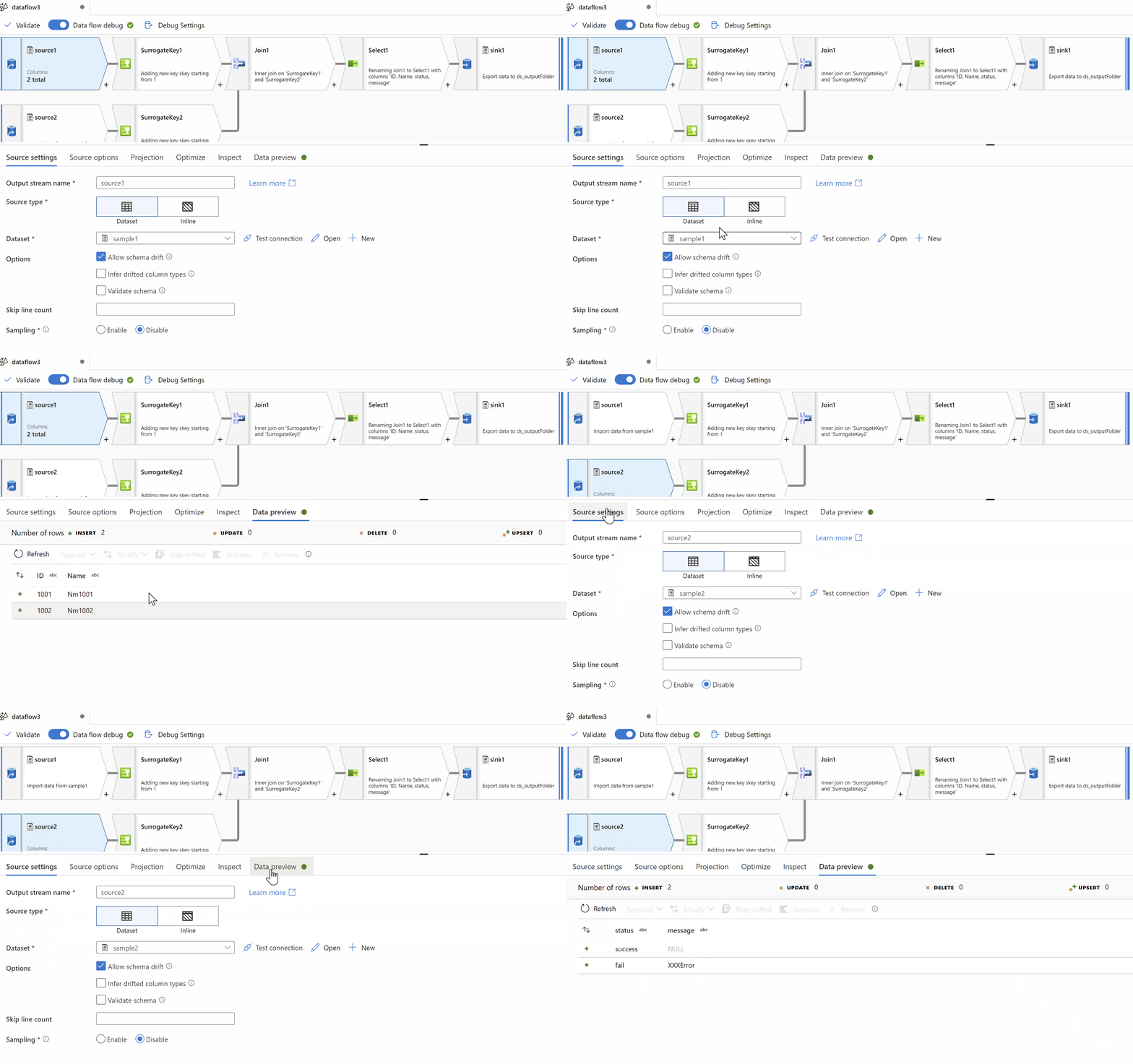
Step1: Add two source transformations for both csv files.
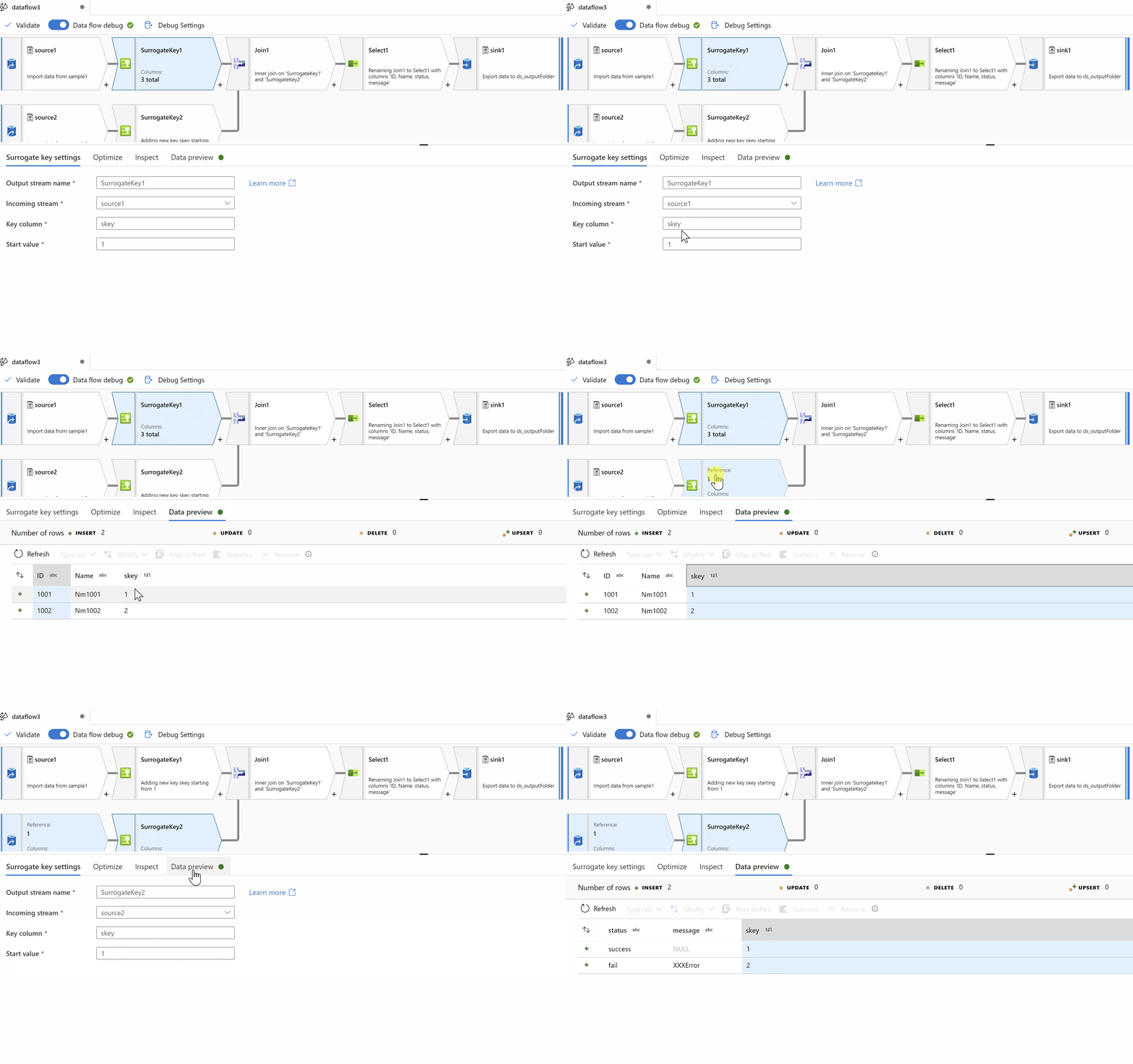
Step2: Add Surrogate key Transformation on both sources to get unique key column
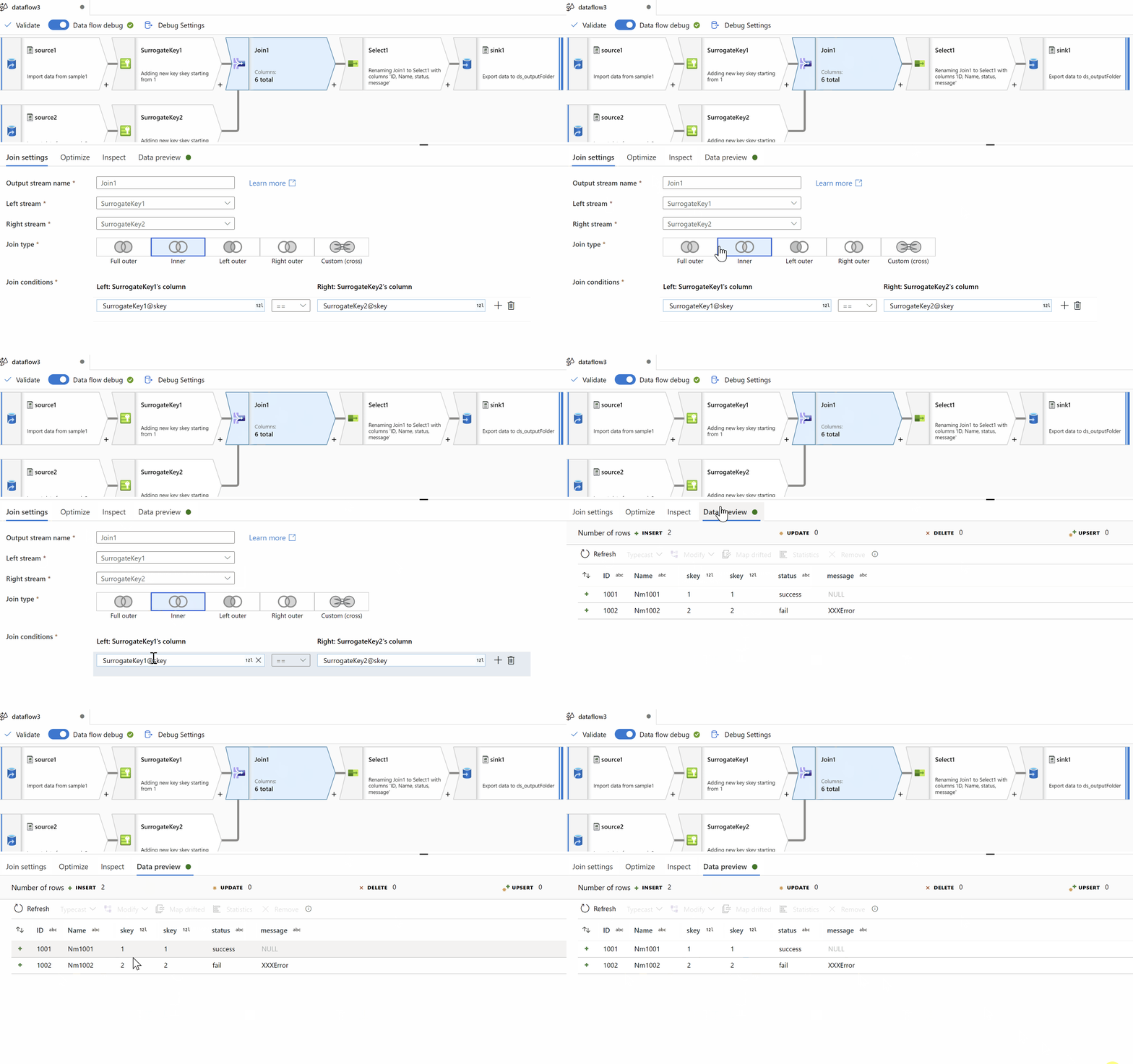
Step3: Add Join Transformation to inner join on Surrogate key column values
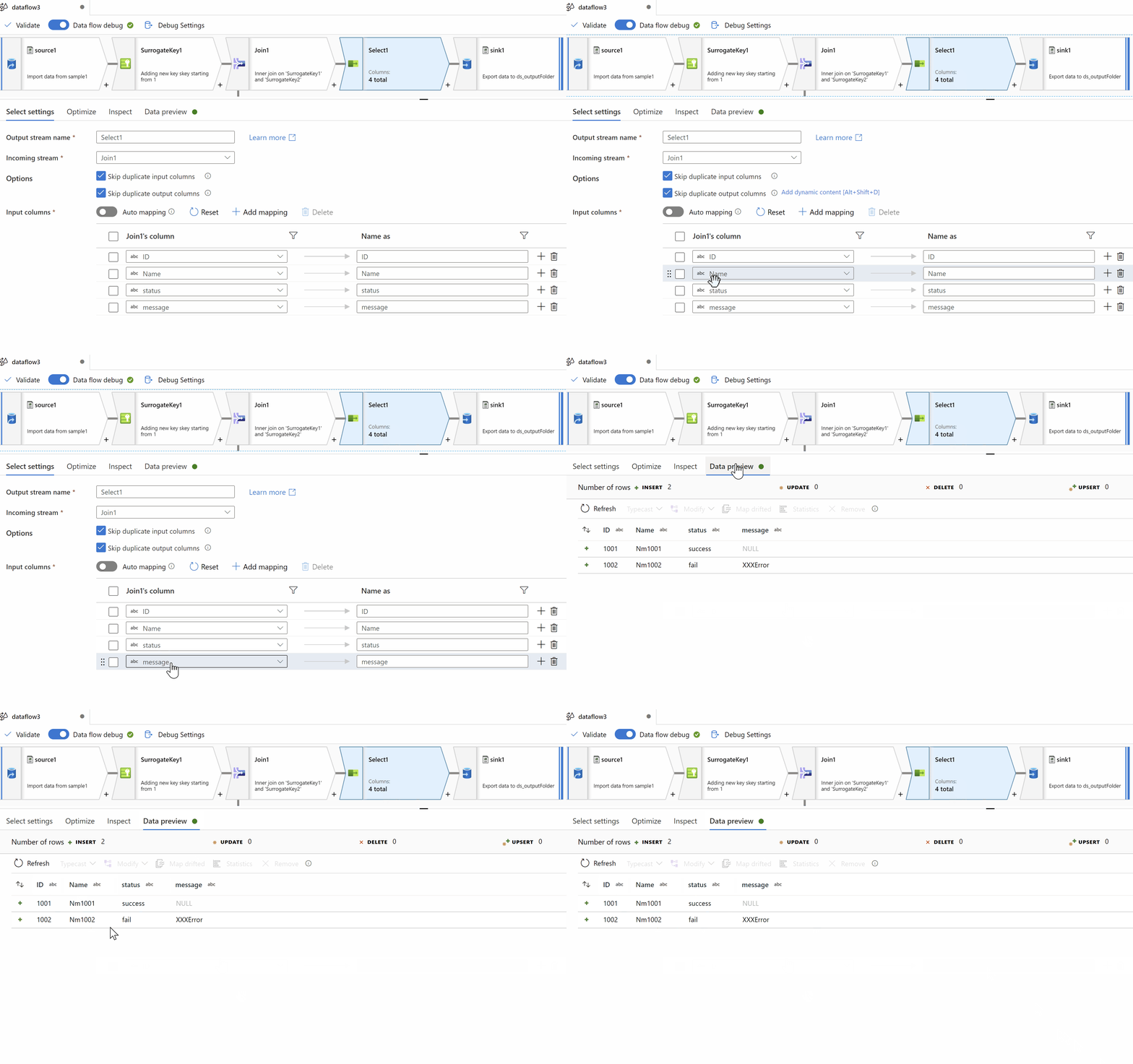
Step4: Select Transformation to select only desired columns(remove your surrogate key columns).
Step5: Finally apply Sink Transformation to load data in to your target storage
Hope this will help. Thank you
----------------
accept an answer if correct. Original posters help the community find answers faster by identifying the correct answer. Here is how.
Hi, @ShaikMaheer-MSFT
Thank you very much!
Hi @ri,shoshun ,
My pleasure. Happy to help.