Microsoft 365 and Office | SharePoint | For business | Windows
A group of Microsoft Products and technologies used for sharing and managing content, knowledge, and applications.

This browser is no longer supported.
Upgrade to Microsoft Edge to take advantage of the latest features, security updates, and technical support.

Hi,
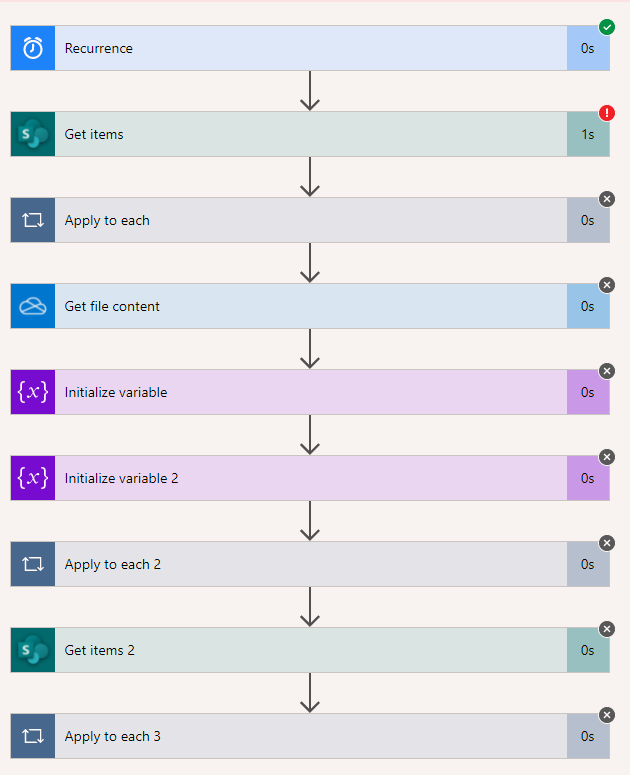
I have a flow I created that clears a list I have in SharePoint, re-populates the list, then deletes the 1st item (header).
This list is then used in another flow that uses "Send an Email (V2)", and populates the recipient's emails from this list.
Looks the last time it populated, there was a blank row on the bottom.
The blank row is now preventing the "Get Items" action?
How can I check for and remove this blank item on the bottom of the list?
Thanks,
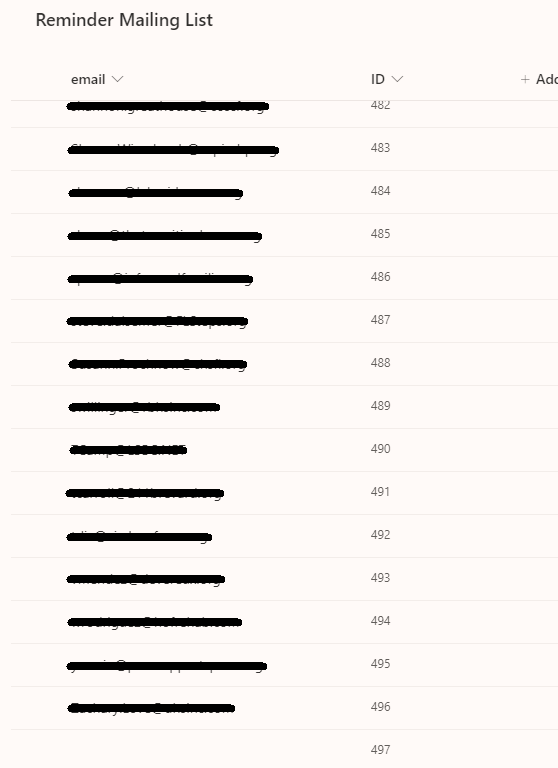
Here is the SharePoint list with blank item at bottom:
The actions on my flow:

Hello @Christopher Chung ,
Welcome to Q&A Forum!
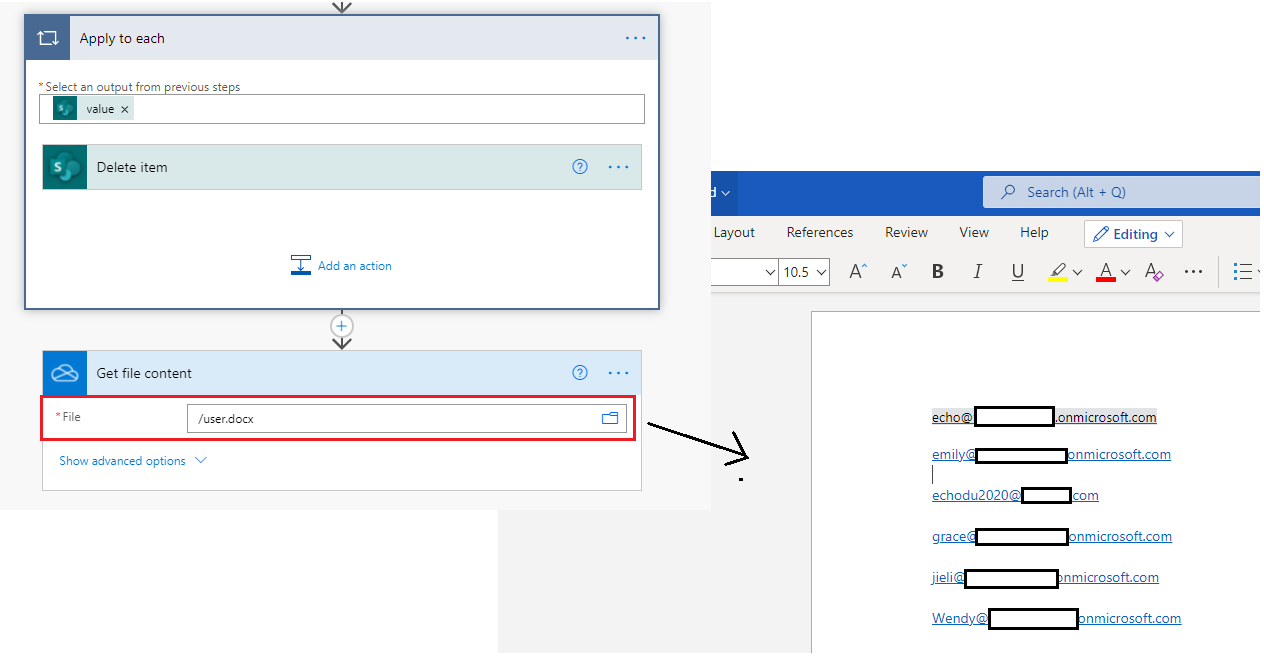
Can you provide detailed information about "Get file content", "Initial variable", "Initial variable 2" action? This will help us solve the problem better.
For example, what type of file (word,, excel..) does "Get file content" get, and what information is stored in the file?
Thanks,
Echo Du
Hi @Christopher Chung ,
Can you tell me the details of this flow? If you can, please attach screenshots.
I am looking forward to your reply.
Thanks
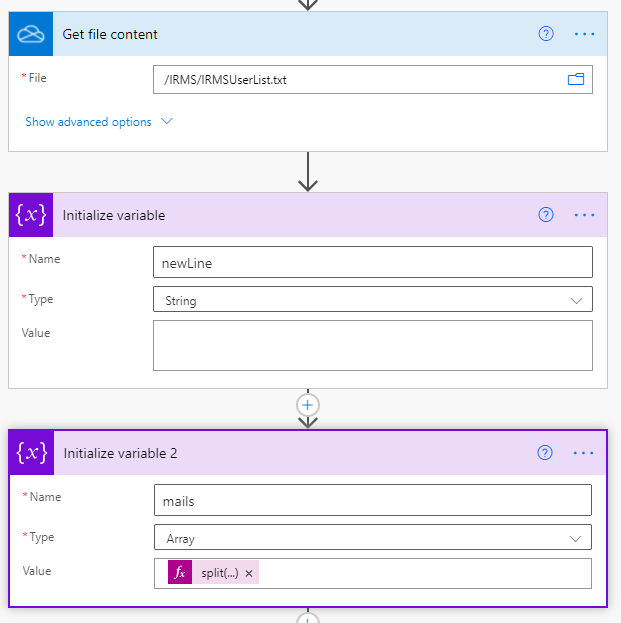
Here is the "Get File Content", "Initialize Variable", & "Initialize Variable 2".
It is reading email addresses from a txt file, to then insert those email addresses to the SharePoint list.
Thanks!
The txt file has a header then an email on each line like this:
email
******@ymail.com
sara_conner05@Stuff .com
******@myflliving.net
******@orlandocares.org
joeplummer007@microsoft.com
Hi @Christopher Chung ,
Welcome to Q&A Forum!
Please following steps:
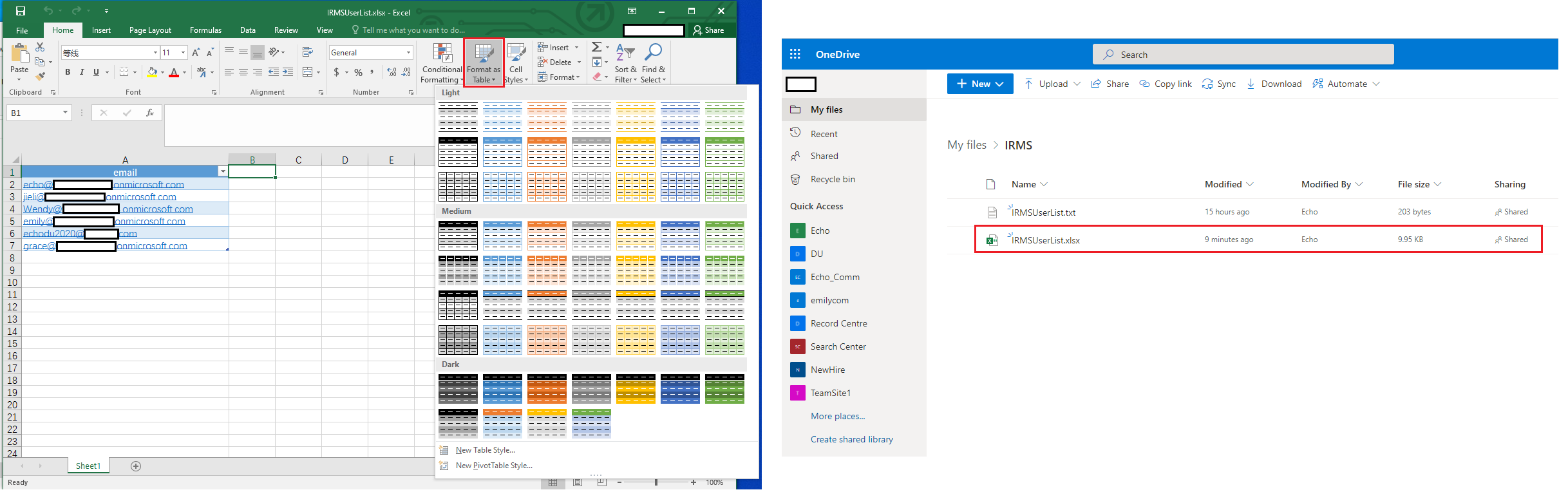
1.Create a excel file named "IRMUserList.xlsx" and format as table. Upload the .xlsx file to OneDrive for Business.
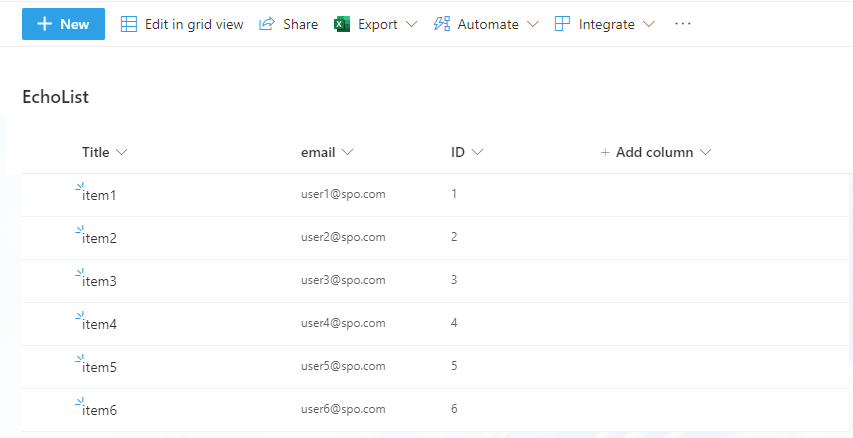
2.Create list named "EchoList"
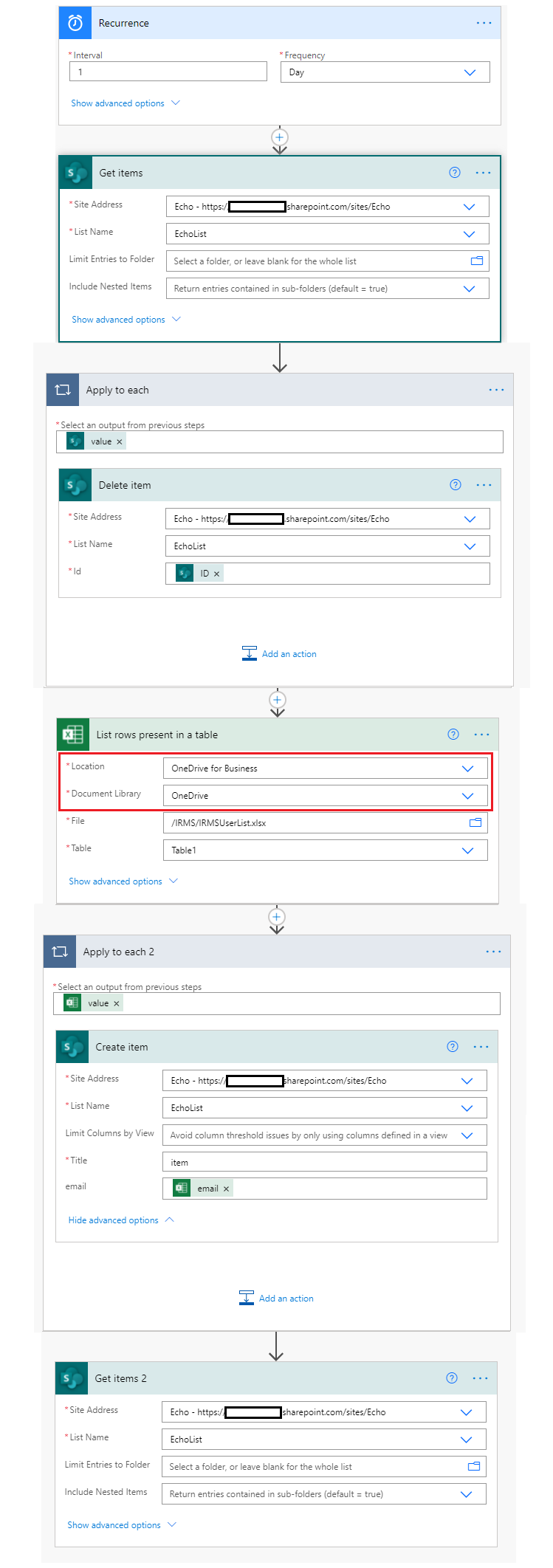
3.Create a Microsoft Flow
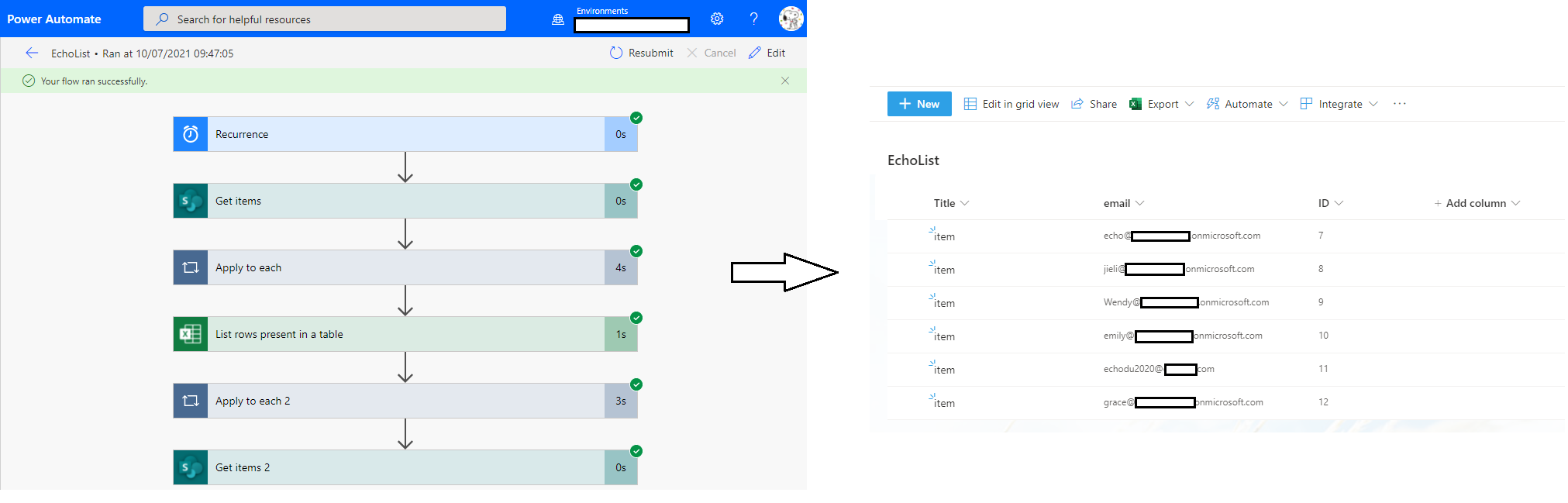
4.Save and Test flow
Thanks,
Echo Du
=================================
If an Answer is helpful, please click "Accept Answer" and upvote it.
Note: Please follow the steps in our documentation to enable e-mail notifications if you want to receive the related email notification for this thread.