Share via

Missing basic functions for automatic reply emails using Office365 Outlook for business

Anonymous
2019-08-30T14:13:50+00:00

How do I add my signature and have certain words linked to a webpage in automatic reply emails? I don't see any options for these basic functions for automatic reply emails! 

Moved from Email  / Sending, receiving, and reading email

Outlook | Windows | Classic Outlook for Windows | For home

Locked Question. This question was migrated from the Microsoft Support Community. You can vote on whether it's helpful, but you can't add comments or replies or follow the question.

0 comments No comments

11 answers

Sort by: Most helpful
  1. Anonymous
    2019-09-06T19:14:27+00:00

    I was able to apply a link in the web version but that is a real hassle. I should be able to do that in the desktop version, right? Then I can't apply a signature in neither the web or desktop version using an insert menu option? These are very basic functions that a mail program should have, don't you think?

    3 people found this answer helpful.
    0 comments No comments
  2. Anonymous
    2019-08-30T20:38:09+00:00

    Hello Iacino,

    Greetings, as you mentioned" using Office365 Outlook for business" in your post, may I confirm if you are setting the auto reply email in the Outlook web appvia this link: https://outlook.office.com/owa/?  

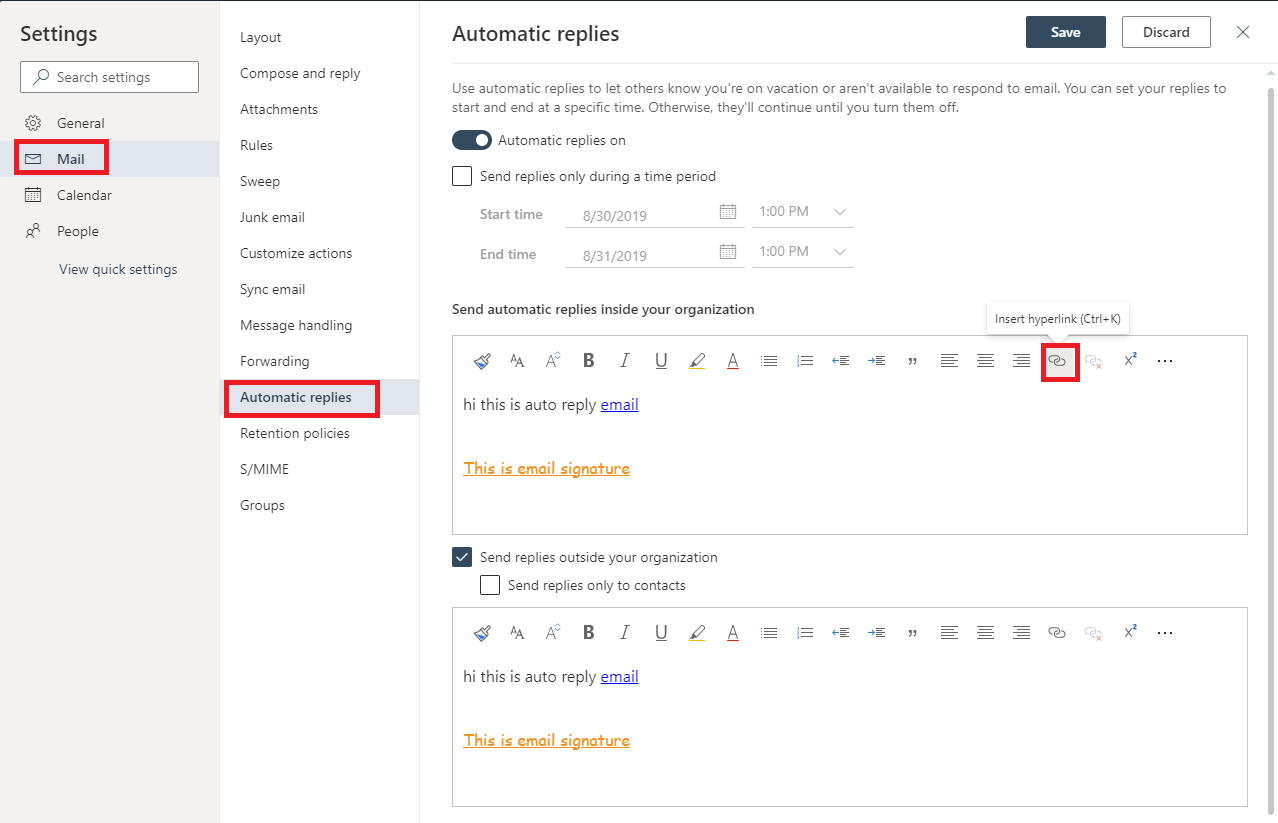
    If so, I just tested this on my side and I can insert hyperlink to some certain words when setting the auto reply email. To insert the hyperlink for certain words, simply use the Insert hyperlink button in the tool bar.  

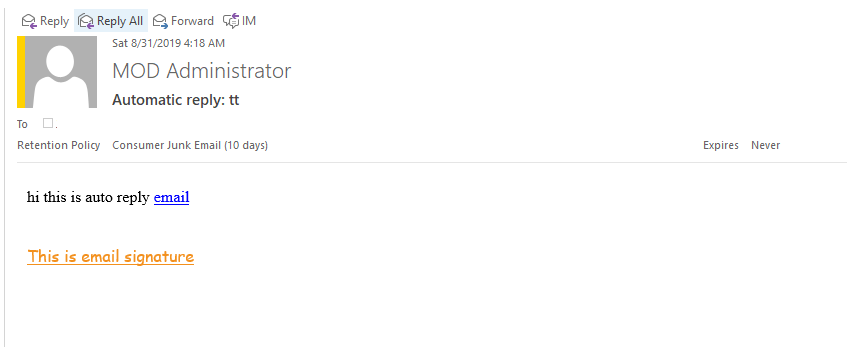
    As for adding a signature to the auto reply email, it is recommended to directly copy and past your email signature to the message body of the auto reply email, please see below pictures:

    The auto reply settings: 
     

    The auto reply email on the recipient side: 
    In addition, if you are using Outlook desktop client and want to insert a hyperlink to the auto reply emails, please kindly set it in the web Outlook as a workaround, thanks for your understanding. 

    Please feel free to let me know if I have misunderstood your concerns or you have any problems when doing so, I'll happy to help you further.

    Best regards,

    Jennifer

    2 people found this answer helpful.
    0 comments No comments
  3. Anonymous
    2019-08-31T22:33:25+00:00

    I'm sorry about the delayed response but i don't have the password for email at home and i don't go back to work until Wednesday so i will try then. thanks so much

    0 comments No comments
  4. Anonymous
    2019-08-31T22:23:08+00:00

    Hello Iacino, 

    Have you tried the steps to see if it helps?

    Regards,

    Jennifer

    0 comments No comments
  5. Deleted

    This answer has been deleted due to a violation of our Code of Conduct. The answer was manually reported or identified through automated detection before action was taken. Please refer to our Code of Conduct for more information.


    Comments have been turned off. Learn more