Microsoft Security | Microsoft Authenticator
A Microsoft app for iOS and Android devices that enables authentication with two-factor verification, phone sign-in, and code generation

This browser is no longer supported.
Upgrade to Microsoft Edge to take advantage of the latest features, security updates, and technical support.
' cx='32' cy='32' r='32' /%3E%3Ctext x='50%25' y='55%25' dominant-baseline='middle' text-anchor='middle' fill='%23FFF' %3ETG%3C/text%3E%3C/svg%3E)
Hi All,
I keep seeing the MS Authenticator window pop-up while texting with Google Messages. I'm using the beta Authenticator app. My options have been to turn it off and change my default authenticator to Google and then turn it back on when I'm finished with my text or to just use a different texting app.
It can obscure my text reply window and it just gets in the way due to it incessantly reappearing while typing, especially when my sentences start with "T". See attached screenshots. I'm testing out SMS Organizer (Microsoft Garage app) and it does not exhibit this same behavior.
I wonder if the text entry box/field is flagged incorrectly in Google Messages? It'd be great to have an option or toggle to ignore certain apps, preventing MS Authenticator from appearing in certain instances.
Thanks and I really do love the app!
Todd
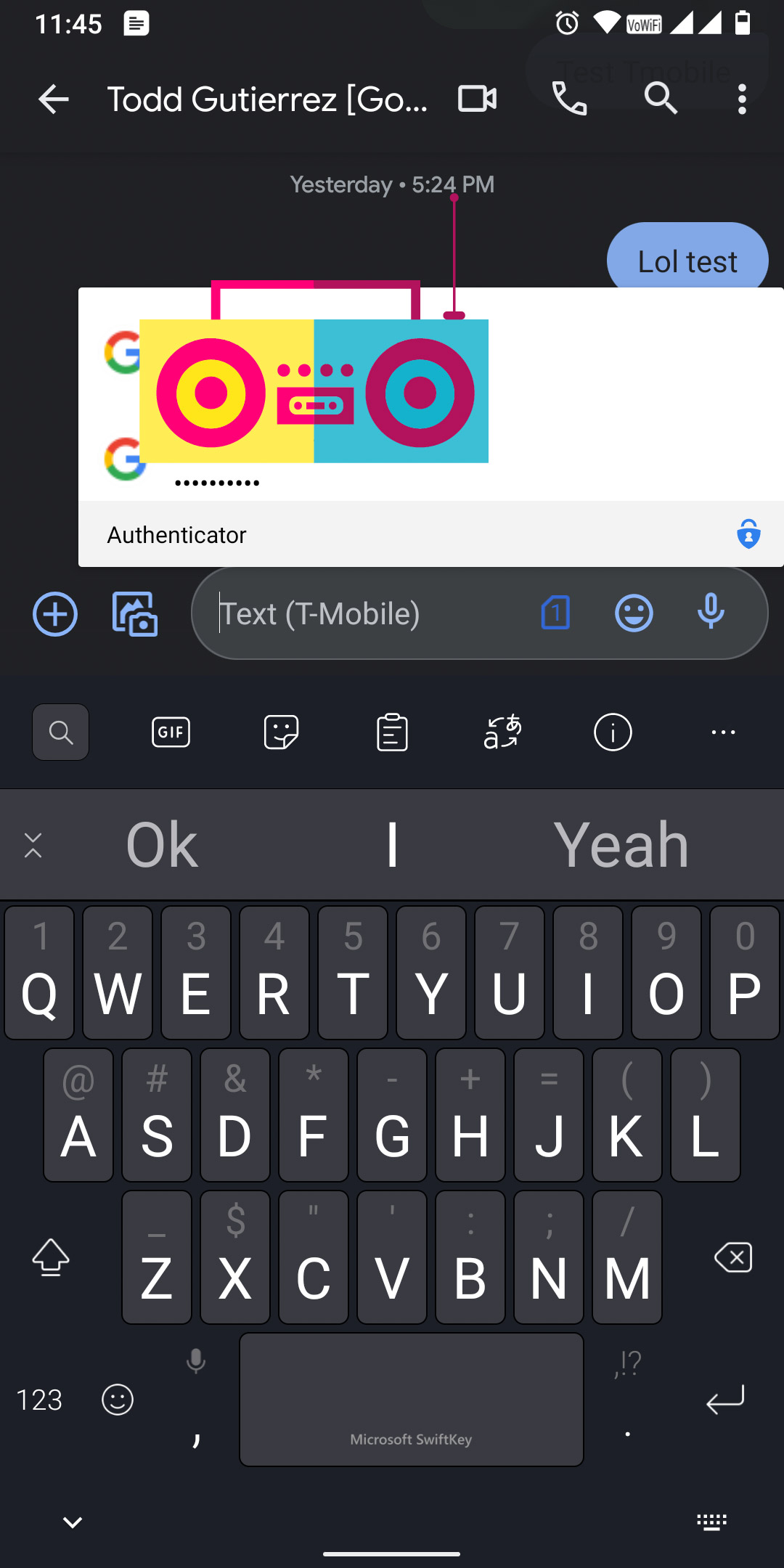

** Update: Issue goes away after disabling "Set as auto fill provider" in the settings. I would like to keep it as my auto fill provider instead of Google, though. :) Thanks!