In common with many others I accidentally deleted 4000+ emails that were then stuck in my deleted items folder with no apparent way of moving them back in bulk (only a few could be selected at a time). The main reason for this seems to be calendar items
that are mixed in with the emails, when you try and move in bulk it wants to create a new item.
There's an easy fix.
- Go to your "Deleted items" box in the desktop version of Outlook
- Select all items in there
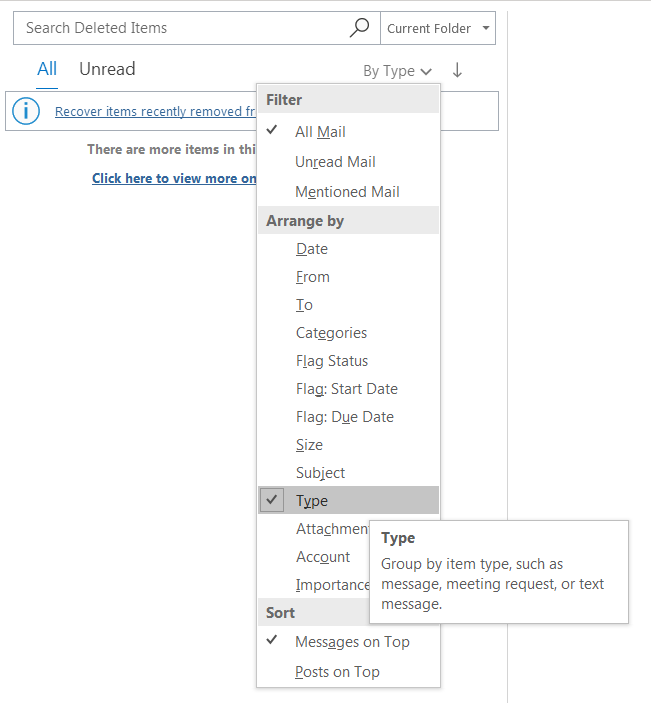
- Sort by "Type" as follows:
- Now find and select all calendar entries (you'll see a calendar icon or similar next to them)
- Right click on the selection and choose "Delete"
- Now select all the remaining items in your "Deleted Items" folder > right click on your mouse > select "Move" > select "Inbox"
- Problem solved!
If this doesn't work immediately (as for me) you have calendar items remaining. Just select these and delete and go back to (6).
' cx='32' cy='32' r='32' /%3E%3Ctext x='50%25' y='55%25' dominant-baseline='middle' text-anchor='middle' fill='%23FFF' %3EA%3C/text%3E%3C/svg%3E)
