Microsoft 365 and Office | SharePoint | For business | Windows
A group of Microsoft Products and technologies used for sharing and managing content, knowledge, and applications.

This browser is no longer supported.
Upgrade to Microsoft Edge to take advantage of the latest features, security updates, and technical support.
' cx='32' cy='32' r='32' /%3E%3Ctext x='50%25' y='55%25' dominant-baseline='middle' text-anchor='middle' fill='%23FFF' %3EYL%3C/text%3E%3C/svg%3E)
According to the test, the maximum limit of importing list from excel is less than 20000 rows and less than 300 columns. I created 19999 rows and 299 columns of test data in Excel. When importing excel test data, I reported the following error message: unexpected token C in JSON at position 0
How can I determine the limitation of importing list from excel.
A group of Microsoft Products and technologies used for sharing and managing content, knowledge, and applications.

Per my research, this error message is not related to limited rows, when you have more than 20000 rows, you will receive an error message “This table exceeds the maximum number of supported rows“:
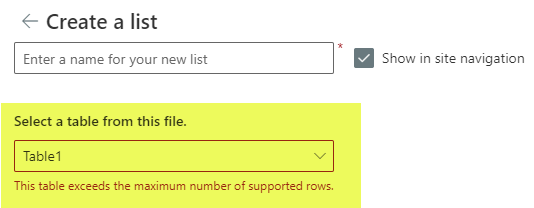
For your issue, please check if you have Date column in excel table, which may prevent the workbook from being converted, remove some 'Date' data from select rows to compare the result.
You could also switch to another browser to check the result.
Similar issue for your reference:
More information about "How to import an Excel spreadsheet to a SharePoint custom list":
https://sharepointmaven.com/how-to-import-an-excel-spreadsheet-to-a-sharepoint-custom-list/
Note: Microsoft is providing this information as a convenience to you. The sites are not controlled by Microsoft. Microsoft cannot make any representations regarding the quality, safety, or suitability of any software or information found there. Please make sure that you completely understand the risk before retrieving any suggestions from the above link.
If an Answer is helpful, please click "Accept Answer" and upvote it.
Note: Please follow the steps in our documentation to enable e-mail notifications if you want to receive the related email notification for this thread.
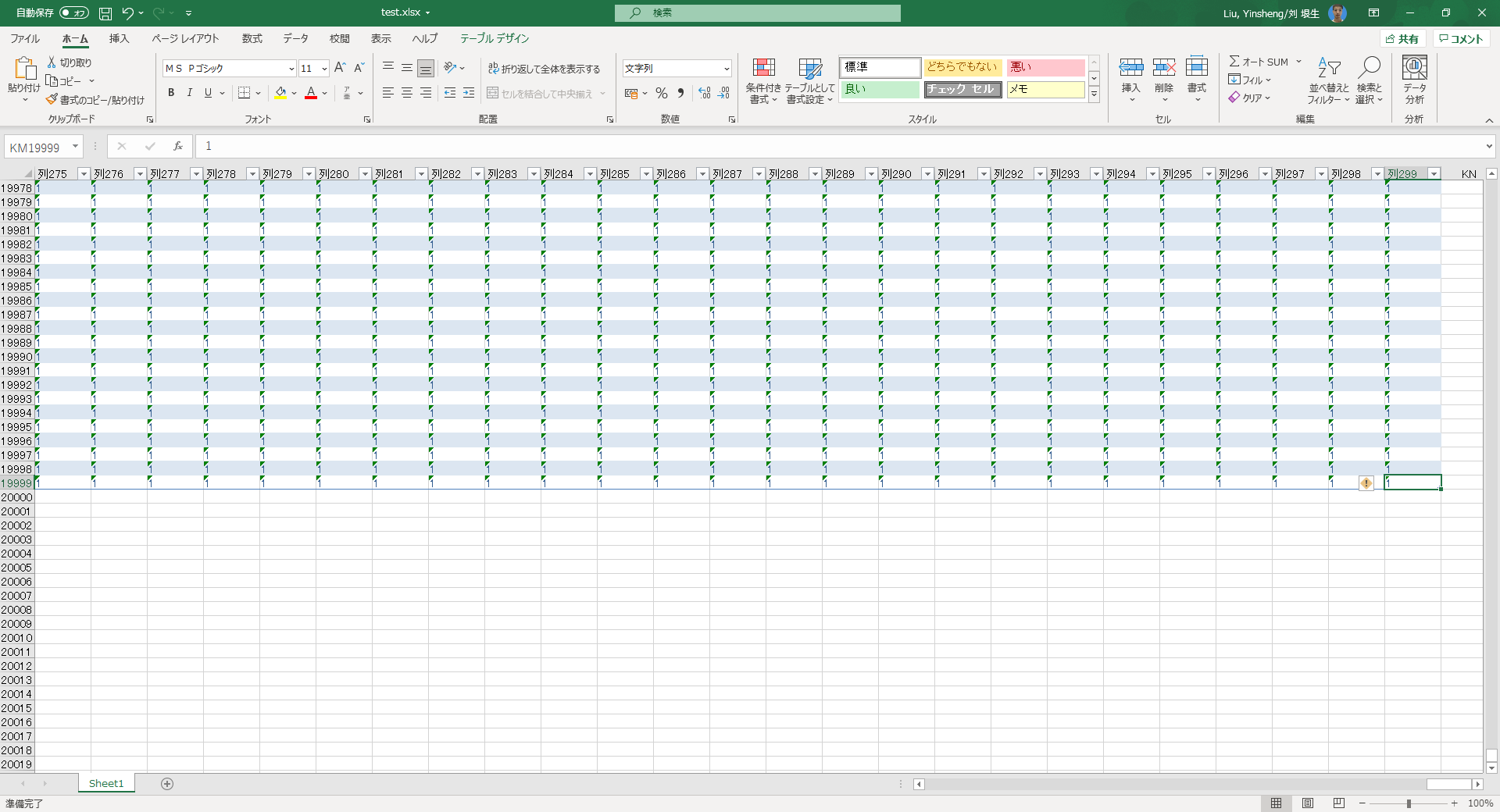
I use 19999 rows and 299 columns of data to import into the list to report the above error. If the amount of data is reduced to 5000 rows and 200 columns, no error will be reported. The browser uses the latest version of chrome Google browser. Confirmed that the table does not contain date formats.
5000 is the list view threshold limit in SharePoint online, for this issue, we suggest you open a ticket from Microsoft to check if there is something wrong on back-end side.