Azure AI Bot Service
An Azure service that provides an integrated environment for bot development.
941 questions
This browser is no longer supported.
Upgrade to Microsoft Edge to take advantage of the latest features, security updates, and technical support.
' cx='32' cy='32' r='32' /%3E%3Ctext x='50%25' y='55%25' dominant-baseline='middle' text-anchor='middle' fill='%23FFF' %3EA%3C/text%3E%3C/svg%3E)
Is there a way in which a microsoft teams bot can interact with users using voice commands ? A speech getting converted to text in Teams bot and Bot can interpret that text using LUIS . But, does Microsoft teams have a way to get users voice ?
' cx='32' cy='32' r='32' /%3E%3Ctext x='50%25' y='55%25' dominant-baseline='middle' text-anchor='middle' fill='%23FFF' %3EYM%3C/text%3E%3C/svg%3E)
Hello,
There is not a direct way to enable bot in Team. But I have found some solutions and blogs which shows different scenario of Interactive Voice Response with bot, hope it helps.
Scenario 1: Bots can interact with Teams calls and meetings using real-time voice, video, and screen sharing.
https://learn.microsoft.com/en-us/microsoftteams/platform/bots/calls-and-meetings/calls-meetings-bots-overview
Scenario 2: interactive voice response (IVR) application with a bot and custom machine-learning intelligence.
https://learn.microsoft.com/en-us/microsoftteams/platform/bots/calls-and-meetings/calls-meetings-bots-overview
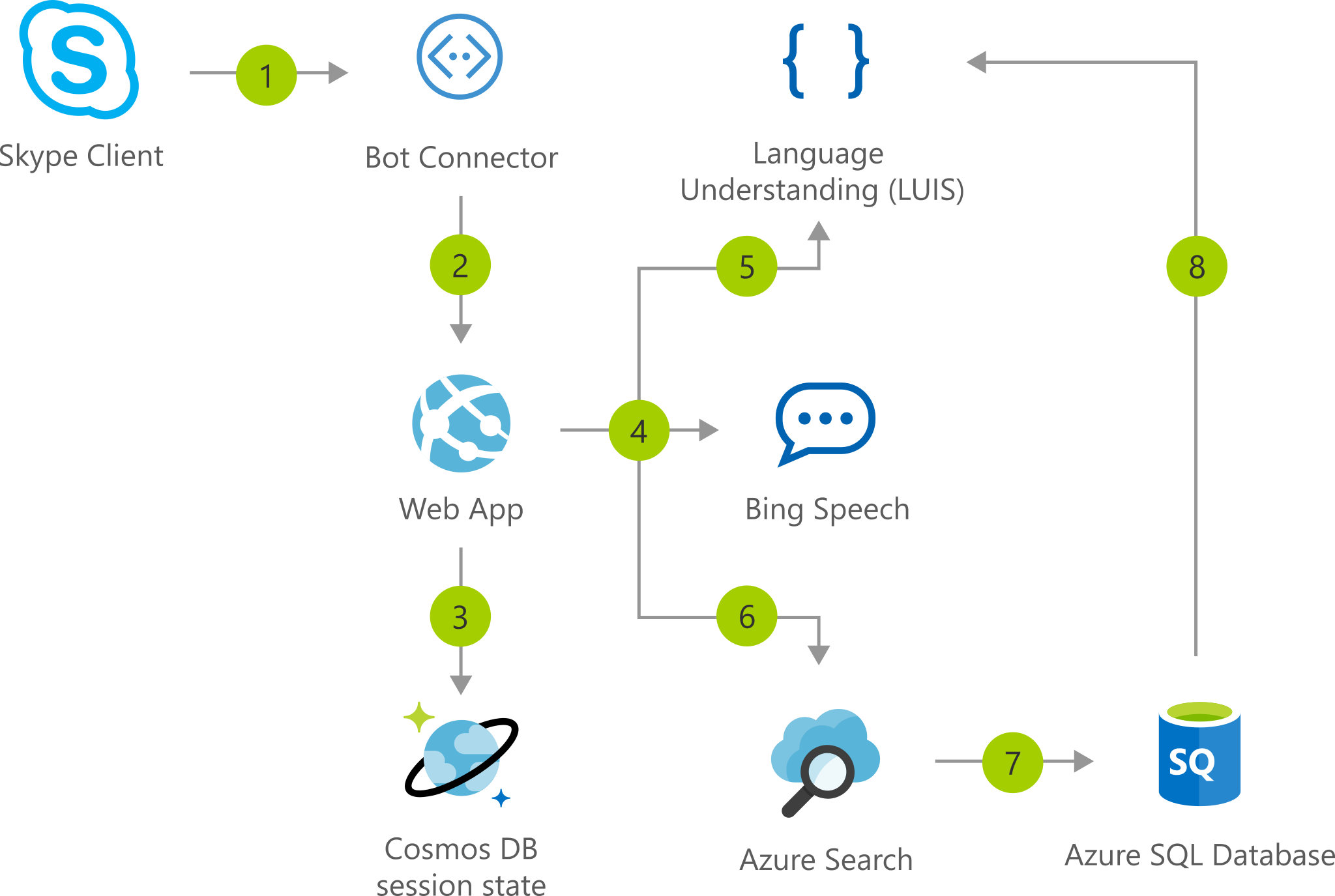
Scenario 3: Teams Information Bot
https://blog.thoughtstuff.co.uk/2019/02/creating-a-microsoft-teams-ivr-bot-a-5-part-series/
Regards,
Yutong