An unexpected error has occurred

Anonymous
2022-09-14T11:55:44+00:00

Howdy,

recently I installed Windows 10 on my PC using work email (set up for an organization -> Windows 10 Business). I have downloaded Office 365 and every app works fine except for Outlook. Whenever I try to open it, I get the error "An unexpected error has occurred" and it shuts down.
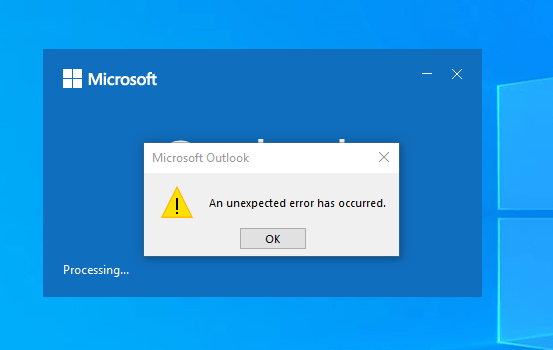
I tried:

  • reinstalling Office 365
  • Online repair tool
  • Offline installation from an ISO file
  • Microsoft Support and Recovery Assistant (SARA)
  • Opening in Safe mode
  • Creating new profile
  • Deleting XML files
  • Reinstalling Windows 10
  • Upgrading to Windows 11
  • every YouTube video/web tips

When I set up a Local account (no email) everything works fine. I have also encountered this problem with every new PC.

Here is a link to a post that describes the same issue, but it's not resolved: link

The online version works normally, I don't have any issues there. Is there any solution to this problem?

Best regards,

Michał

Outlook | Windows | Classic Outlook for Windows | For home

Locked Question. This question was migrated from the Microsoft Support Community. You can vote on whether it's helpful, but you can't add comments or replies or follow the question.

0 comments No comments
{count} votes

2 answers

Sort by: Most helpful
  1. Anonymous
    2022-09-14T13:43:06+00:00

    In case you have foreign characters in your Windows username follow those steps:

    1. Go to region settings
    2. On the right side click on "Additional date, time & regional settings"
    3. Press "Region" and select the "Administrative" tab
    4. In "Language for non-Unicode programs" click on "Change system locale..." and select your language.

    After rebooting, your Outlook should work! :)

    16 people found this answer helpful.
    0 comments No comments
  2. Anonymous
    2022-09-19T07:24:09+00:00

    Hello michal.olszewski,

    Good day! Thanks for posting in Microsoft Community.

    I have checked your second reply and I am glad, it seems you have found a solution to the error you were getting.

    However, if that is not the case, for further troubleshooting and investigation ,please share your Office version About Office: What version of Office am I using? (microsoft.com), also let us know if you can log in to Outlook on the Web without issues.

    Here is a sample of the screenshot:

    We are looking forward to your reply. Thank you for your cooperation. 

    Sincerely,

    Simbarashe | Microsoft Community Moderator

    2 people found this answer helpful.
    0 comments No comments