Microsoft 365 and Office | SharePoint | For business | Windows
A group of Microsoft Products and technologies used for sharing and managing content, knowledge, and applications.

This browser is no longer supported.
Upgrade to Microsoft Edge to take advantage of the latest features, security updates, and technical support.
' cx='32' cy='32' r='32' /%3E%3Ctext x='50%25' y='55%25' dominant-baseline='middle' text-anchor='middle' fill='%23FFF' %3EA%3C/text%3E%3C/svg%3E)
I am a total beginner so apologies for lack of technical knowledge!
I've used the custom list functionality to create a nice accordion-style FAQ (Frequently Asked Questions) in SharePoint.
However by nature some of the 'answers' are lengthy and overflow, needing the user to click 'expand' manually to read the full answer illustrated below.
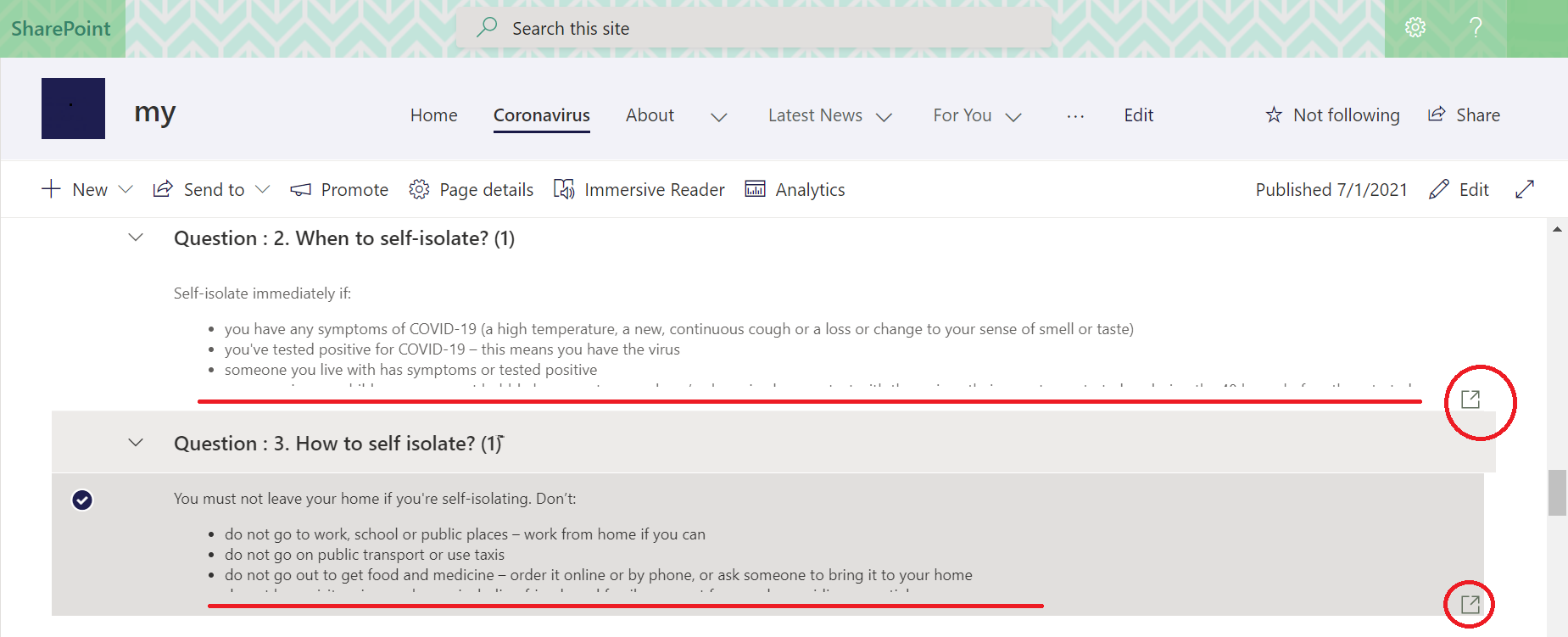
Is there a way to display the full answer - I can imagine colleagues not finding the small 'expand' icon easy enough to find/use

Hi @agrace91 ,
From your screenshot, it seems that the "answers" column is a multiple lines of text column with enhanced rich text enabled, right? I tried using JSON formatting to customize a div of the column field container with below code.
{
  "$schema": "https://developer.microsoft.com/json-schemas/sp/v2/column-formatting.schema.json",
  "elmType": "div",
  "style": {
    "width": "500px",
    "height": "500px"
  },
  "txtContent": "@currentField"
}
However, the contents inside the column fields are displayed as the source HTML code after applying the JSON code.
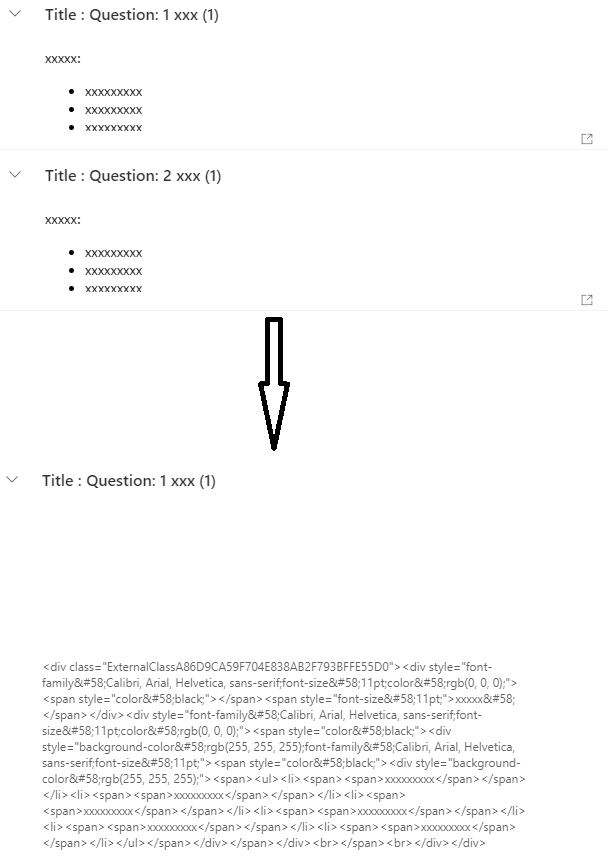
As per my research, JSON formatting is not suppoted in multiple lines of text columns with enhanced rich text enabled. As an alternative, you can use a muliple lines of text column with enhanced rich text disabled and format it with the above JSON code.
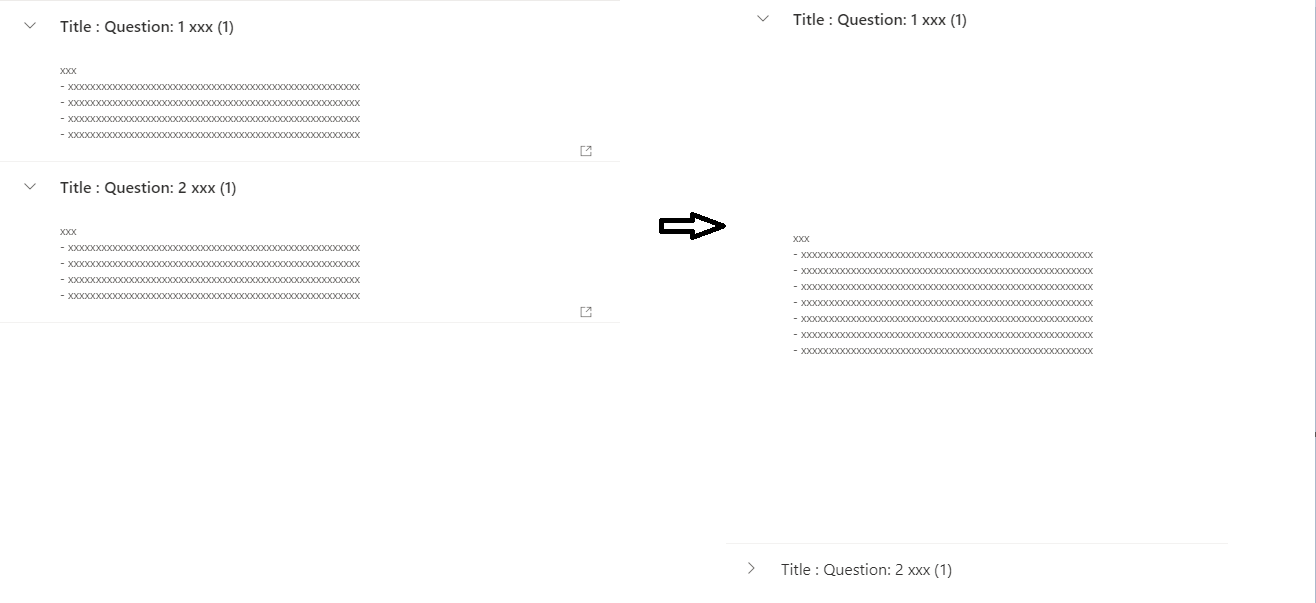
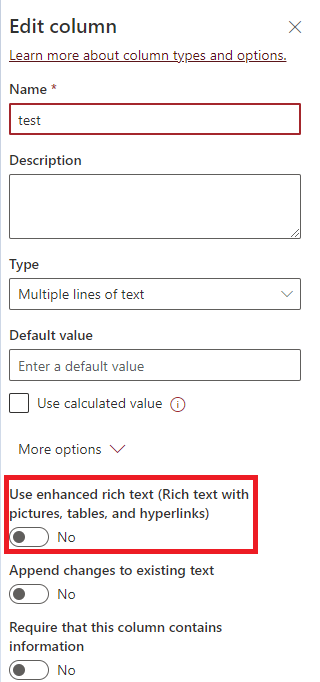
You can customize the parameter "width" or "height" of div in the code to meet your own requirement. And you can disable enhanced rich text by setting "Use enhanced rich text..." to No when editing column.
If an Answer is helpful, please click "Accept Answer" and upvote it.
Note: Please follow the steps in our documentation to enable e-mail notifications if you want to receive the related email notification for this thread.