Microsoft 365 and Office | SharePoint | For business | Windows
A group of Microsoft Products and technologies used for sharing and managing content, knowledge, and applications.

This browser is no longer supported.
Upgrade to Microsoft Edge to take advantage of the latest features, security updates, and technical support.
' cx='32' cy='32' r='32' /%3E%3Ctext x='50%25' y='55%25' dominant-baseline='middle' text-anchor='middle' fill='%23FFF' %3EAJ%3C/text%3E%3C/svg%3E)
Hello all,
I have a situation where a customer needs software deployed to all machines, which we have put a GPO in place for, and works well, however, a few years ago they moved the majority of their files to Office 365 Sharepoint, and have moved the rest a couple of months ago.
Due to the nature of most businesses these days, the majority of people are home working now, and because they have SharePoint files have no need to VPN in anymore, so GPO's don't work, or automated scripts to pick up the installed from the on prem DC.
They have the sharepoint site mapped by GPO which is persistant, and users will connect to the VPN if the mapping ever breaks, but only briefly, and getting them all to connect at a certain point to run a something else, well, "Customers....!"
I have tried to amend the script that I have to install from the mapped drive, but this fails, and I'm assuming because it's not the C: drive. The script I have is simple, but generally works, but I have put the script at the bottom that fails. (Normally I would have this running to a "\SERVER\Share\xxx.msi")
Needless to say their SharePoint drive is mapped to the P: Drive. The other thought I was having is that it may be to do with the file not actually being on the machine, however te call for it should activate the retrieval?
------------------------------------------------------------
@Echo off
msiexec.exe /i "P:\deploy\XXXXXXXXX.msi" /qn /quiet /norestart
if %ERRORLEVEL% NEQ 0 GOTO :error
GOTO :end
:error
echo "This has failed"
exit 1
:end
echo "This has succeeded"
exit
----------------------------------------------------------------------------------

Hello @Andy Johnstone ,
Welcome to Q&A Forum!
In my test, I can manually install the .mis from the mapped SharePoint network drive. This shows that there may be some problems with your script.
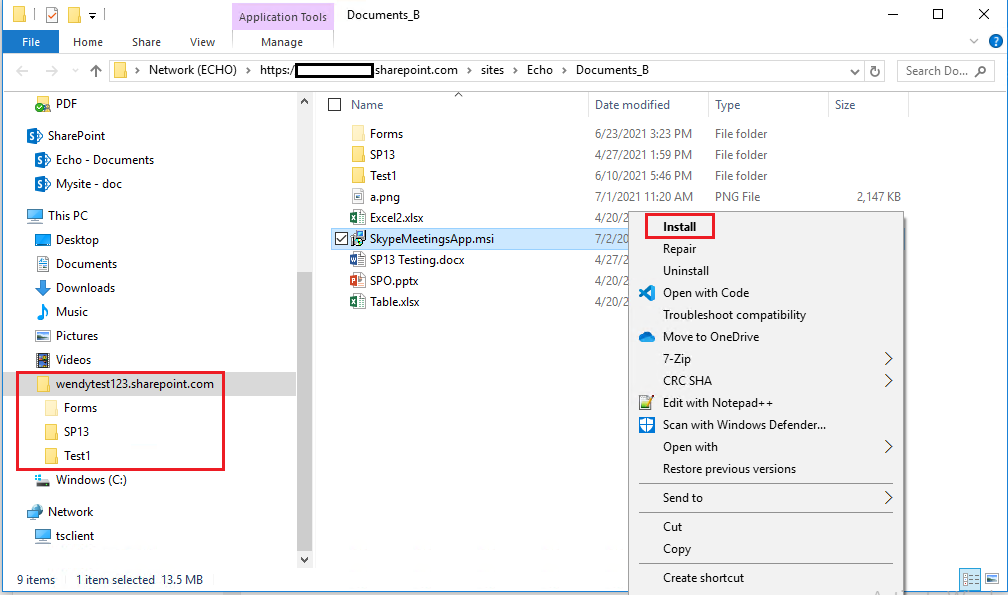
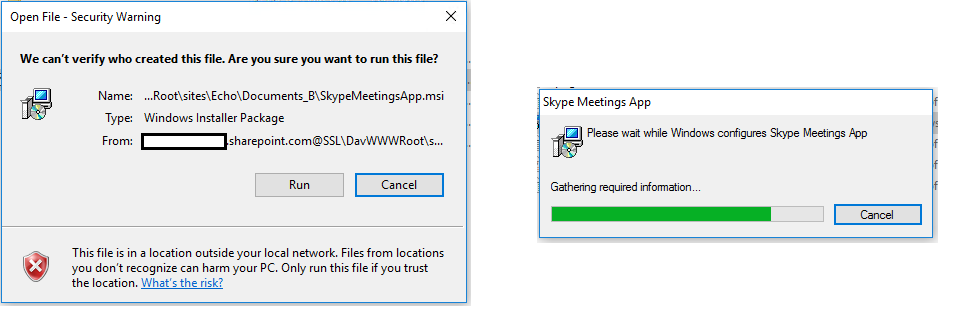
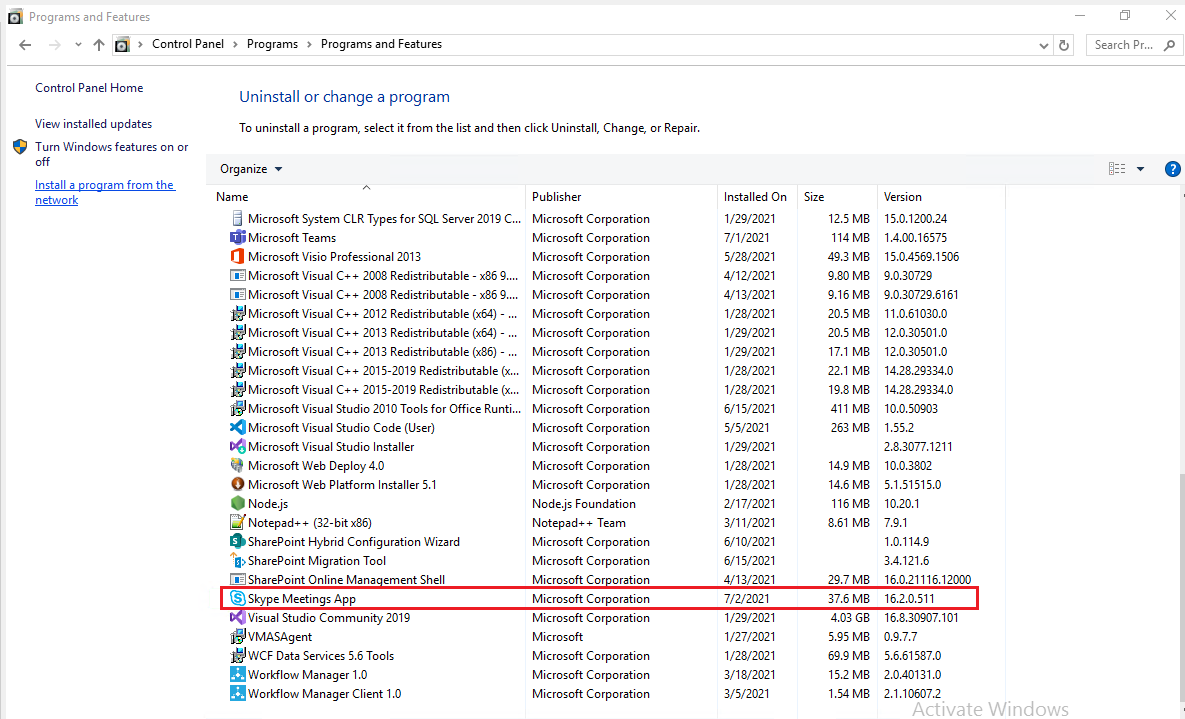
According to my research, @Echo off belongs to Batch Scripting Language. Currently, the Q&A Forum does not support this language. We suggest that you can go to the relevant programming language forum for professional help.
Thanks,
Echo Du
==================================
If an Answer is helpful, please click "Accept Answer" and upvote it.
Note: Please follow the steps in our documentation to enable e-mail notifications if you want to receive the related email notification for this thread.
Hi @Andy Johnstone ,
Is there anything else I can help with regarding this issue?
You can comment us at any time and we will continue to follow up.
Thanks,
Echo Du
Hi @Andy Johnstone ,
Would you tell me whether your issue has been resolved or have any update ?
I am looking forward to your reply.
Have a nice day!
Thanks,
Echo Du
In the end we have gone for a manual method. Unfortunately it would appear that for such a simple task the functionality is just not there.
Hi @Andy Johnstone ,
Thanks for your reply.
Function does not exist? Do you mean that the installed .msi application does not appear on the computer?
Thanks,
Echo Du
Hi @Andy Johnstone ,
Is there any procress on the problem?
I am looking forward to your reply.
Thanks,
Echo Du
Hi @Andy Johnstone ,
Would you tell me whether your issue has been resolved or have any update ?
I am looking forward to your reply.
Have a nice day!
Thanks,
Echo Du