Trying To Add A Developer Button To An Outlook Ribbon

Anonymous
2024-03-02T22:26:21+00:00

I found an article on Microsoft.com: How to setup Outlook macros

It says:

  • Right-click the ribbon.
  • Select Customize the Ribbon.
  • Check the box that says Developer and then click OK.

I tried that:

But when I press the OK button nothing happens.

How do I add Developer to a ribbon?

Outlook | Windows | Classic Outlook for Windows | For home

Locked Question. This question was migrated from the Microsoft Support Community. You can vote on whether it's helpful, but you can't add comments or replies or follow the question.

0 comments No comments
{count} votes

5 answers

Sort by: Most helpful
  1. Anonymous
    2024-03-03T01:38:10+00:00

    Hi,

    Good day!

    Thank you for posting to Microsoft Community. We are glad to assist.

    We are looking into your situation, and we will update the thread accordingly.

    Appreciate your patience and understanding and thank you for your time and cooperation.

    Sincerely,

    Microsoft Community Moderator.

    0 comments No comments
  2. Hal Hostetler MVP-Outlook 11,696 Reputation points MVP Volunteer Moderator
    2024-03-03T18:25:46+00:00

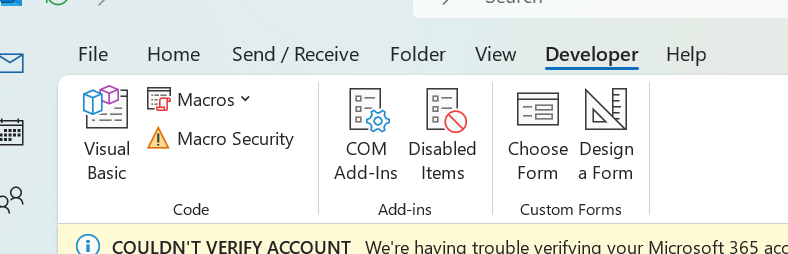
    Does the checkbox remain checked if you go to Customize the Ribbon again? What should appear is a developer tab on the ribbon:

    0 comments No comments
  3. Anonymous
    2024-03-03T20:21:05+00:00

    Dear Saberman_007_,

    Good day!

    Thank you for posting to Microsoft Community. We are glad to assist.

    As per your mentioned description about "Trying To Add A Developer Button To An Outlook Ribbon" ACcording to your provided screenshot it seems you didn't select Developer. Kindly try to check again if you face same situation by going to File-->Options-->Customize Ribbon-->Then make sure that Developer is selected then hit Ok button
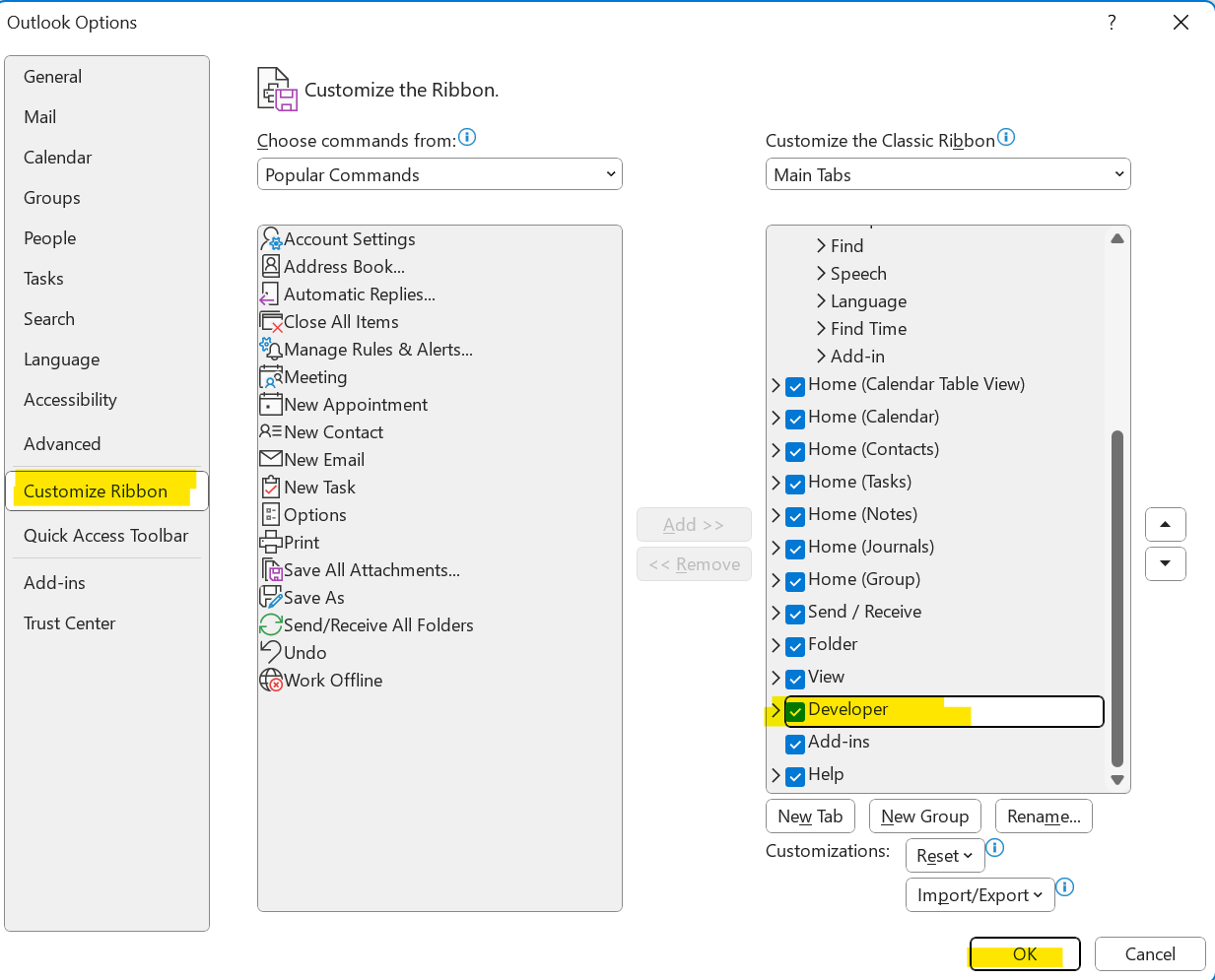
    .
     

    .

    If the issue persist, would you mind offering me below information:

    • May I please know the account type are you using? Is it POP, IMAP or Exchange account?
    • May I know your current environment? Is It Exchange Hybrid, on-premises exchange (Exchange server) or pure cloud?
    • Would you mind to kindly provide the screenshot of the outlook version are you using? Kindly go to File-->Office Account

    We are looking forward to your response. 

    Best regards,

    Inema |Community Moderator

    0 comments No comments
  4. Anonymous
    2024-03-04T00:23:26+00:00

    The ribbon now has a Developer section:

    I don't know if I missed seeing it or it just appeared.

    However, if I click on Visual Basic and try to run something I get this message:

    The help button leads to some web pages that describe java script addons not visual basic addons.

    How do I enable macros in the project?

    0 comments No comments
  5. Hal Hostetler MVP-Outlook 11,696 Reputation points MVP Volunteer Moderator
    2024-03-04T02:14:48+00:00

    Please have a look at this article:

    Enable or disable macros in Microsoft 365 files

    File > Options > Trust Center > Trust Center Settings... > Macro Settings

    0 comments No comments