Hello Raj Radia,
Thank you for posting this case in Microsoft Community!
Based on your description: Error code 1001 in Microsoft Outlook. I would like to cooperate with you working on this case. To clarify this case, please kindly help to collect following information for further analysis:
- Are you usingMicrosoft Exchange, POP or IMAP account in Outlook?
- Have you tried to run other Office application such as Word, Excel, PPT and so on if getting the same case?
- How about your Office version? Please kindly provide us your Office version with product details by going to Excel > File > Office Account>About Excel and share that entire page screenshot with hide personal information. What version of Outlook do I have?
- Have you tried to sign in Outlook Web if working fine with your new password?
For my suggestion, if working fine in Outlook on the web for your email account, you may check this Microsoft article Fixes or workarounds for recent issues in Outlook for PC which seems to be known issue in November 2023 updates.
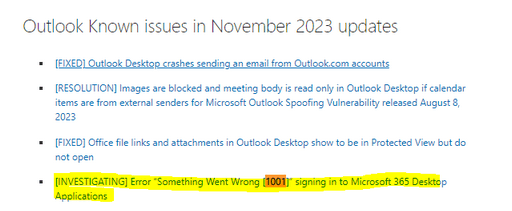
To fix this case, you may check this article as reference Error “Something Went Wrong [1001]” signing in to Microsoft 365 Desktop Applications. As shared, you may check following two scenarios if could resolve your case.
Scenario 1: In the first scenario the error "Something went wrong [1001]" is caused by security software impacting the WAM plug-in (AAD.BrokerPlugin). Please see this article for more details about how to mitigate: Can't sign in to Microsoft 365 desktop applications
To provide temporary relief, these steps may help:
- Rebooting the device often helps to mitigate the issue.
- Run the commands below in user mode PowerShell to repair WAM. For more context see the article, Authentication fails in Microsoft 365 services.
Add-AppxPackage -Register "$env:windir\SystemApps\Microsoft.AAD.BrokerPlugin_cw5n1h2txyewy\Appxmanifest.xml" -DisableDevelopmentMode -ForceApplicationShutdown
Add-AppxPackage -Register "$env:windir\SystemApps\Microsoft.Windows.CloudExperienceHost_cw5n1h2txyewy\Appxmanifest.xml" -DisableDevelopmentMode -ForceApplicationShutdown
Scenario 2: In the second scenario the error "Something went wrong [1001]" is caused by user profile management issues. Please see this article for more details about how to mitigate: Device identity and desktop virtualization
In this category of issues, we find that on both VDI and physical devices the user profile data is being roamed and that can cause identity and authentication data components to be in a bad state. Make sure to follow the guidance in the article above to carefully review if user profile management practices could be causing the issue. This section is pulled from that article to emphasize its importance:
Roaming any data under the path %localappdata% is not supported. If you choose to move content under %localappdata%, make sure that the content of the following folders and registry keys never leaves the device under any condition. For example: Profile migration tools must skip the following folders and keys:
- %localappdata%\Packages\Microsoft.AAD.BrokerPlugin_cw5n1h2txyewy
- %localappdata%\Packages\Microsoft.Windows.CloudExperienceHost_cw5n1h2txyewy
- %localappdata%\Packages<any app package>\AC\TokenBroker
- %localappdata%\Microsoft\TokenBroker
- HKEY_CURRENT_USER\SOFTWARE\Microsoft\IdentityCRL
- HKEY_CURRENT_USER\SOFTWARE\Microsoft\Windows\CurrentVersion\AAD
- HKEY_CURRENT_USER\SOFTWARE\Microsoft\Windows NT\CurrentVersion\WorkplaceJoin
Roaming of the work account's device certificate is not supported. The certificate, issued by "MS-Organization-Access", is stored in the Personal (MY) certificate store of the current user and on the local machine.
Currently, our Microsoft 365 teams are investigating this issue by analyzing logs provided by some affected users. You may also ask your Microsoft 365 admin to open a support ticket in the M365 Admin Portal: Ways to contact support for business products - Admin help. Go to Office365 admin center>Support>New Service Request. In order to expedite the investigation please uninstall any security software completely and then capture the MSOAID logs to include with the support ticket when you submit the request, Use MSOAID for authentication issues. (Note: If you are not sure who is admin, you may check this Microsoft article: How do I find my Microsoft 365 admin? - Microsoft Support)
Please understand that the initial response may not resolve your case directly, but you can try my workaround and provide more useful information for further assistance, please feel free to let me know, I will keep assisting you.
Your understanding and patience will be appreciated.
Thank you!
' cx='32' cy='32' r='32' /%3E%3Ctext x='50%25' y='55%25' dominant-baseline='middle' text-anchor='middle' fill='%23FFF' %3EA%3C/text%3E%3C/svg%3E)
