Azure Functions
An Azure service that provides an event-driven serverless compute platform.
This browser is no longer supported.
Upgrade to Microsoft Edge to take advantage of the latest features, security updates, and technical support.
' cx='32' cy='32' r='32' /%3E%3Ctext x='50%25' y='55%25' dominant-baseline='middle' text-anchor='middle' fill='%23FFF' %3EJ%3C/text%3E%3C/svg%3E)
Step 1. Create Azure service "Resource Group" -> Create Azure feature from portal
Step 2. Follow "https://learn.microsoft.com/ko-kr/azure/azure-functions/create-first-function-vs-code-node".
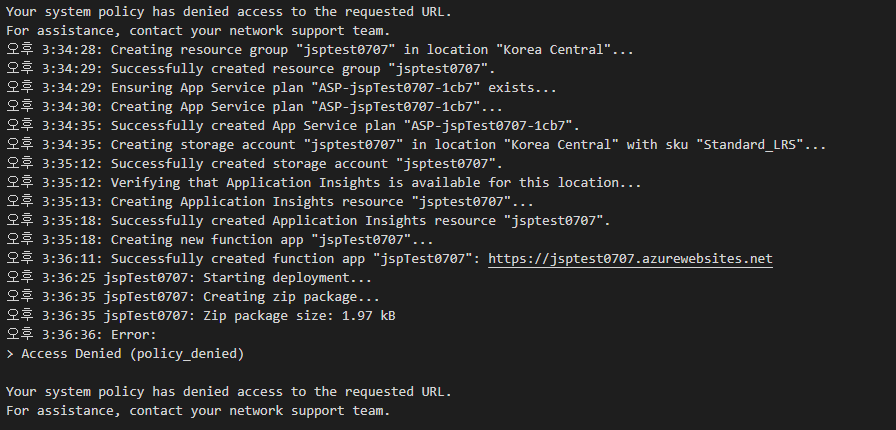
Step 3. Build succeeded and deployment failed
In fact, I have had a similar problem solved before.
At that time, however, the problem was solved by allowing certain URLs to be used by the network team as a problem in the "JAVA" environment.
This is a deployment issue in a "javascript" environment, but the same problem occurs with "Access Denied".
Previously, @MayankBargali-MSFT was asked to allow the domain "*. scm.azurewebsites.net".
I wonder if the URL domain that should be allowed is different from the "JAVA" environment.
Msg is "Access Denied" T_T

Hi,
Had similar issue, we had to whitelist "*.azurewebsites.net".

@JH As @Pierre-Luc Giguere has mentioned this should help you.