' cx='32' cy='32' r='32' /%3E%3Ctext x='50%25' y='55%25' dominant-baseline='middle' text-anchor='middle' fill='%23FFF' %3EA%3C/text%3E%3C/svg%3E)

Dear Gail Knight1,
Thank you for posting on the Microsoft Community.
I'm very sorry for the inconvenience caused by your outlook.
Only group owners can delete a group.
reference:Delete a group in Outlook - Microsoft Support
- Open Outlook for Windows.
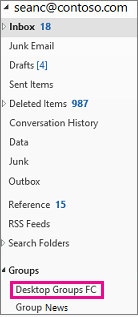
- Under Groups on the left nav bar, select your group.
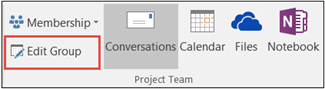
- Select Edit Group on the ribbon.
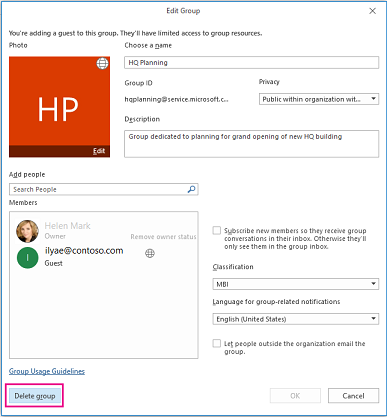
- Click the Delete group button in the lower left corner of the window.
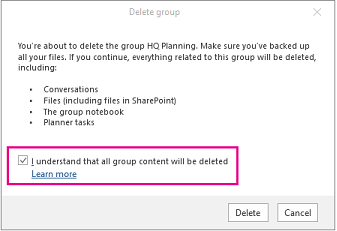
- Select I understand that all group content will be deleted > Delete.
If you're a member of a group, you can click following leave the group
Please let me know how it goes.
Best wishes
JustinL-MSFT | Microsoft Community Support Specialist