Outlook | Windows | New Outlook for Windows | For business
Using New Outlook on Windows for professional communication and productivity

This browser is no longer supported.
Upgrade to Microsoft Edge to take advantage of the latest features, security updates, and technical support.
' cx='32' cy='32' r='32' /%3E%3Ctext x='50%25' y='55%25' dominant-baseline='middle' text-anchor='middle' fill='%23FFF' %3EA%3C/text%3E%3C/svg%3E)
How can I get the actual New Outlook app downloaded to my PC, so that I can also work with my (downloaded) mail, write new mails etc., when I am OFFLINE?
All answers, tips I can find concern the WEB version (yes, I can download and run the web installer), but nothing seems to allow me to download the actual app for offline work. With Classic Outlook (which, incidentally, now has server logon trouble) this has never been a problem. I am a Microsoft 365 Home subscriber. So, again: How to download the actual New Outlook app, not just the web version installer?
Using New Outlook on Windows for professional communication and productivity
Locked Question. This question was migrated from the Microsoft Support Community. You can vote on whether it's helpful, but you can't add comments or replies or follow the question.
Hi Dillon,
Thank you for your response. But as I noted in my question, I am already a Microsoft 365 subscriber, so your answer was not helpful. As a Microsoft 365 subscriber, I expected this to be easy, but it is not. Hence my question here.

At the moment, the new Outlook is very similar to the web interface. See the screen shot below.
The way I understand it, offline access isn't fully supported; see https://support.microsoft.com/en-us/office/work-offline-in-outlook-2460e4a8-16c7-47fc-b204-b1549275aac9.
With a Microsoft subscription, you get the classic Outlook on your PC, and that version does have full offline access.

Hi John,
Please see:
If you're using Microsoft 365 Germany, sign in with your work or school account to portal.office.de. 2. Sign in with the account you associated with this version of Microsoft 365. This account can be a Microsoft account, or work or school account. I forgot the account I use with Office 3. After signing in, follow the steps that match the type of account you signed in with.
You signed in with a Microsoft account

1. From the Microsoft 365 home page select **Install apps**.
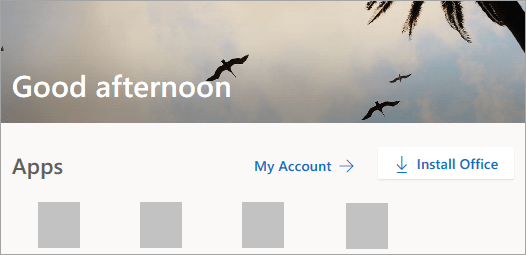
2. Select **Install** (or depending on your version, **Install apps>**).
You signed in with a work or school account
1. From the home page select **Install apps**(If you set a different start page, go to [aka.ms/office-install](https://aka.ms/office-install "aka.ms").)
Notes:
- For Microsoft 365 operated by 21 Vianet go to [login.partner.microsoftonline.cn/account](https://login.partner.microsoftonline.cn/account "login.partner.microsoftonline.cn").
- For Microsoft 365 Germany go to [portal.office.de/account](https://portal.office.de/account "portal.office.de").
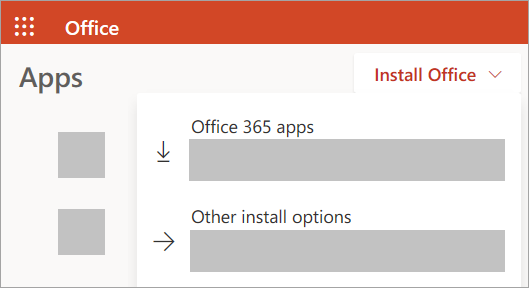
2. Select **Microsoft 365 apps** to begin the installation.
The 64-bit version is installed by default unless Microsoft 365 or Office detects you already have a 32-bit version of Microsoft 365 or Office (or a stand-alone app such as Project or Visio) installed. In this case, the 32-bit version of Microsoft 365 or Office will be installed instead.
To change from a [32-bit version to a 64-bit version](https://support.microsoft.com/en-us/office/choose-between-the-64-bit-or-32-bit-version-of-office-2dee7807-8f95-4d0c-b5fe-6c6f49b8d261?wt.mc_id=SCL_InstallOffice_Home# "support.microsoft.com") or vice versa, you need to [uninstall](https://support.microsoft.com/en-us/office/uninstall-office-from-a-pc-9dd49b83-264a-477a-8fcc-2fdf5dbf61d8 "support.microsoft.com") Microsoft 365 first (including any stand-alone Microsoft 365 apps you have such as Project of Visio). Once the uninstall is complete, sign in again to [www.office.com](https://www.office.com/ "www.office.com") and select **Other install options**, choose the language and version you want (64 or 32-bit), and then select **Install**. (See [Install Visio](https://support.microsoft.com/en-us/office/install-visio-or-access-visio-for-the-web-f98f21e3-aa02-4827-9167-ddab5b025710 "support.microsoft.com") or [Install Project](https://support.microsoft.com/en-us/office/install-project-7059249b-d9fe-4d61-ab96-5c5bf435f281 "support.microsoft.com") if you need to reinstall those stand-alone apps.)
Notes:
- For Microsoft 365 operated by 21 Vianet go to [login.partner.microsoftonline.cn](https://login.partner.microsoftonline.cn/account "login.partner.microsoftonline.cn").
- For Microsoft 365 Germany go to [portal.office.de](https://portal.office.de/account "portal.office.de").
Hi John,
You will either a) need to buy a subscription to Microsoft 365 or b) purchase Office 2021:
Subscription
https://www.microsoft.com/en-ca/microsoft-365/buy/compare-all-microsoft-365-products
Office 2021
https://www.microsoft.com/en-ca/microsoft-365/get-started-with-office-2021