Windows Server
A family of Microsoft server operating systems that support enterprise-level management, data storage, applications, and communications.
12,635 questions
This browser is no longer supported.
Upgrade to Microsoft Edge to take advantage of the latest features, security updates, and technical support.
' cx='32' cy='32' r='32' /%3E%3Ctext x='50%25' y='55%25' dominant-baseline='middle' text-anchor='middle' fill='%23FFF' %3EA%3C/text%3E%3C/svg%3E)
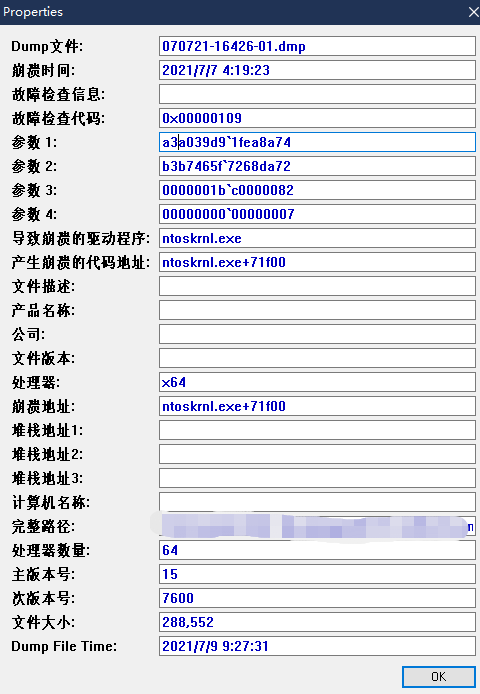
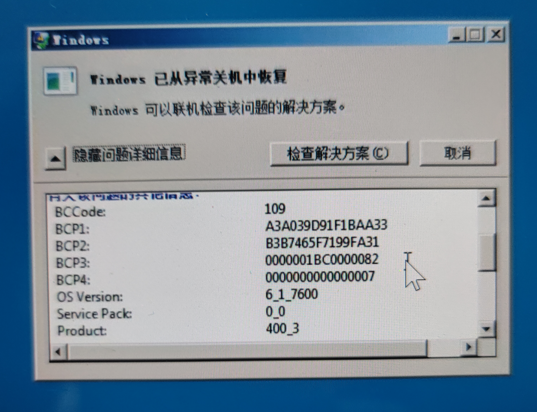
Log file address:https://drive.google.com/file/d/1r1n9v-Llq_IoRYm9-BuzKEfsx2F8Cr5c/view?usp=sharing
' cx='32' cy='32' r='32' /%3E%3Ctext x='50%25' y='55%25' dominant-baseline='middle' text-anchor='middle' fill='%23FFF' %3ECF%3C/text%3E%3C/svg%3E)
Hi,
Thank you for your post.
For the dump information, we could only see it is a NT kernel error. No specific information pointing to certain driver file or service.
I suggest that you could try to perform a clean boot and disable Antivirus software temporarily.
https://support.microsoft.com/en-us/topic/how-to-perform-a-clean-boot-in-windows-da2f9573-6eec-00ad-2f8a-a97a1807f3dd
Also we could try to check the event log if related error could be found.
Check to see if a new dump file has been generated.
Hope this helps and please help to accept as Answer if the response is useful.
Best Regards,
Carl