Microsoft 365 and Office | SharePoint Server | For business
A family of Microsoft on-premises document management and storage systems.

This browser is no longer supported.
Upgrade to Microsoft Edge to take advantage of the latest features, security updates, and technical support.
' cx='32' cy='32' r='32' /%3E%3Ctext x='50%25' y='55%25' dominant-baseline='middle' text-anchor='middle' fill='%23FFF' %3EMS%3C/text%3E%3C/svg%3E)
Hi All,
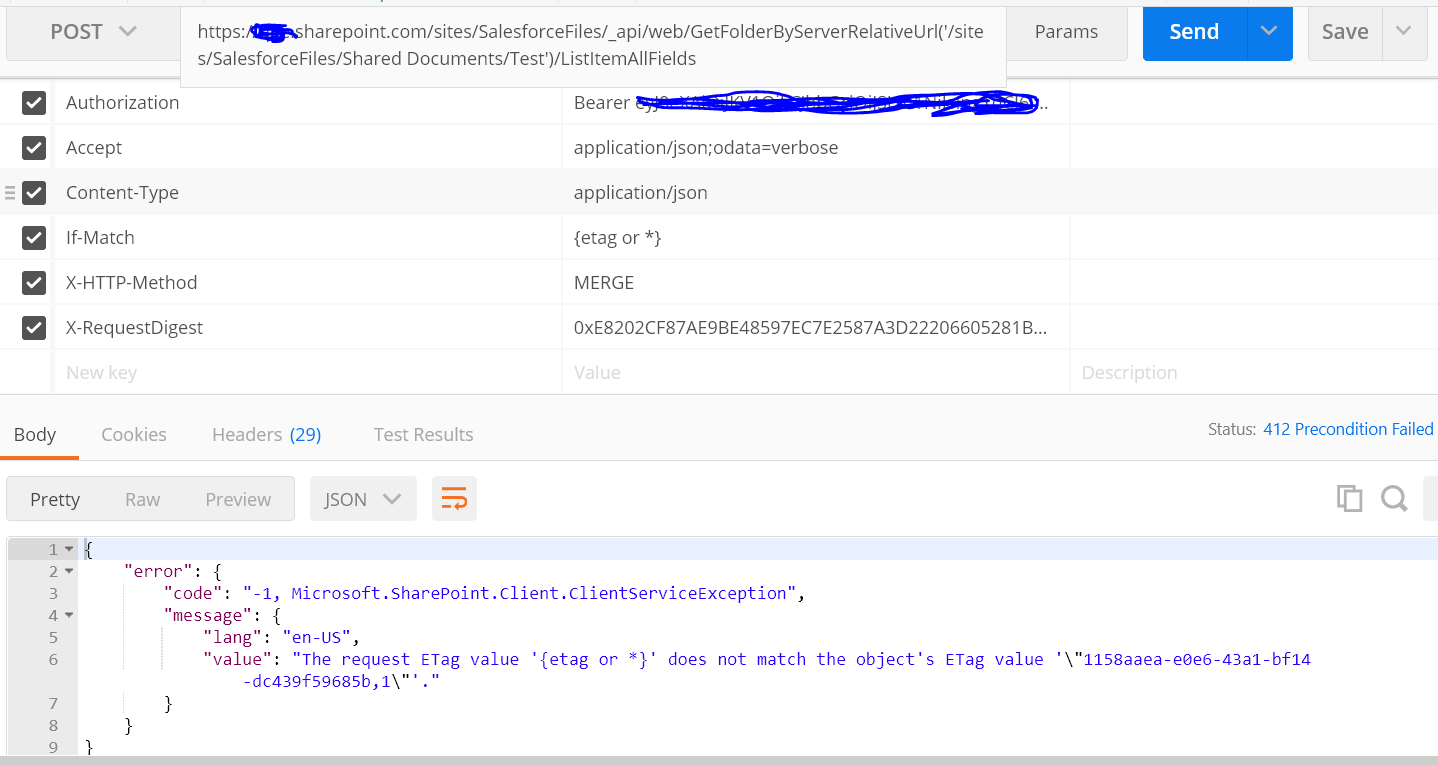
I am not Not to rename the folder using REST API using POSTMAN, Please refer to the below screenshot of my REQUEST
' cx='32' cy='32' r='32' /%3E%3Ctext x='50%25' y='55%25' dominant-baseline='middle' text-anchor='middle' fill='%23FFF' %3EMM%3C/text%3E%3C/svg%3E)
Hi MadhuSudanSingh-1785,
You need to set the Content-Type header as application/json;odata=verbose, as the below:

And the body:
{
        "__metadata": {
            "type": "SP.Data.Shared_x0020_DocumentsItem"
        },
        "FileLeafRef": "NewFolderName"
}
If an Answer is helpful, please click "Accept Answer" and upvote it.
Note: Please follow the steps in our documentation to enable e-mail notifications if you want to receive the related email notification for this thread.
' cx='32' cy='32' r='32' /%3E%3Ctext x='50%25' y='55%25' dominant-baseline='middle' text-anchor='middle' fill='%23FFF' %3EMT%3C/text%3E%3C/svg%3E)
The issue is that you're passing an ETag to the request. ETags (and other E-headers) are used to detect modifications. They are most often used for GET requests and allow a server (or proxy) to skip retrieval of the data if there has been no changes on the E-headers since the last request. It is a caching mechanism.
In your case you are passing an ETag probably from a previous GET. However by the time you make the request the object has been modified and therefore the tag doesn't match and it fails the call. This is a concurrency detection thing. Two solutions that I can see.
Option 1 update to the new ETag and try again. In your Postman screenshot it doesn't actually look like you're passing the ETag header so that might be the problem by itself. Set the header to whatever you got from the GET request and try again.
Option 2 is to not bother with the concurrency detection. Since you're just renaming a folder I would wager changes to it shouldn't matter. Therefore remove the If-Match header.
Hi,
Even after removing If-Match header, I get an error, below is the response
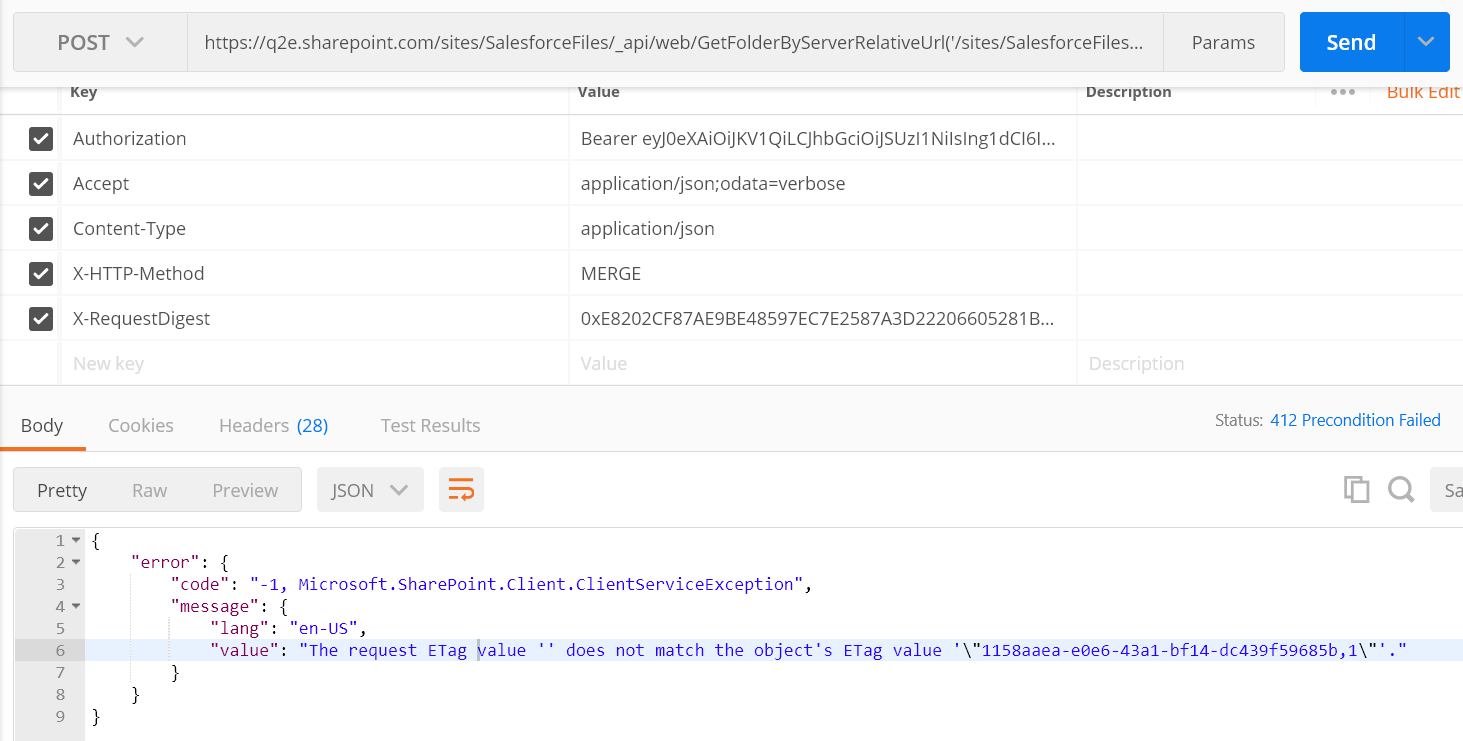
The body is as below
{
"__metadata": {
"type": "SP.Data.Shared_x0020_DocumentsItem"
},
"Title": "Newname",
"FileLeafRef": "Newname"
}
I don't use SP API so maybe the tag is required. Add the If-Match header in again and also ensure you are setting the ETag header to the value from the previous GET (or for testing the value it is giving you). As I mentioned earlier it didn't appear you were actually passing the ETag originally.
Also note that the Headers tab in Postman shows you passing a lot of headers. Be sure to scan those as well. It is possible the header(s) are being auto-added by the collection/folder and causing issues. If in that tab you see the ETag/If-Match headers then it is being applied by the collection/folder or session. This is common in sample PM collections. We tell you to run a GET and we use a post-run script to update your environment with values from the results so we can then tell you to run a POST/PUT and it uses the results of your previous GET.
Hi,
Thanks for your quick response.
I went through the API documentation which says give Etag or *, so I mentioned * and now I get a new error.
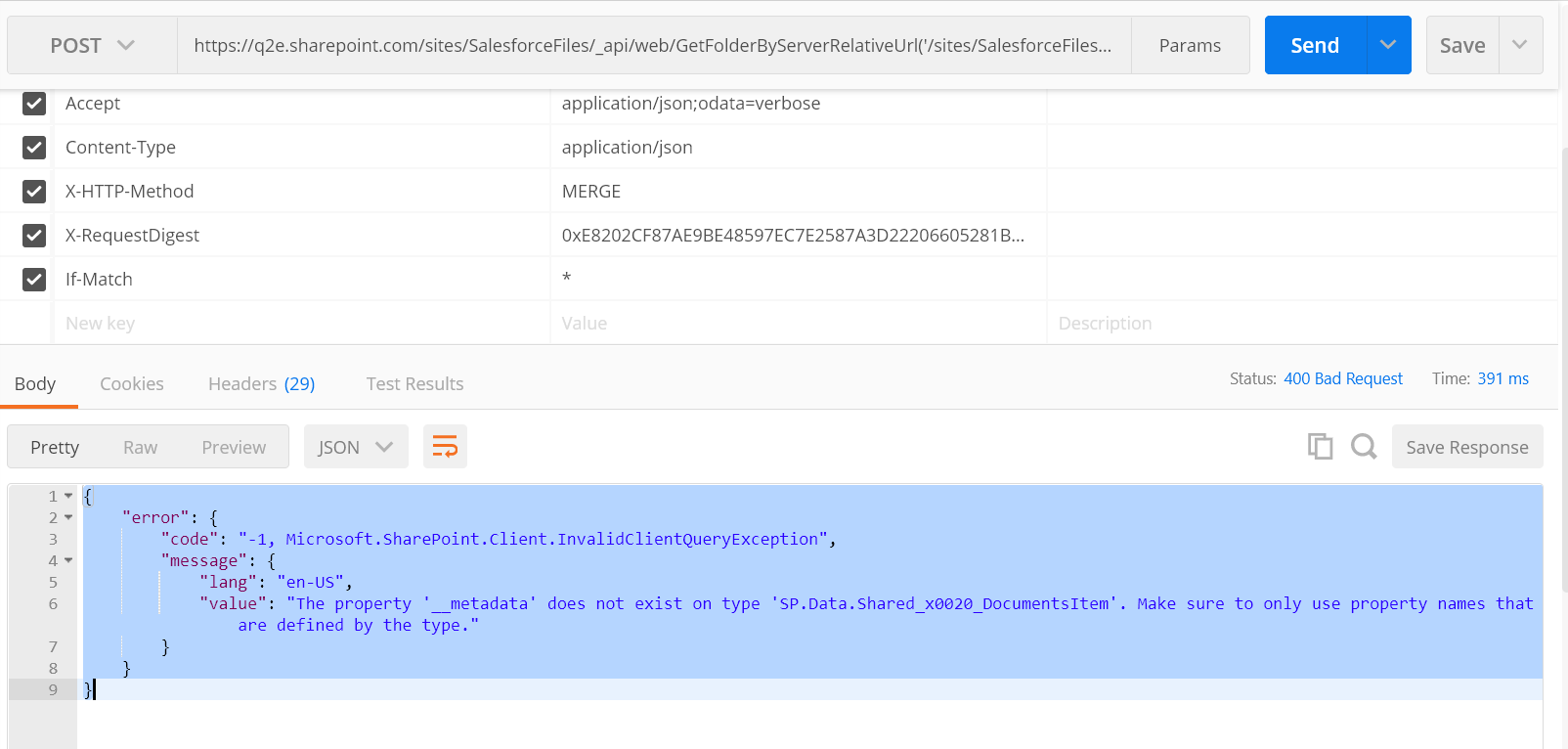
Request Body is as below
{
"__metadata": {
"type": "SP.Data.Shared_x0020_DocumentsItem"
},
"Title": "Newname",
"FileLeafRef": "Newname"
}
I'm just taking a guess here that you're using the example from here. Again, I don't use the SP API so I cannot speak to the custom rules that it might follow.
But if I were to guess then the type DocumentsItem isn't correct for your request. Before you make the POST call to update the folder you should have called the GET request to get the item data. As part of that data should have been both the digest value you're using (you cannot hard code that) and the type. You need to pass these to the POST request otherwise it'll fail.
when I called GET API before MERGE, I got below response.
{
"d": {
"__metadata": {
"id": "daa2bddf-b998-41c5-8d50-f79c19a608fe",
"uri": "https://q2e.sharepoint.com/sites/SalesforceFiles/_api/Web/Lists(guid'3a4f9bea-334a-4421-882c-47ae14d003bb')/Items(13)",
"etag": "\"1\"",
"type": "SP.Data.Shared_x0020_DocumentsItem"
},
.
.
.
Here if you notice type is same as I mentioned in the Request Body of MERGE request
I'm afraid I cannot answer why SP doesn't like your data. It doesn't seem to be lining up with the recommended samples.
The only thing I see different between yours and others is that all working examples use the Accept value of application/json;odata=verbose. Perhaps you should adjust your Accept header to that and see if it works then. I couldn't imagine why that would matter though.
Even after that, it is not working
I am referencing below link
https://learn.microsoft.com/en-us/sharepoint/dev/sp-add-ins/working-with-folders-and-files-with-rest
"Even after that, it is now working"
it is still not working or it is now working?
Perhaps someone with actual SP API experience can clarify what else might be wrong but at this point it seems like your code should work based upon the docs. Unless you got something weird with character sets like your underscores aren't actually underscores then I don't see anything wrong.